
TL;DR
- PrestaShop is self-hosted open-source e-commerce software written in PHP on MySQL or MariaDB, split into core, theme and modules, and versions 1.6, 1.7 and the 8.x series ship different default URL routes.
- Setting the canonical URL redirect to permanent only rescues product URLs, because the product route carries a numeric ID; renaming a category friendly URL deletes the old address and needs a hand-written redirect every time.
- Three filters with five options each can produce over a hundred crawlable URLs for one category, so filtered pages should canonicalise back to the unfiltered category and be blocked with robots.txt Disallow rules matching the parameter pattern.
- The robots.txt generate button on the Traffic and SEO screen overwrites custom rules, and XML sitemaps come from a module that does not regenerate itself when products are added.
- The article states there is no reliable public benchmark for a standard PrestaShop store's Core Web Vitals score, for SEO pricing in Thailand, or for how much extra traffic one fix produces.
PrestaShop SEO is the work of making a PrestaShop store understandable and rankable by search engines, starting with the settings the software already exposes in its back office rather than with a pile of blog posts. The reason this matters more on PrestaShop than on a brochure site is that the platform generates a large number of pages for you from day one: product pages, category pages, brand pages, supplier pages, tag pages and filtered product listings. Left at their defaults, a single mid-sized catalogue can produce thousands of URLs that are either duplicated or too thin to earn a ranking, and whatever budget you spend on content gets absorbed by them. This article walks from what PrestaShop is and what it does, through why a store owner on this platform should spend money on search, and into the settings you actually have to change.
What is PrestaShop
PrestaShop is open source e-commerce software that a store owner installs on their own server. It is written in PHP, runs on MySQL or MariaDB, and is extended through themes and modules. What separates it from a hosted service like Shopify is that you own the server, the files and the database. You can edit robots.txt, change .htaccess, open up the theme templates, and move hosts when speed is not good enough. That freedom is the platform's biggest SEO advantage and its biggest liability at the same time, because nobody configures any of it correctly on your behalf.
PrestaShop has three layers, and separating them saves a lot of wasted effort. The core handles products, orders, customers, languages and URL routing. The theme decides what HTML actually reaches the browser: how headings are nested, whether structured data is output, and which files load. Modules plug in to add features such as product filtering, sitemap generation or marketplace connections. When something is wrong with search on a PrestaShop store, the first question to answer is which layer owns the problem, because fixing the wrong layer costs time and changes nothing. A title tag that is malformed on every page is not fixed product by product, it is fixed in the theme template.
Version matters too. PrestaShop 1.6, 1.7 and the 8.x series ship different default URL routes, put settings pages in different menus, and differ in what they offer for images. Advice you find online often does not apply directly if the version does not match yours. Before touching anything, open Advanced Parameters and write down the version, the theme name and the list of enabled modules.
What is PrestaShop used for
PrestaShop is used to run an online store that sells and takes payment on your own domain. Out of the box, before any add-on modules, it handles the following.
- Catalogue management for simple products, products with variants such as colour and size, which the system calls combinations, and packs assembled from other products.
- Nested category trees several levels deep, where each category page has its own description and cover image.
- Stock levels, customer-group pricing, discounts and location-based tax rules.
- Order intake, invoicing, shipment status and returns handling.
- Multiple languages and currencies within one store, with content stored separately per language.
- Multistore, meaning several storefronts run from one back office, on separate domains or separate folders.
- CMS content pages such as shipping terms, an about page or short editorial pages.
The word to underline there is automatically. Every product you add creates more than one reachable page. There is the product page itself, and the product also appears on category pages, manufacturer pages, supplier pages, and the new products, best sellers and price drops listings. All of those are crawlable unless you say otherwise. That is why most PrestaShop SEO work is a series of decisions about which pages should be indexed, not an exercise in adding more pages.
Why PrestaShop store owners should invest in SEO
The plainest reason is that PrestaShop gives you a reasonably complete SEO toolkit but ships it on neutral defaults. Those defaults exist so a fresh install works immediately, which is a different goal from making your money pages the ones search engines favour. Optimisation work is what closes the gap between those two goals.
The second reason is structural. Online stores have something ordinary websites do not: enormous numbers of near-identical pages. One model in ten colours and five sizes, reachable through three different routes, then multiplied again by the filters on the category page. The number of possible URLs grows fast while the number of pages that should actually rank stays the same. Managing that is not a writing job, it is a technical job done at the level of settings and templates. The same principle applies on every platform, and anyone who has worked on WooCommerce SEO will recognise the identical problem sitting behind different switches.
The third reason is cost per click. A store that relies only on advertising pays every time somebody arrives. A category page that ranks well keeps receiving visits without an incremental click cost. The caution here is that SEO is not free: it costs the time of the person doing it and, often, developer hours. But it is paid once per fix rather than once per visitor. Planning both channels together is normal practice in e-commerce SEO, and choosing which channel suits which product line is part of wider e-commerce marketing.
The fourth reason is that damage accumulates quietly. A misconfiguration on a platform that generates URLs automatically does not look like a problem in week one. It builds up as crawl activity spent on pages nobody should see, links broken by slug edits, and duplicate pages competing with each other in the results. By the time the owner notices rankings sliding, the repair usually needs a site-wide redirect plan, which costs far more than configuring things correctly at the start.
SEO problems PrestaShop creates by itself, and where to fix them
Before the how-to, the table below lists problems caused by the software's own behaviour rather than by user error, together with the place in the back office where each one is handled. Menu names shift slightly between versions.
| Problem the platform creates | Where to fix it in the back office |
|---|---|
| URLs still show numeric IDs because friendly URLs are off, or the server has no URL rewriting enabled | Shop Parameters, then Traffic and SEO, the Set up URLs block, checked together with the web server configuration |
| Brand, supplier, tag, new products and best sellers pages are generated even for stores that do not use them, producing thin and duplicated listings | The Pages list on the Traffic and SEO screen edits their meta; blocking crawling or removing them needs robots.txt, the theme or a module |
| Category filters can generate a large number of URLs for the same set of products | Filter module settings, the canonical tag output by the theme, and Disallow rules matching the parameter pattern |
| Empty meta title and friendly URL fields are filled from the product name, so similarly named products get nearly identical titles | The SEO tab on the product edit screen and on the category edit screen, per language |
| Editing a category friendly URL breaks the old URL immediately with no redirect created | Set the canonical URL redirect to permanent, and write your own redirect rules for routes that carry no numeric ID |
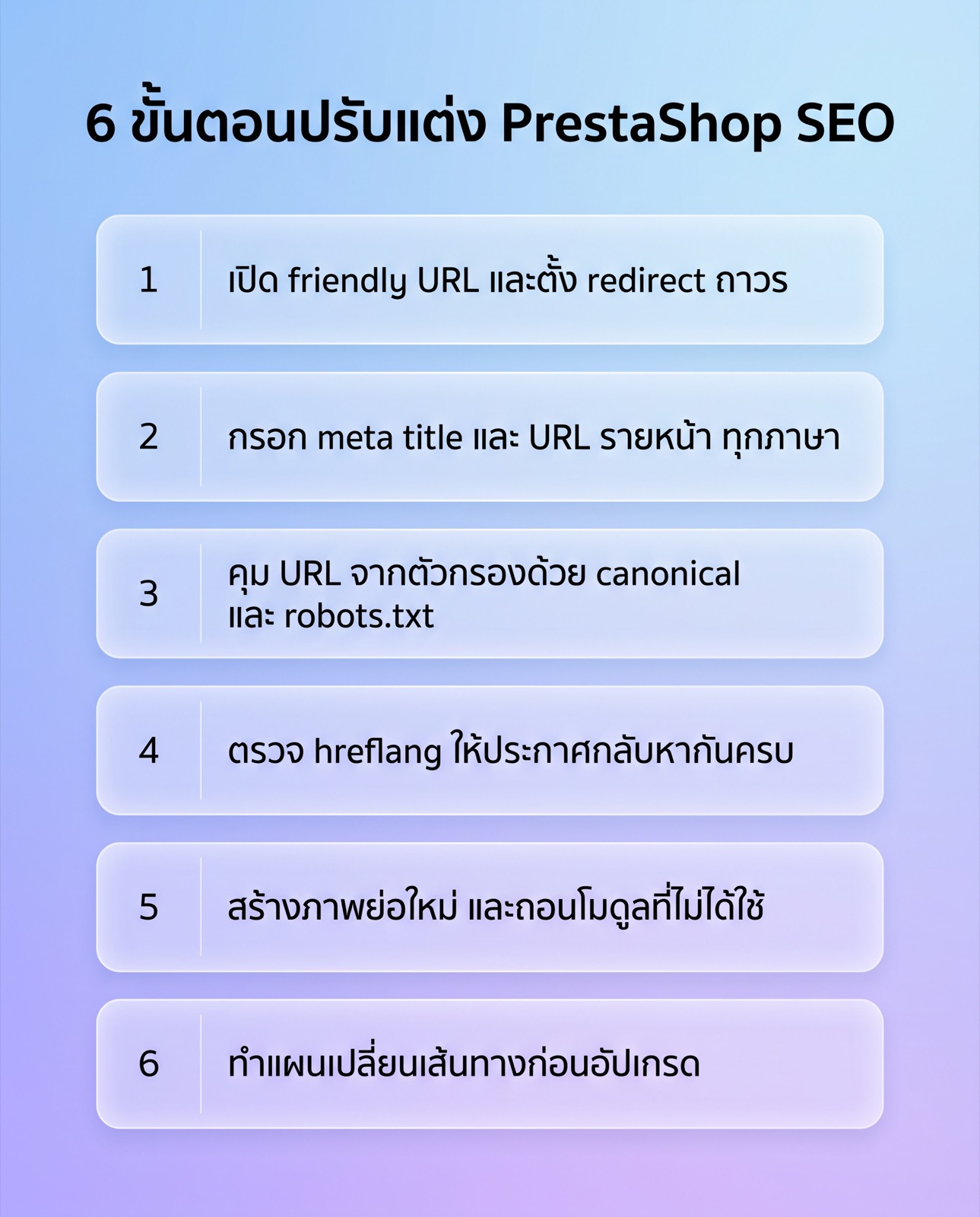
How to optimise PrestaShop SEO step by step
The order below runs from highest risk and impact downwards. The first items are the ones that, if set wrong, make everything else pointless, so clear them before moving on to detail work.
Turn on friendly URLs properly
The Traffic and SEO screen under Shop Parameters controls every route in the store. The first switch turns on PrestaShop friendly URLs, which replaces addresses made of parameters and numbers with readable paths. That switch only works if the web server has URL rewriting enabled. On Apache that means the rewrite module working with the .htaccess file PrestaShop writes. On nginx there is no .htaccess to use, so the rules go into the server configuration by hand. If enabling the switch turns the whole site into 404s, look at the server before you look at PrestaShop.
The same screen has a setting for redirecting to the canonical URL. Set it to a permanent redirect. Then, when someone opens a product URL with the right ID but an outdated slug, the visitor is sent to the current URL with a 301 instead of two addresses serving the same content. The mechanism depends on the numeric ID embedded in the product route, so category pages, whose default route carries no ID, get no benefit from it. Renaming a category friendly URL therefore deletes the old address outright, and needs a redirect rule written by hand every time.
The last part of the screen is the per-page-type route schema editor, which controls what the routes for products, categories, manufacturers and suppliers are built from, such as whether the category name appears before the product name. The advice is to leave it alone on a live store unless a redirect plan is ready, because changing a value here rewrites every URL of that page type in one click. On a new store, settle this before launch and choose something short and readable rather than stacking every category level into the path.
Fill in meta title, meta description and friendly URL per page
The product edit screen has its own SEO tab holding meta title, meta description and friendly URL, all split by language. Leave the meta title empty and PrestaShop falls back to the product name; the friendly URL is generated from the product name as well. On a catalogue of thirty products nobody notices. On a catalogue with dozens of variants of the same model differing only by a code or a size, the result is a wall of pages with titles you cannot tell apart, and nothing in the search results to help a person choose which one to click.
The workable approach is not to hand-write everything at once. Take the high-value pages first: every top-level category page, plus the products that actually sell or whose model names people search for. Write those by hand. For the rest, use a pattern built from product fields and upgrade them later. Category edit screens carry the same set of fields, and category pages usually capture commercial searches better than individual product pages, because people search for a type of product more often than a model number.
The part most people forget is the list of core pages on the Traffic and SEO screen, which covers the home page, contact, search, new products and best sellers. Every row there can have its meta title, meta description and friendly URL edited. The home page row is the most important one and the one most often left on defaults.
Handle faceted navigation filters and crawl budget
The filters on a category page, usually called layered navigation, come from a PrestaShop filter module rather than from the core. They clearly help shoppers, and the side effect is that every combination of filters can become one more crawlable URL. The same products get re-sorted and re-served under a different address. Three filters with five options each produce over a hundred possible results for a single category, and a store has dozens of categories.
Three layers of handling are needed. First, the canonical: a filtered page should point back at the unfiltered category URL, and you should open the page source and confirm the theme is emitting that, rather than assume the default is right. Second, crawling: look at the parameter pattern the module actually produces on your store, then write Disallow rules in robots.txt that match it. Third, a decision about whether any filter combination deserves to rank on purpose. If people really search for a product type plus a brand, the controllable answer is to create a real category with its own description instead of letting a filter URL do that job.
The related case is product variants. A product with combinations gets a parameter appended to its URL identifying the selected option, either when a shopper picks a colour or size or when someone shares an already-selected link. The content behind it is the same product page with a different image and price. The standard handling is to have every variant canonicalise back to the main product URL, and to keep parameterised links out of menus, banners and sitemaps.
Set up multi-language and multistore deliberately
Once more than one language is active, PrestaShop puts a language code at the front of the URL path, so Thai and English versions sit on separate prefixed routes. Content for each language is stored separately in the database, which means every SEO field has to be filled in again for every language, friendly URL included. Plenty of Thai stores switch English on and never fill in the English side, ending up with pages that have the structure but empty or half-Thai content, which is worse than not offering the language at all.
The second issue is hreflang, the signal that says which page is the translation of which. Open the page source and check three things. Are all active languages declared? Does each declared URL return a 200 rather than redirecting somewhere else? Does the target page declare the original back? If any of the three fails, the signal is ignored.
Multistore adds another layer, because several storefronts can share a catalogue. If the same products are sold in two stores with the same content on different domains, you have cross-domain duplicates with nothing telling a search engine which version is primary. The fix is to be clear about what separates the stores. If the only difference is language, use one store with two languages. If the difference is genuinely country and currency, keep separate stores and declare the relationships between them completely.
Images, alt text and thumbnail regeneration
PrestaShop stores several sized copies of every image, from listing thumbnails to the large product view. Those sizes are defined in the Design menu under image settings. When you add a size, change a theme or edit an existing size, old images are not rebuilt automatically; you have to trigger thumbnail regeneration. Skip it and you get broken images, missing images, or the browser downscaling oversized files itself, which costs load time. On a large catalogue this job takes a while and loads the server, so run it outside selling hours and take a backup first.
Alt text comes from the caption field attached to each image on the product edit screen, not from the file name. Left empty, most themes fall back to the product name, which is usable but tells you nothing extra when one product has six angles. Use the field to describe what is actually in that shot: the rear view, the material, the detail being zoomed. This field is per language too.
On file formats, newer PrestaShop 8.x releases added an image format option that includes WebP. The system generating the file does not mean the browser receives it, because the theme templates decide which file gets requested. Older themes with hard-coded image calls will keep serving the old format. The fastest check is the network tab in your browser developer tools: look at the extension of the image files actually being downloaded.
Page speed and cache settings
The Performance screen under Advanced Parameters collects the speed-related switches. The first group is the Smarty template cache, which on a live store should not be recompiling templates on every request. The second is Combine, Compress and Cache, usually shortened to CCC, which merges and compresses CSS and JavaScript into fewer requests. The third is the caching backend, stored either on the file system or through a service such as Redis or Memcached. Debug mode belongs off on a live store.
The thing to know about CCC is that it genuinely helps and it can also break the front end, because some modules ship JavaScript that does not survive being merged. The symptoms are an add-to-cart button that stops responding or filters that hang. After switching CCC on, walk the real purchase path from category page to checkout rather than checking that the home page still renders.
Bigger than any of these settings are the theme and the module count. The PrestaShop core matters less to Core Web Vitals than what the theme loads and how many modules each page has to call. Stores that have collected modules for years usually carry CSS and JavaScript from modules that were abandoned but never uninstalled. Removing unused modules does more than working through every cache toggle.
Structured data your product pages should emit
Structured data on a PrestaShop store comes from two places: the theme templates and any module that adds it. There is no central switch in the back office. Whether your store emits it at all therefore depends entirely on the theme, and it has to be checked rather than assumed.
On a product page, confirm that a product type is declared, that the price and currency match what the page displays, that the availability status is truthful, and that if an aggregate review rating is declared there are reviews a visitor can actually see on that page. Declaring ratings with no visible reviews is something to remove. Another common fault is more than one module declaring product data on the same page, so a single URL carries two conflicting product blocks. Keep one.
Robots.txt and sitemaps
PrestaShop has a button on the Traffic and SEO screen that generates a robots.txt file. It writes a default rule set over whatever was there, covering system folders and pages that should not be crawled, such as the cart, account pages and sort parameters. The limitation to remember is that pressing the button deletes the rules you wrote yourself. If you had added rules for filter URLs, they disappear silently. In practice, keep a copy of your custom rules outside the system and paste them back after every regeneration.
XML sitemaps are not in the core; they come from a module. The module lets you choose which page types to include, and the common mistake is leaving everything ticked at the defaults, so the sitemap ends up listing supplier pages, tag pages and pages you deliberately kept out of the index, contradicting the other signals you send. The other catch is that the file does not update itself when you add products. It has to be regenerated manually or on a cron schedule. A store that adds products weekly but generated its sitemap once at install is publishing a file that is permanently wrong.
Upgrade and migration risk
Default URL route patterns differ between major PrestaShop versions, and some themes arrive with route settings of their own. An upgrade or a theme change can therefore rewrite the whole URL structure with nobody intending it. The step to take first, always, is to export the full list of live URLs, both from a crawl of the site and from a report of pages that actually receive traffic.
After the upgrade, compare the old list against the new one row by row. Any URL that disappeared needs a permanent redirect to the closest equivalent page, not a blanket redirect to the home page, because blanket home page redirects tend to be treated as missing pages. Also check whether .htaccess was overwritten during the upgrade and whether the rules you added yourself survived.
How to measure results when no public benchmark exists
The question that follows all of this is what counts as good. Honestly: there is no reliable public benchmark for these questions. There is no published Core Web Vitals score that represents a standard PrestaShop store, no reference price for SEO work in Thailand, and no way to state in advance how many percent of extra traffic one fix will produce. Anyone quoting those figures precisely should be asked where the number came from.
What is useful instead is to measure your own store before starting, then measure again the same way. The numbers worth recording up front are these.
- The count of pages actually indexed against the count of pages you intended to have indexed. The gap is the size of the job ahead.
- Clicks and impressions grouped by page type, keeping category pages, product pages and content pages separate, because the three move for different reasons.
- Field speed data from real visitors to your own domain, rather than a single lab test score, which swings with the network and the machine running it.
- The list of URLs returning errors or sitting behind redirect chains, taken from a crawl of your own site.
- Orders and revenue attributed to unpaid search, kept separate from other channels.
Record the date of each change as well. Search results do not move on the day you press save, and a log of what changed when is the only thing that lets you explain later which change moved which number. When a store grows to the point of comparing results across platforms, the same measurement discipline applies to stores running on Shopify.
PrestaShop SEO services
If the list above reads as longer than you can work through while also running the store, that is a fair conclusion. Most PrestaShop SEO work touches back office settings, theme templates and files on the server, and those three are rarely in the same pair of hands.
Relevant Audience offers PrestaShop SEO as a service that works inside the platform rather than handing over a list of things somebody else should fix. The scope covers auditing URL structure and the route settings on the Traffic and SEO screen, resolving duplicate pages created by filters and product variants, structuring categories around the terms people search for, writing per-page meta fields in every active language, checking hreflang on bilingual stores, speed work at the theme and module level, and redirect planning when a store has to be upgraded or migrated.
Before contacting anyone, having three things ready makes the conversation much faster. First, your PrestaShop version, theme name and enabled module list. Second, access to the search performance data for the domain. Third, an answer to who can touch the server, because several of the items above cannot be finished without somebody able to edit configuration files. If you are still weighing search against other channels, the overview of e-commerce SEO services is a reasonable place to compare.
PrestaShop SEO FAQ
Can PrestaShop rank as well as other platforms?
Yes, because PrestaShop exposes everything SEO work needs to touch, from URL structure and robots.txt to theme templates and server configuration. The difference from a hosted platform is that nobody configures those things correctly for you. The outcome depends on whether the technical side has an owner, more than on the platform itself.
Do I have to enable friendly URLs, and what if the site breaks?
Yes, enable them, and if the whole site returns 404s afterwards the cause is almost always that the web server has no URL rewriting enabled rather than a fault in PrestaShop. On Apache, check that the rewrite module is active and that .htaccess is being read. On nginx, the rules have to be added to the server configuration because .htaccess does nothing. Switch the setting back off while you fix it so the store stays up.
Will I lose rankings if I change a product friendly URL?
If the canonical URL redirect is set to permanent, the old product URL will send visitors to the new one on its own, because the product route carries a numeric ID. Category pages do not behave the same way by default, so renaming a category URL means writing the redirect rule yourself every time. Do those in small batches and verify each batch before starting the next.
Should I just switch off the product filters to avoid duplicate pages?
No, because filters help shoppers find products, which is a separate matter from indexing. Leave them working for visitors, have filtered pages canonicalise back to the main category page, and block the crawling of that URL pattern with robots.txt rules. If one filter combination attracts enough real searches to be worth ranking for, build it as a real category with its own content instead.
How long does PrestaShop SEO take, and what budget should I plan?
There is no reliable public figure for either question. Timing depends on the state of the site at the start, the size of the catalogue and how competitive the terms are, while budget depends largely on how many developer hours are needed. What you can do is measure your own baseline before starting, repeat the same measurements on a schedule, and log the date of every change, so the before and after comparison comes from your own store data rather than from somebody's claim.