
TL;DR
- A 30% or bigger organic traffic drop over three months is a rule-of-thumb trigger for an audit, not proof of a penalty.
- Google Search Console alone can surface six of the eight warning signs, including indexing errors, sitemap gaps, and lost backlinks.
- Content updates that stop moving rankings usually point to cannibalization or a crawl problem, not a writing problem.
- A full SEO audit ranks what to fix first; a routine check only tells you something changed.
If your organic traffic has dropped without an obvious cause, a ranking you held for months has quietly disappeared, or Google Search Console has started flagging errors you do not recognize, these are the signals that tell you it is time for a full SEO audit rather than a quick glance at your rankings. An audit is a systematic review of everything that affects how a search engine finds, understands, and ranks your site, and it is the only reliable way to find out whether the problem is technical, content-related, or coming from outside your site entirely.
What an SEO audit actually is, and how it differs from a routine SEO check
A routine SEO check is something most site owners already do without calling it that: a quick look at rankings for a handful of keywords, a glance at traffic in Google Analytics, maybe a scroll through Search Console once a month. It tells you whether things look roughly fine. It does not tell you why they are not.
An SEO audit is broader and more structured. It walks through crawlability (can search engines reach and read every important page), indexation (which pages are actually in Google's index and which have been dropped or excluded), on-page fundamentals (titles, headings, internal linking, content depth), technical performance (page speed, Core Web Vitals, mobile rendering), structured data, and the backlink profile, then ties the findings together into a prioritized list of what is actually holding the site back. A routine check tells you the score changed. An audit tells you why, and in what order to fix it.
The distinction matters because the two tasks catch different problems. A monthly ranking check will show you that a keyword dropped from position four to position eleven. It will not show you that the drop happened because a template change removed the canonical tag from three hundred product pages, or that a competitor's newly launched category page is now out-ranking you because it answers a broader set of related questions in one place. Only a full audit, which looks at the site the way a crawler and a searcher both do, surfaces that kind of root cause.
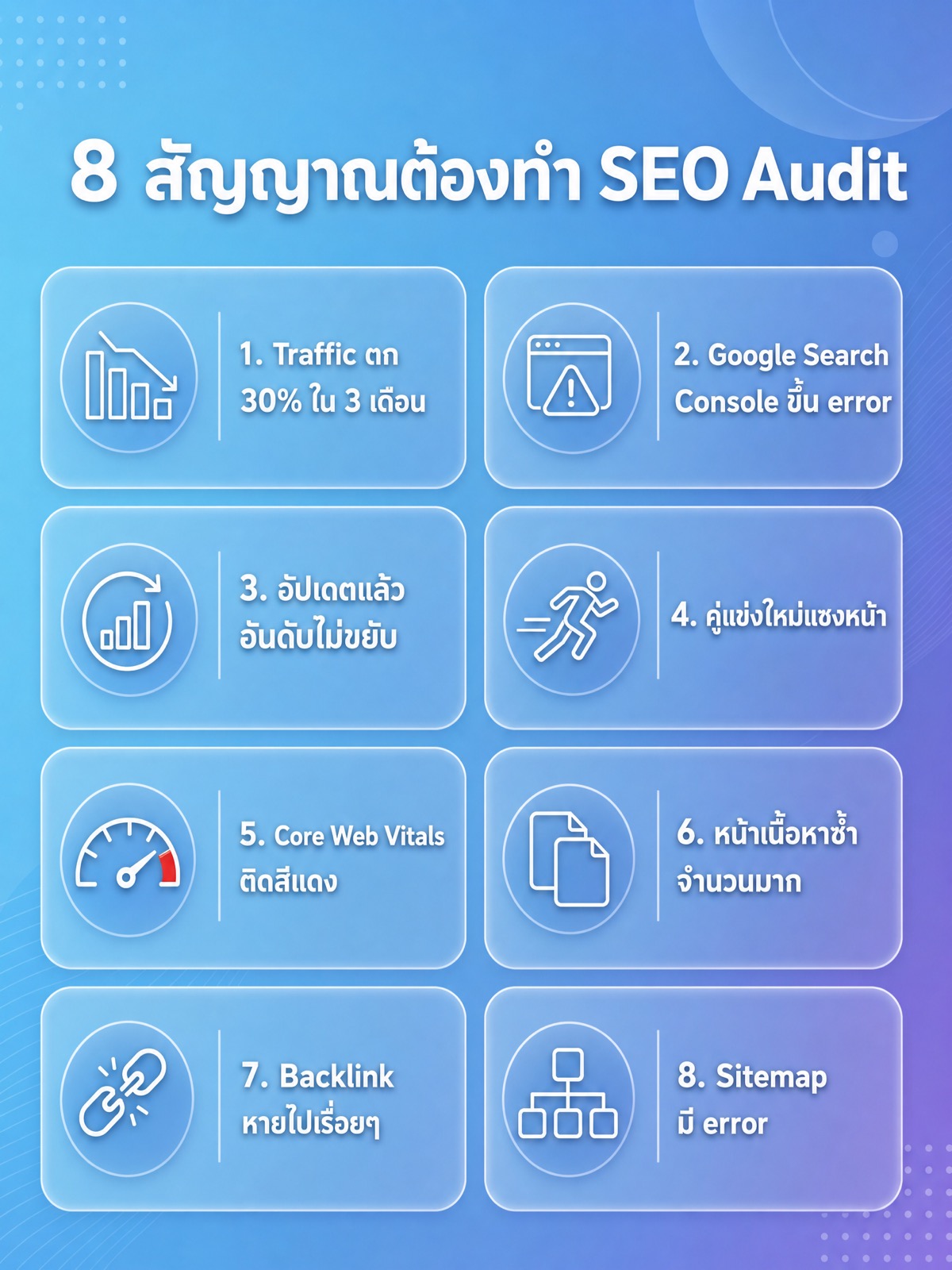
8 signs it is time for an SEO audit
None of these signals alone proves something is broken. Together, or even one on its own if it is severe, they are a strong enough pattern to justify sitting down and doing a proper review instead of waiting to see if things recover on their own.
1. Organic traffic has dropped 30% or more over three months
Pull your organic sessions from Google Analytics, or your total clicks from the Search Console Performance report, and compare the trailing three months against the three months before that. A drop in that range, sustained rather than a single bad week, is a reasonable rule of thumb for deciding something structural changed rather than normal week-to-week noise. Before you treat it as a red flag, rule out the boring explanations first: a seasonal dip that also happened last year, a tracking change (a new GA4 property, a consent banner blocking analytics for part of your traffic), or a site-wide event like a migration or a redesign that landed in the same window. If none of those explain it, segment the drop by landing page and by query in the Performance report. A drop concentrated in a handful of pages points to a page-level problem; a drop spread evenly across the whole site points to something structural, like an indexing or crawling issue.
2. Google Search Console is reporting a growing list of errors
Open the Pages report (it may be labeled differently depending on when you are reading this, so check the current name in your own account) and look at the "Not indexed" reasons. A handful of excluded pages is normal; every site has some. What matters is the trend and the reason. "Crawled - currently not indexed" growing month over month suggests Google is visiting pages but deciding they are not worth keeping in the index, which is usually a content quality or duplication signal, not a technical block. Server errors (5xx) or a spike in "Blocked by robots.txt" on pages that should be indexable point to a technical fault, often introduced by a deployment, a plugin update, or a change to a robots.txt or noindex rule that nobody meant to make site-wide.
3. Content updates no longer move rankings
If refreshing a page used to nudge its ranking within a few weeks and now the same kind of update produces no movement at all, that is a sign the bottleneck has shifted away from content and toward something the content team cannot fix by writing more. Common underlying causes include keyword cannibalization (two or more pages on your own site targeting the same query and splitting its ranking signal between them), a technical issue preventing the updated version from being recrawled and reprocessed promptly, or a genuine authority gap where competing pages simply have a stronger backlink profile and no amount of on-page polish closes that distance. Before assuming the content itself is the problem, check whether the updated page was actually recrawled (the "last crawled" date in the URL Inspection tool) and whether a sibling page on your own site is already ranking for the same query.
4. A newly launched competitor has overtaken you
Search your core commercial terms yourself, in an incognito window so personalization does not skew the results, and note who shows up consistently across a handful of related queries, not just one. A single new competitor appearing for one keyword can be coincidence. The same domain appearing across a cluster of related terms, especially if it launched or was substantially redesigned recently, usually means it did something structural: a broader content cluster that answers more of the same searcher's follow-up questions, a technically faster site, or a stronger set of backlinks earned in a short window. An audit is how you work out which of those it actually is, rather than guessing.
5. Page Experience or Core Web Vitals scores are showing red
Core Web Vitals measure three things: how fast the main content loads (Largest Contentful Paint), how quickly the page responds to interaction (Interaction to Next Paint), and how much the layout shifts unexpectedly while loading (Cumulative Layout Shift). Check both PageSpeed Insights for a single-page snapshot and the Core Web Vitals report in Search Console for the site-wide, real-user picture, since the two can disagree, PageSpeed Insights runs a lab test while Search Console reports actual visitor data. A page scoring red on any of the three is a candidate for the underlying cause, which is often a small number of oversized images, a third-party script (chat widgets and ad tags are common offenders), or a font-loading pattern that shifts text after the page paints. Poor Core Web Vitals do not just affect rankings on the margin; they affect how many visitors stick around long enough to convert.
6. You have a large number of duplicate pages
Duplicate content dilutes ranking signals because search engines have to decide which of several similar URLs to treat as the canonical version, and they do not always pick the one you want. Check the Pages report in Search Console for "Duplicate without user-selected canonical" and "Duplicate, Google chose different canonical than user" as flags. Common sources are URL parameters (tracking tags, filters, sort orders each generating a new crawlable URL), print versions of pages, staging or test pages that were never removed from the live index, and, on WordPress sites in particular, category and tag archive pages that reproduce the same content as the posts they list. Fixing this is usually a matter of canonical tags, parameter handling, or consolidating near-duplicate pages rather than deleting content outright.
7. You have lost backlinks
Search Console's Links report shows your top linking sites and top linked pages, and it is worth exporting that list periodically so you have something to compare against later, since the report only shows a current snapshot rather than history. A shrinking list of referring domains, or previously reliable links returning 404s when you check them manually, both point to link loss. This can happen because a site that linked to you redesigned and dropped old content, because a partner site went offline entirely, or because a page that earned links naturally (a resource page, a piece of original research) was replaced or deprecated. If your site depends heavily on a small number of links, losing even a few can be felt in rankings for the terms those links were supporting. This is one of the areas where a structured link building effort, aimed at replacing what was lost and diversifying the sources you depend on, tends to matter more than chasing any single fix.
8. Your sitemap has errors
Open the Sitemaps report in Search Console and compare the number of URLs submitted against the number discovered and indexed. A gap between those two numbers, or an error or warning status on the sitemap itself, means Google either cannot read part of your sitemap or is choosing not to index a meaningful share of the URLs listed in it. Common causes are a sitemap that was not regenerated after a content migration and still lists pages that no longer exist, URLs in the sitemap that are blocked by robots.txt or set to noindex (a genuine contradiction that confuses crawlers), or a sitemap generator plugin that silently stopped updating after a platform change. Since sitemaps are one of the more mechanical parts of technical SEO, this is often one of the faster things to fix once it is actually found.
| Routine SEO check | Full SEO audit |
|---|---|
| Looks at rankings and traffic at a glance | Reviews crawlability, indexation, on-page, technical, and backlinks together |
| Good for a monthly or weekly pulse check | Good for diagnosing a specific drop or recurring problem |
| Tells you something changed | Tells you why it changed and what to fix first |
| Takes minutes | Takes a structured pass through the whole site |
| Anyone comfortable with the dashboards can do it | Benefits from someone who has diagnosed this kind of problem before |
Before committing to a full audit, run through this quick self-check. If you answer yes to two or more of these, the signal is strong enough to act on.
- Organic traffic or clicks are down noticeably over a sustained period, not just one bad week
- Search Console shows a growing number of pages excluded from the index
- A page you updated recently has not moved in rankings at all
- The same competitor domain now shows up across several of your target searches
- PageSpeed Insights or the Core Web Vitals report is showing red on a page that matters to you
- You suspect, or can see in the Pages report, that you have duplicate or near-duplicate URLs indexed
- Your referring domains have shrunk since the last time you checked
- Your sitemap's submitted and indexed counts do not match
DIY versus bringing in a professional
Running a first-pass audit yourself is realistic if you are comfortable moving between Google Analytics, Search Console, and PageSpeed Insights, and you have the time to sit with the data rather than skim it. The free tools cover most of what a paid audit would surface at the surface level: indexation status, Core Web Vitals scores, top referring domains, sitemap errors, and enough of the Performance report to spot a traffic drop and roughly locate where it is coming from. What the free, first-party tools do not give you on their own is server log access (which shows exactly what search engine crawlers are doing on your site, not just what Search Console samples and reports back), a full crawl of every internal link and redirect chain on a larger site, or side-by-side comparison against how competitors are structured, none of which Google's own tools are built to show you.
The trade-off is less about tooling and more about pattern recognition. Someone who has looked at dozens of sites with a similar traffic drop tends to recognize the shape of the problem faster: whether a symptom points toward cannibalization, a crawl budget issue, or a genuine content gap, often within the first hour of looking, because the pattern is familiar. A first-time DIY audit usually takes longer to reach the same conclusion, not because the person doing it is any less capable, but because they are building that pattern recognition for the first time while also doing the diagnostic work. For a smaller site with one clear, recent symptom (a single page that stopped ranking after an update, for instance) a careful DIY pass using Search Console and PageSpeed Insights is often enough. For a larger site with several of the eight signals showing at once, or a drop with no single obvious cause, bringing in someone who does SEO work for a living tends to shorten the time between noticing the problem and actually fixing it, because they are not learning the diagnostic process at the same time as applying it.
It is also worth being honest about what an audit is not. It is not a guarantee that fixing every issue it finds will restore lost rankings, since some competitive positions are lost to a competitor's genuinely stronger page rather than to a fixable fault on your own site. What an audit reliably does is separate the problems you can control, technical faults, duplicate content, thin pages, a broken sitemap, from the ones you cannot, like a competitor publishing a better resource. That separation alone is usually worth the time it takes, because it stops you from spending weeks chasing a fix for something that was never actually broken on your end.
A few of the signals above point toward broader structural work rather than a single fix. If cannibalization or thin content keeps surfacing across an audit, the underlying fix is often a content or information-architecture problem rather than a page-by-page patch; a WordPress site in particular can accumulate duplicate archive pages and unused templates over several redesigns, which is worth reviewing at the platform level rather than URL by URL. Where the audit turns up gaps in how your content answers the fuller range of questions searchers and AI systems are now asking, work on AI search visibility and traditional SEO increasingly overlap, since both reward pages that answer a topic completely rather than targeting a single narrow keyword. And where the audit confirms the problem is genuinely commercial rather than a technical fault you can self-diagnose, a proper seo audit service is the next practical step, since it goes deeper than any self-check list can into log files, full-site crawls, and a prioritized fix list.
Frequently asked questions (FAQ)
How long does an SEO audit take?
A focused audit looking at one or two of the signals above, say a traffic drop plus a Core Web Vitals check, can be done in a few hours once you know where to look. A full audit covering crawlability, indexation, on-page, technical performance, and backlinks across a larger site takes considerably longer, since a full crawl and a careful read of the data both take real time regardless of who is doing the work.
Can I run an SEO audit myself using free tools?
Yes, for a first-pass diagnosis. Google Search Console, PageSpeed Insights, and Google Analytics together cover indexation status, Core Web Vitals, referring domains, sitemap health, and traffic trends, which is enough to identify which of the eight signals above apply to your site and roughly where the problem sits.
How often should a website be audited?
There is no fixed schedule that applies to every site, since the right frequency depends on how often the site changes and how competitive its market is. A reasonable approach is to run a lighter check on a regular basis (monthly or quarterly, watching the same reports referenced in the eight signals above) and treat any of those signals appearing as the trigger for a fuller audit, rather than waiting for a fixed calendar date regardless of what the data is actually showing.
Does a low Core Web Vitals score directly cause a ranking drop?
Core Web Vitals are one signal among many that Google uses, and a red score alone rarely explains a large ranking or traffic drop on its own. Where it matters more directly is user behavior: a slow or unstable page loses visitors before they finish reading or converting, which shows up in engagement metrics even before it shows up in rankings, so it is worth fixing regardless of how much ranking weight it carries on its own.
Whichever route you take, the underlying goal of an audit is the same: turn a vague sense that something is wrong into a specific, ordered list of what to fix first. Once you have that list, the actual fixes are usually more straightforward than the diagnosis was.