
It’s January 2026 – we are now approaching the two-year mark since Google began its major rollout of AI Overviews in the United States back in May 2024. In the time since, the way users interact with search results has shifted fundamentally. If you are reading this, you are likely looking at your analytics dashboard and seeing a trend that makes you uncomfortable. You might be seeing red arrows where there used to be green ones, and your first instinct is to point the finger at those expandable AI summaries sitting at the top of the search results page.
You are not alone in this concern. As AI Overviews have matured and appeared for an increasing number of search terms, many website owners have feared that their organic click-through rates would plummet. The logic seems sound: if Google provides the answer directly on the results page, why would anyone click on your website?
However, the reality of AI Overviews traffic loss is more nuanced than a simple cause-and-effect relationship. While it is true that these overviews absorb attention, they do not automatically spell doom for your website. In fact, for many site owners, the drop in traffic has less to do with AI stealing clicks and more to do with a failure to adapt your content marketing strategy to this new environment.
This guide is designed to help you navigate this specific challenge. We will walk through exactly how to determine if AI Overviews are the actual culprit behind your traffic decline, how to identify which specific pages are bleeding traffic, and, most importantly, what practical steps you can take right now to stop the leak and even find new growth opportunities.
The Reality Check: Is AI Really to Blame?
Before we start tearing apart your content strategy, we need to establish the facts. It is easy to look at a traffic dip and assume the algorithm is working against you. However, our analysis of data over the last few years suggests that the presence of an AI Overview does not guarantee a loss of clicks.
When we looked at over 200,000 keywords to compare performance before and after AI Overviews were introduced, the data was surprising. The “zero-click” rate—the percentage of searches that result in no click to a website—only increased slightly, from roughly 38.1% to 36.2%. This indicates that user behavior hasn’t changed as radically as many feared. People still want to verify information, read deep-dive content, and explore sources.
So, if your traffic is down, AI Overviews might be a contributing factor, but they are rarely the sole reason. Before you overhaul your site, you must rule out other common suspects:
- Core Algorithm Updates: Google updates its ranking systems frequently. A drop in traffic often coincides with a core update that re-evaluated your site’s quality or relevance.
- Technical Errors: Issues like broken redirects, slow page load speeds related to web design (Core Web Vitals), or accidental “noindex” tags can decimate traffic overnight.
- Seasonality: If you are comparing your traffic in January 2026 to November 2025, you might just be seeing a post-holiday slump that has nothing to do with rankings.
- Other SERP Features: Featured Snippets, Knowledge Panels, and “People Also Ask” boxes also take up space. You might have lost a Featured Snippet, which impacts traffic much more heavily than an AI Overview appearing.
Performing a comprehensive SEO audit is vital. If you try to “fix” your site for AI Overviews when the real problem is a technical crawl error, you are wasting time and money.
Step 1: Diagnosing the Impact
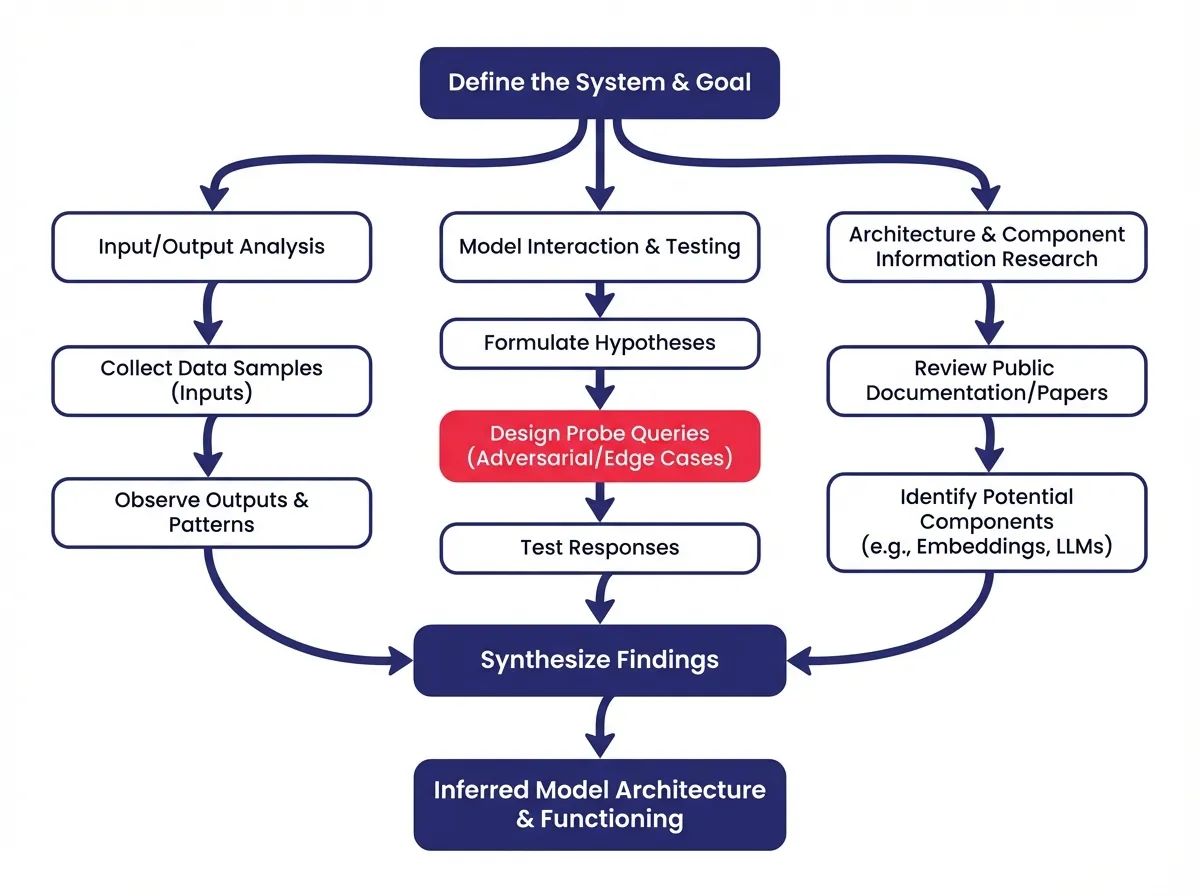
To confirm if you are suffering from AI Overviews traffic loss, you need to get granular. You cannot look at your site-wide traffic and make a determination. You have to look at specific keywords and specific pages.
Checking Your Keywords
The first step is to see if the keywords driving your traffic actually trigger an AI Overview. Since we are in 2026, AI Overviews are widespread, but they don’t appear for every single query.
- Manual Verification: Take your top 20 to 50 traffic-driving keywords. Open a private or incognito browser window and search for them. Do you see the AI summary at the top? Note that these results can be personalized, so what you see might differ slightly from what your audience sees, but it gives you a good baseline.
- Automated Tracking: For a larger scale, you need to lean on SEO tools. Platforms like Semrush or Ahrefs have features specifically designed to track SERP features. You can input your keyword list—even up to hundreds of terms—and filter the report to show which ones trigger an “AI Overview.”
If you find that your top traffic keywords now have massive AI summaries dominating the top of the page, you have found a strong correlation.
Timing Your Traffic Drop
Next, look at your historical data. You need to pinpoint exactly when the traffic started to slide.
Open your analytics platform (likely Google Analytics 4). You want to look at the period starting from May 2024 and moving forward. May 2024 is our benchmark because that is when the initial broad rollout occurred in the US.
- Sudden Drop: If your traffic fell off a cliff on a specific week, check if that week coincided with a known expansion of AI features or a general algorithm update.
- Gradual Decline: A slow bleed of traffic over six to twelve months is more indicative of a shift in user behavior or a gradual loss of ranking position, rather than a sudden penalty or feature change.
If your traffic was stable throughout late 2024 and 2025 but dropped recently, look for recent changes in how AI Overviews are displaying for your specific industry. Google is constantly tweaking the size, frequency, and format of these overviews.
Step 2: Understanding the “Push Down” Effect
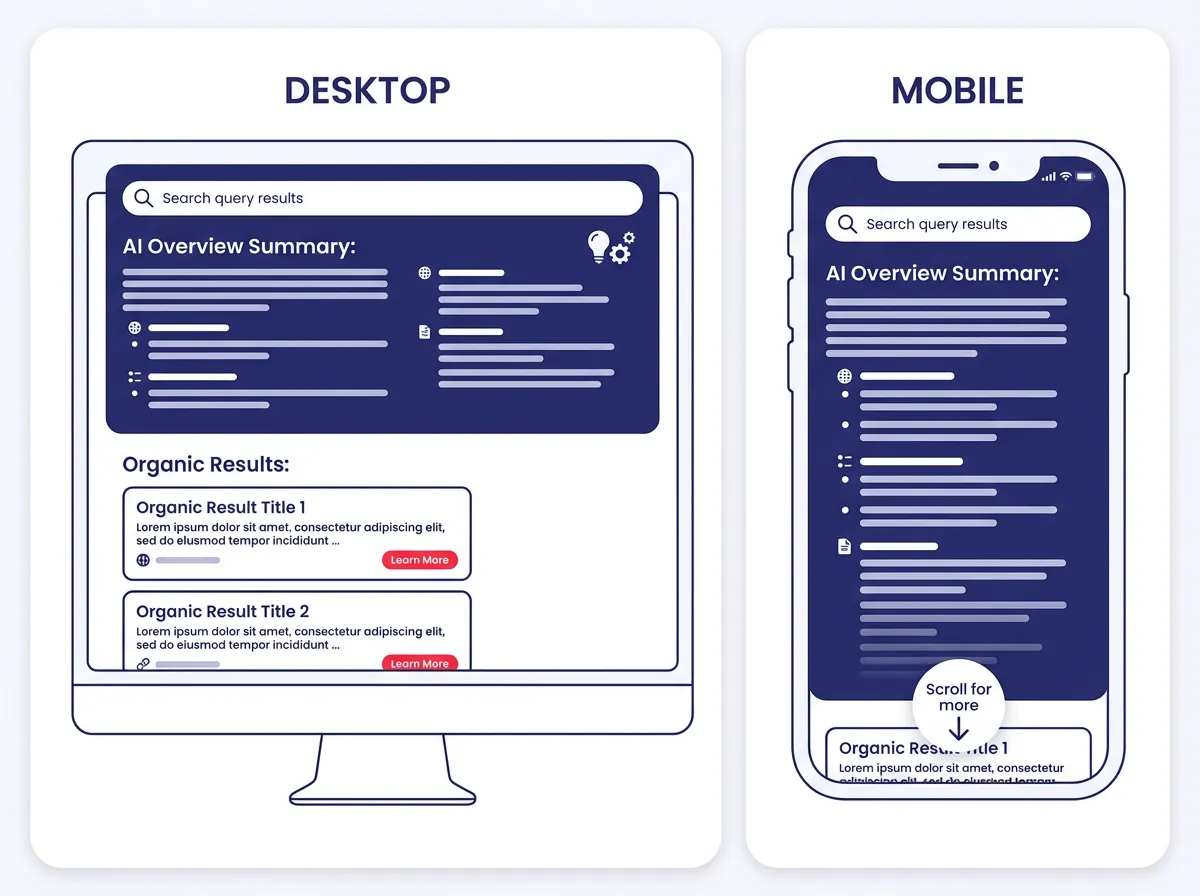
To fix the problem, you have to understand the mechanics of the page. AI Overviews change the geography of Google Search. They introduce a large block of information at the very top, which pushes everything else down.
This is the “Push Down” effect. Even if you hold the number one organic ranking position, visually, you might be in the middle of the page on a desktop screen, or completely off the first screen on a mobile device.
The Mobile vs. Desktop Dynamic
The impact is most severe on mobile. On a smartphone, an expanded AI Overview can take up the entire viewport. This means a user has to actively scroll past the AI answer to see even the first organic result.
However, our data reveals a paradox. Despite taking up more space, mobile searches actually have a lower zero-click rate (17.3%) compared to desktop searches (25.6%).
Why? It likely comes down to user intent and interface. Mobile users are often on the go and might find the condensed AI summary harder to scan quickly, prompting them to scroll for a more traditional, easy-to-read list. Or, they might be looking for a specific navigational link (like a login page or a store location) that the AI overview doesn’t provide efficiently.
Step 3: Identifying Vulnerable Content
Not all content is created equal in the eyes of AI. Some pages are naturally more susceptible to AI Overviews traffic loss than others. We categorize queries into four main intent buckets: Informational, Commercial, Transactional, and Navigational.
The Danger Zone: Informational Queries
The pages most at risk are those answering simple, factual questions. These are “Informational” queries.
Examples include:
- “What is a catalytic converter?”
- “How many ounces in a cup?”
- “History of the Roman Empire.”
- “Who is the CEO of Tesla?”
For these searches, the AI Overview does a fantastic job. It synthesizes the answer from multiple sources and presents it clearly. The user gets their answer immediately. They have no incentive to click deeper. If your site relies heavily on basic definition pages or simple Q&A content, you are likely seeing the biggest traffic dips here.
The Safe Zone: Commercial and Transactional Queries
On the flip side, AI Overviews are less intrusive when a user wants to buy something or research a product deeply.
Examples include:
- “Best running shoes for flat feet 2026.”
- “Buy iPhone 17 pro max.”
- “Salesforce pricing tiers.”
In these cases, the user is not looking for a definition; they are looking for options, prices, reviews, and the ability to purchase. An AI summary can list products, but it cannot replicate the experience of browsing a site optimized for ecommerce SEO or reading a detailed, human-written review with photos and personal anecdotes.
Currently, commercial queries only trigger AI Overviews about 8% of the time, compared to nearly 90% for informational queries.
Step 4: The Strategy Pivot
Now that you have diagnosed the problem and identified the affected pages, it is time to act. You cannot force Google to remove the AI Overview, but you can change how you play the game.
Strategy A: Optimize for Citations (The “If You Can’t Beat Them, Join Them” Approach)
For high-volume informational queries where an AI Overview is inevitable, your goal shifts from “getting the click” to “getting the citation.”
AI Overviews contain links. They cite their sources. Being listed as a source in that overview is valuable. It builds brand authority and can still drive traffic, albeit less than a traditional number one ranking.
To increase your chances of being cited:
- Structure is King: Use clear, logical headings (H2s and H3s).
- The “Direct Answer” Method: Immediately following a heading like “What is X?”, provide a concise, direct definition in the first sentence. This makes it easy for the Large Language Model (LLM) to extract that sentence and use it.
- Boost Authority: Ensure your content is backed by credible sources. Use author bylines, cite data, and keep content fresh. AI models favor content that appears trustworthy and up-to-date.
Strategy B: Optimize for the Click (The “Value Add” Approach)
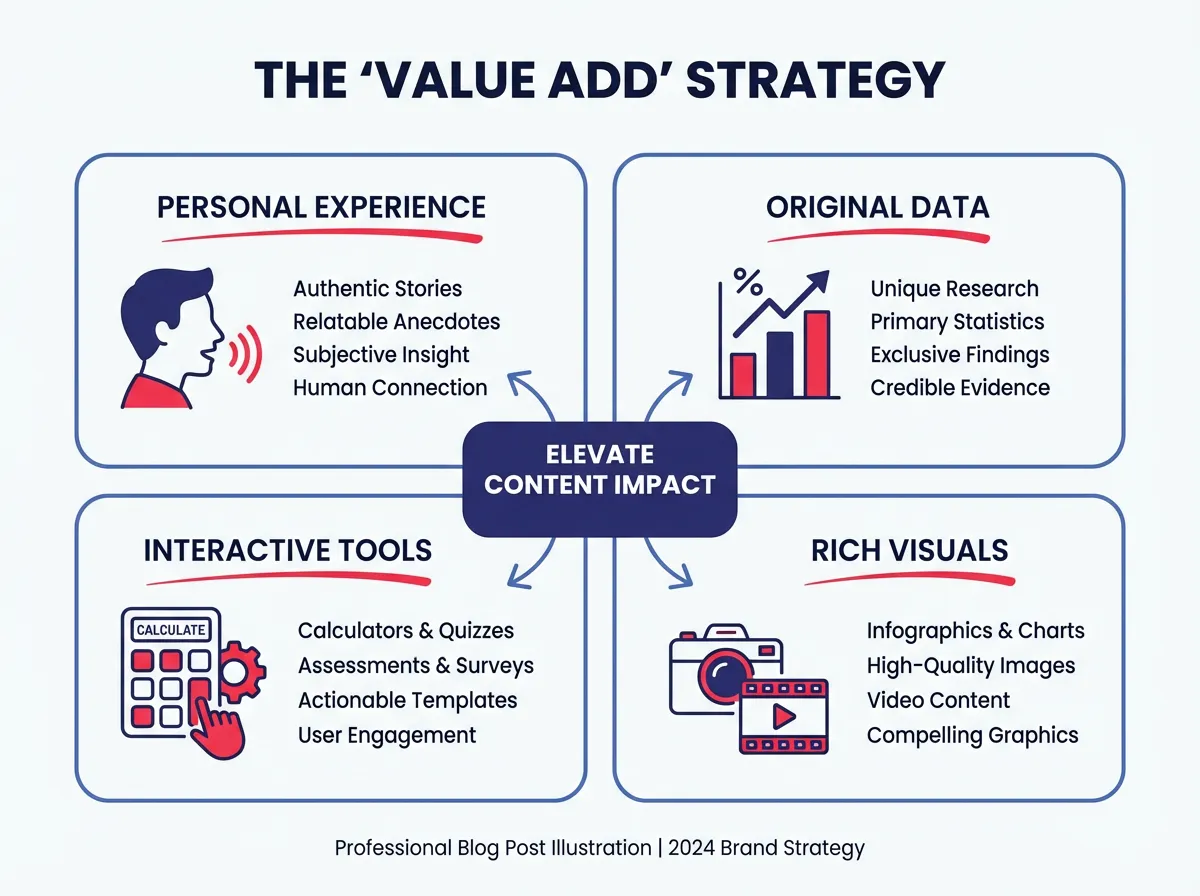
For queries where you want to fight for the click, you must offer something the AI cannot. If the AI gives a summary, you must give the deep dive.
Ask yourself: What can I provide that an AI summary cannot generate?
- First-Hand Experience: Use personal stories (“I tested this product for 30 days…”). AI cannot experience things.
- Unique Data: Publish original research or surveys.
- Tools and Interactivity: Calculators, quizzes, interactive maps, and downloadable templates. An AI can tell you the formula for BMI, but it cannot offer a clickable calculator where you input your weight and height (yet, or at least not as well as a dedicated tool).
- Visuals: High-quality original photos, diagrams, and videos.
Step 5: Shifting Your Keyword Focus
If you find that a specific set of keywords has become a “zero-click wasteland” due to AI Overviews, it might be time to cut your losses. There is no point in spending resources fighting for a keyword that generates 10,000 impressions but only 10 clicks.
The Bottom-Funnel Pivot
Reallocate your budget and writing time toward the bottom of the funnel. These are the commercial and transactional keywords we discussed earlier.
Instead of writing another article on “What is CRM software?” (which AI answers perfectly), write “CRM software comparison for small dentists.” This is specific, high-intent, and requires a human perspective to verify.
Use keyword research tools to identify long-tail keywords. These specific, multi-word queries are often too nuanced for a generic AI summary to answer satisfactorily. They have lower search volume, but the conversion rate is significantly higher.
Step 6: The Brand Presence Play
We need to redefine what “success” looks like in 2026. For years, success was measured in sessions and pageviews. In the era of AI Search, we need to value Brand Visibility.
Even if a user does not click on your link, seeing your brand name cited in an AI Overview has value. It is the “Billboard Effect.”
Imagine a user searches “best cybersecurity practices.” The AI Overview lists five bullet points and cites your company, “SecureTech,” as the source for point number three. The user reads it and leaves. They didn’t click.
However, two weeks later, when that user is in a meeting and needs a cybersecurity vendor, the name “SecureTech” is familiar to them. They search for your brand directly.
This “indirect traffic” is real, but it is harder to track. It requires a mindset shift. You are building authority and mindshare. If you disappear from the AI Overviews entirely, you lose that subtle psychological reinforcement.
Therefore, for your core brand topics—the things you want to be known for—you should fight to be in the AI Overview, even if the direct click-through rate is low. It prevents your competitors from occupying that mental real estate.
The 90-Day Recovery Plan
You have the knowledge; now you need a plan. Here is a simple, three-month roadmap to adapt your site to the reality of AI Overviews traffic loss.
Month 1: Audit and Diagnose
- Week 1: Pull your traffic data from May 2024 to present. Identify the exact pages that have lost the most traffic.
- Week 2: Run those specific keywords through a rank tracking tool to see which ones trigger AI Overviews.
- Week 3: Categorize the losing pages. Are they informational? Commercial?
- Week 4: Check for technical errors. Ensure your drop isn’t just a site speed issue disguised as an AI problem.
Month 2: Optimize and Restructure
- Week 1-2: Take your top 10 “at-risk” informational pages. Rewrite the introductions to be direct and definition-heavy (optimizing for citation). Add schema markup to help Google understand the content.
- Week 3-4: Take your top 10 commercial pages. Add “human” elements. Add a video review, a comparison table, or a personal anecdote. Make them un-summarizable.
Month 3: Expand and Pivot
- Week 1-2: Conduct new keyword research. Look for “opinion-based” keywords or “complex” questions in your niche that AI struggles to answer.
- Week 3-4: Publish new content targeting these bottom-funnel terms. Monitor your brand mentions in AI results using a visibility tool.
Navigating the Future
The search landscape has changed, and it will continue to change. The panic surrounding AI Overviews traffic loss is understandable, but it is often overstated. The internet did not die when Featured Snippets were introduced, and it will not die now.
The winners in this new environment are the ones who stop chasing vanity metrics and start focusing on genuine value. If your content was just fluff designed to game a search engine, yes, you will lose traffic. But if your content provides deep, actionable, human-centric value, or if it serves as the authoritative source that the AI relies upon, you will find a way to win.
Focus on building a brand that people trust enough to search for by name. Focus on answering the complex questions that software cannot. And remember, traffic is vanity; conversion is sanity. You might get fewer visitors in 2026 than you did in 2023, but if those visitors are more engaged and more likely to buy, your business is in a better place.