If you have been managing website analytics or advertising campaigns over the last few years, you know that the ground under our feet has shifted dramatically. The days of easily dropping a pixel on a site and getting perfect data are long gone. Between browser privacy updates, the rise of ad blockers, and strict Data Security Compliance, maintaining a clear view of your performance has become one of the hardest parts of the job.
For a long time, the industry answer to these challenges was “go server-side.” While effective, server-side tagging often required a level of technical expertise that felt more like IT engineering than marketing. It involved spinning up servers, managing infrastructure, and dealing with costs that could scale unpredictably.
This is why the recent developments surrounding the Google Tag gateway are so significant. Specifically, the introduction of a beta integration that allows advertisers to deploy the gateway directly on Google Cloud Platform (GCP) changes the equation. It effectively bridges the gap between the need for robust, first-party data and the desire for a simple, manageable setup.
Understanding the Signal Loss Problem
To appreciate why this update matters, we have to look at what happens when a user visits your website in 2026. In a traditional setup, a browser loads your page and immediately tries to communicate with third-party servers—like Google Analytics or Google Ads—to report activity.
Browsers, led by initiatives like Apple’s Intelligent Tracking Prevention (ITP) and similar technologies in Firefox and Edge, look at these requests with suspicion. If they see data going straight to a known tracking domain, they might shorten the lifespan of the cookies involved or block the request entirely. This is often called “signal loss.” When you lose signal, you aren’t just losing report numbers; you are losing the ability to optimize ad spend and understand user journeys.
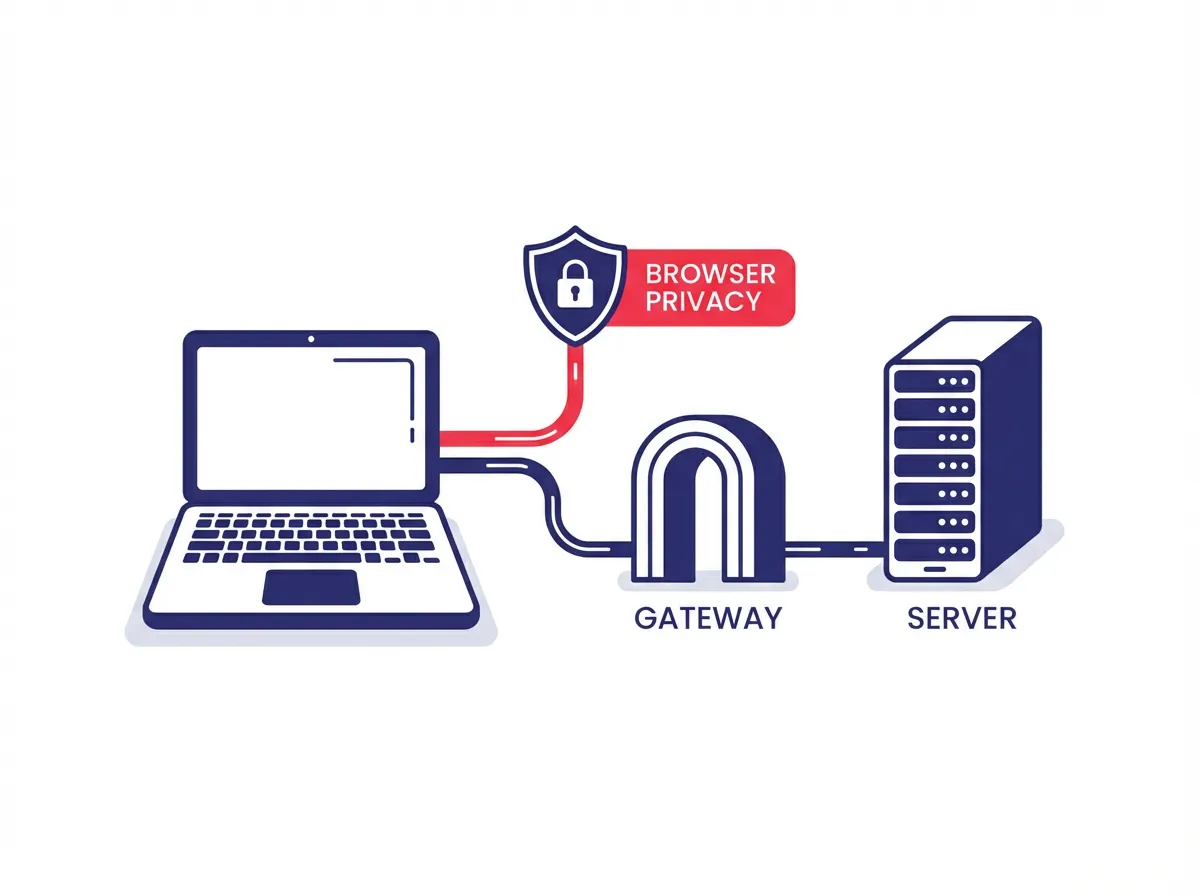
The solution is to keep that traffic within your own “territory” for as long as possible. If the data goes from the user’s browser to a subdomain you own (like metrics.yourwebsite.com) before going to Google, browsers treat it with much more trust. This is where the Google Tag gateway comes into play.
What is Google Tag Gateway?
The Google Tag gateway is essentially a specialized routing service. Unlike a full server-side Google Tag Manager container—which allows you to manipulate data, strip out PII, and send data to unlimited vendors—the gateway has a more focused job. Its primary purpose is to route your Google tag traffic through a first-party server.
Think of it as a mask for your data stream. Instead of shouting to the world that you are sending data to Google, the browser simply sees you talking to your own infrastructure. This “same-origin” relationship is the gold standard for web privacy and data durability.
Until recently, setting this up was not exactly plug-and-play. You had to configure Content Delivery Networks (CDNs) manually or use specific integrations like Cloudflare. While Cloudflare was a great first step for automated deployment, it left a large portion of the market—specifically those heavily invested in the Google ecosystem—waiting for a native solution.
The GCP Integration: A One-Click Revolution
The big news that has marketers talking is the new workflow within Google Tag Manager. Google has introduced a way to deploy the Google Tag gateway on Google Cloud Platform with what is effectively a one-click setup.
This integration leverages Google Cloud’s global external Application Load Balancer. While that sounds like a mouthful of technical jargon, its function is straightforward. The load balancer sits between your users and the internet. It takes the requests coming from your website tags and routes them securely to Google’s backend services.

Because this happens on Google’s infrastructure, the setup process removes the friction of hiring a cloud architect to configure routing rules, SSL certificates, and server scaling. The system handles the heavy lifting behind the scenes. It creates the necessary routing rules to ensure that when your website sends a hit, it goes to your specific GCP endpoint, which then passes it along to Google.
Why “First-Party” Is the Only Way Forward
You will hear the term “first-party” thrown around a lot, but in the context of the Google Tag gateway, it is the defining feature. When you use this gateway, the HTTP requests for your tags are sent to a subdomain on your own site.
This matters for two massive reasons:
1. Resilience Against Ad Blockers
Many ad blockers work by maintaining a list of known tracking domains. If a network request tries to call home to a domain on that list, the blocker kills it. By routing traffic through your own domain, the request looks like an essential part of your website’s functionality rather than a third-party tracker. While no solution is immune to every blocker, this method significantly increases the percentage of data that makes it through.
2. Bypassing Browser Restrictions
Browsers restrict cookies set by third parties. If Safari sees a cookie set by google-analytics.com, it caps the lifespan to 7 days or even 24 hours. This breaks your attribution models because a user who returns after two days looks like a brand-new visitor. When the cookie is set via your own domain through the gateway, Safari sees it as a first-party cookie set by the website owner. This allows the cookie to persist much longer, giving you a truer picture of customer retention and lifetime value.
How It Compares to Server-Side GTM
It is important to distinguish between the Google Tag gateway and Server-Side Google Tag Manager (SS-GTM). They are cousins, but they serve different needs.
Server-Side GTM is a powerful, fully customizable environment. You can write custom clients, transform data on the fly, and send that data to Facebook Ads, TikTok Ads, LinkedIn, and your data warehouse simultaneously. It offers maximum control but comes with higher complexity and management overhead.
The Google Tag gateway is more of a streamlined conduit. It is designed specifically for Google tags (Google Ads and Google Analytics). It doesn’t offer the same level of data manipulation or multi-vendor support as a full SS-GTM container. However, for advertisers whose primary concern is restoring signal quality for Google platforms without taking on a DevOps project, the gateway is often the perfect fit.
The new GCP integration makes the gateway an even more attractive middle ground. It offers the first-party benefits of server-side tracking without the maintenance burden of a full server container.
The Setup Experience
For teams already using Google Cloud, this integration lowers the barrier to entry significantly. In the past, setting up a first-party serving infrastructure required coordinating between the marketing team and the engineering or cloud infrastructure team. Tickets would be filed, prioritized, and often delayed.
With the new workflow, the process is centralized within the Google tag settings. The “one-click” nature means the system automates the provisioning of the load balancer. It validates your domain and sets up the SSL certificates.

This democratization of technology is a trend we are seeing more of in 2026. The tools that were once reserved for enterprise companies with massive engineering resources are becoming accessible to mid-sized advertisers.
What Experts Are Saying
Industry leaders have been quick to point out the strategic value of this update. Simo Ahava, a well-known figure in the analytics space, highlighted that this integration puts Google’s tagging technologies behind a same-site, same-origin host.
This technical nuance is what allows tags to survive in restrictive browser environments. By making the infrastructure setup automatic, Google is essentially acknowledging that first-party tracking shouldn’t be a luxury item; it should be the standard configuration for any serious advertiser.
Preparing for the Future
As we move further into 2026, the reliance on third-party infrastructure is becoming a liability. The web is becoming more private, and users are becoming more protective of their data. Advertisers who cling to the old ways of client-side, third-party tracking are seeing their audiences shrink—not because fewer people are visiting, but because their tools can no longer see them.
The Google Tag gateway on GCP represents a shift toward resilience. It creates a durable data pipeline that you own and control. It ensures that your Google Ads campaigns are optimized based on real conversions rather than modeled guesses.
For businesses that have been hesitant to adopt server-side technologies due to complexity, this beta integration removes the biggest hurdle. It creates a path where better data quality is just a configuration setting away, rather than a six-month engineering project. As privacy constraints tighten, having a robust, first-party signal is not just about getting better data today; it is about ensuring you have any data at all tomorrow.