
TL;DR
- Google Search Console keeps 16 months of your own site's impressions, clicks, CTR and position data, but shows nothing about competitors.
- Screaming Frog SEO Spider is free up to 500 URLs per crawl; the paid licence is 199 pounds per licence per year (Screaming Frog pricing page, October 2026).
- Ahrefs lists Lite at 129 US dollars a month and Semrush lists its SEO plan at 139 US dollars a month on monthly billing (vendor pricing pages, October 2026).
- Real cost depends on users, projects, tracked keywords, add-ons, billing cycle, currency and tax, not just the list price.
- Third-party tools often show zero volume for long-tail Thai queries that Search Console proves people search.
SEO tools are software and online services that collect data about search and about your website, such as the queries people use, where your pages rank, technical problems and the links pointing at you, so a team can make SEO decisions from data instead of guesswork. The shortest answer on choosing them: set up Google's free tools properly first, then pay for a commercial tool only when you have work the free tools cannot do and someone on the team will open it every week.
This article explains how SEO tools split into groups, what data each group gives you, where the popular free and paid tools are strongest, what drives their cost, which size of organisation each suits, and how to choose so the money you spend pays back. The focus throughout is practical use on Thai-language websites.
What are SEO tools and how do they work
SEO tools help answer the three questions every SEO project has to answer. First, what are people searching for around your business? Second, where does your website sit in the search results? Third, what is stopping your pages from ranking? No single tool answers all three with real data, because each tool draws on a different data source.
Understanding the data source first helps you read the numbers correctly. There are three main kinds.
- Data from the search engine itself. Google Search Console, for example, shows impressions, clicks, CTR and average position for a site you have verified. For your own site this is the most accurate data there is, but it cannot show you a competitor's site.
- Data a tool collects and then estimates. The keyword and link databases of Ahrefs or Semrush are examples. These tools gather search results and crawl the web themselves, then estimate search volume and traffic. The upside is that you can look at any website. The downside is that the figures are estimates.
- Data from crawling your own site. Screaming Frog SEO Spider, for example, imitates a search bot, follows links page by page, and reports broken pages, duplicate titles, multi-step redirects and pages set to noindex.
When two tools disagree, it usually does not mean one is wrong. It means the numbers come from different sources. A simple rule: for anything about your own site, trust Search Console first. For comparing against competitors or finding new keyword ideas, use a tool that keeps its own database.
SEO tools fall into six groups by job
Grouping tools by job shows which kind of tool a team is still missing, instead of buying a large suite and using one part of it.
- Keyword research tools find the words people type, estimated search volume, difficulty and related terms.
- Site audit tools (crawlers) find broken pages, missing internal links, wrong canonicals and speed problems.
- Backlink analysis tools show which domains link to your site or a competitor's, and which links have been lost.
- Rank tracking tools record the position of a chosen set of keywords daily or weekly.
- On-page and content tools compare the headings, coverage and structure of your page with the pages that already rank.
- Analytics and performance tools such as Google Analytics 4 and PageSpeed Insights tell you what people who arrive from search do next, and how fast your pages load.
The main benefits of SEO tools for a website
The main benefit of SEO tools is that work which cannot be done by hand becomes possible and measurable. A website with hundreds or thousands of pages can never be checked page by page by eye, and guessing what people search for often misses the words customers actually use.
Content decisions based on real demand
Keyword research tools show the wording people use. A business may describe its own service in technical terms while customers type something much plainer. This data helps you pick article topics, name service pages, and group keywords so each page has a clear job and pages do not compete with each other for the same ranking.
Technical problems found before they hit traffic
A crawler finds pages returning 404, redirects that chain through several hops, pages with no internal link pointing at them, and pages with duplicate titles. Search Console reports which pages are not indexed and why. These problems often appear after a platform migration or a site restructure, and without tools nobody may notice until traffic has already dropped.
Visibility into competitors and content gaps
Tools with their own database can show which keywords a competitor ranks for, which of their pages get the most traffic, and which sites link to them. Comparing the keywords of two sites (a content gap analysis) shows topics the competitor covers that you do not yet.
Consistent measurement and reporting
Rank tracking and Search Console data show the trend after each change, for example after rewriting a page title or adding internal links. The team learns which work pays off and can report to management with the same set of numbers every month.
What SEO tools are there: popular tools by job
The list below covers widely used tools, grouped by their main job. Some do several jobs, but what is listed here is where each one is strongest.
- Google Search Console: impressions and clicks from Google for your own site, indexing reports, the URL Inspection tool, the Core Web Vitals report and sitemap submission.
- Google Analytics 4: shows what users who arrive from organic search do on the site and whether they convert.
- PageSpeed Insights and Lighthouse: measure page speed and experience. PageSpeed Insights shows both real-user data (when the page has enough of it) and lab test results.
- Google Keyword Planner: a tool inside a Google Ads account that gives keyword ideas and search volumes. It can be used without running ads, but accounts with no ad spend may see volumes as wide ranges rather than precise figures.
- Google Trends: shows the relative popularity of a search term over time and by area. Useful for seasonality, but it does not give search volume as a number.
- Bing Webmaster Tools: similar to Search Console but for Bing, with keyword reports and a site scan, and support for notifying new URLs through IndexNow.
- Screaming Frog SEO Spider: a desktop program for crawling a website and checking technical problems.
- Ahrefs: a well-known suite for its link database, keyword research, competitor analysis and rank tracking.
- Semrush: a suite covering keywords, competitors, site audit and rank tracking, with an advertising side as well.
There are many specialist tools beyond these, such as dedicated rank trackers or enterprise crawl platforms for very large sites, which suit only some teams. If you are not sure you need one, start with the list above.
Free SEO tools: what they can do and where they stop
Google's free tools cover the basics more completely than many people expect, and they hold data no paid tool can give you, because it is Google's own data.
The free toolkit every site should have
- Google Search Console is the first tool to set up. Use the Performance report to see which pages get impressions for which queries, the Pages report to see pages that are not indexed, and URL Inspection to check a single page after you fix it. It keeps 16 months of history, so if you want longer you need to export the data and store it yourself.
- Google Analytics 4 linked to Search Console, so the queries and landing pages that bring people in connect to their behaviour on the site.
- PageSpeed Insights for checking important pages such as the home page, service pages and best-selling product pages.
- Bing Webmaster Tools, which can be set up quickly by importing from Search Console.
Free versions of paid tools
The free version of Screaming Frog SEO Spider crawls up to 500 URLs per crawl (as listed on the Screaming Frog pricing page, October 2026), which is enough for a small company site or for checking one section of a larger one. Ahrefs and Semrush both offer free plans with limited use, which are good for seeing what the data looks like before deciding to pay.
The limits of free tools
- You can see almost nothing about competitors. Search Console only covers sites you have verified.
- There is no daily rank tracking per keyword. Position in Search Console is an average across every time the page was shown.
- Search Console's Links report shows incoming links, but gives no domain quality metric and no history of lost links.
- Some Search Console data is filtered for privacy. Very rare queries are not shown, so the query table adds up to less than the site total.
Paid SEO tools: strengths, prices and the right organisation size
Paid tools add three things the free ones lack: competitor data, large keyword and link databases, and automated repeat work such as scheduled crawls and daily rank tracking.
Ahrefs
Ahrefs is best known for its link database and Site Explorer, which shows estimated traffic, keywords and most-linked pages for any site. Keywords Explorer, Site Audit and Rank Tracker sit in the same suite. Prices as listed on the Ahrefs pricing page, October 2026, on monthly billing: Starter 29 US dollars per month, Lite 129 dollars per month, Standard 249 dollars per month, Advanced 449 dollars per month, and Enterprise 1,499 dollars per month with an annual commitment required. The same page says paying annually saves up to 17%, and there are add-ons billed separately. The Lite plan lists 5 projects for sites you have not verified (verified sites are unlimited), 750 tracked keywords and 1 user included.
Semrush
Semrush's strength is breadth: keyword research, competitor analysis, site audit, rank tracking and advertising tools in one place. All of its current paid plans include some AI search visibility tracking, with higher limits on the upper tiers. Prices as listed on the Semrush pricing page, October 2026, on monthly billing: the SEO plan at 139 US dollars per month (5 websites, 500 keywords tracked daily), Starter at 199 dollars per month, Pro+ at 299 dollars per month (15 websites, 1,500 keywords tracked daily), and Advanced on a custom quote. Annual billing gives a lower monthly rate.
Screaming Frog SEO Spider (paid version)
The paid version removes the 500 URL crawl limit and adds saved crawls, scheduled crawls, custom extraction of page elements with your own rules, and connections to Search Console and GA4. Price as listed on the Screaming Frog pricing page, October 2026: 199 pounds per licence per year (for 1 to 4 licences). It is cheap per year for what it does, but it needs someone who can read the output, because the reports are very detailed.
What drives the price
The prices above are starting points. What you actually pay per year depends on these factors.
- Number of users. Many tools include one user, and each extra team member costs more.
- Number of projects and tracked keywords. Agencies or companies running several sites or several languages hit these caps quickly.
- Add-ons such as AI search tracking, report builders or extra credits, billed separately.
- Billing cycle. Annual is cheaper than monthly, but ties up money in advance.
- Currency and tax. Prices are set in dollars or pounds and paid by card, so bank foreign exchange fees apply, and VAT on digital services from overseas providers may be added.
Prices for these tools change often. Before deciding, open the vendor's pricing page again on the day you sign up.
Matching SEO tools to the size of your organisation
Team size and the number of sites you manage matter more than budget size, because a tool nobody opens is a cost that produces nothing. This table summarises a sensible toolkit for each situation.
| Organisation size | A sensible toolkit | What to watch for |
|---|---|---|
| Small business, a site of no more than a few hundred pages, nobody on SEO full time | Search Console, GA4, PageSpeed Insights, free Screaming Frog | Buying a full suite and never having time to open it |
| SME or startup with someone running online marketing | All the free tools plus one paid suite on an entry plan | Hitting the tracked keyword cap when a second language is added |
| Mid-size company with several sites or languages | A paid suite on a mid-tier plan plus paid Screaming Frog | Extra users and add-ons pushing real cost above the list price |
| Large organisation, tens of thousands of pages or several brands | An enterprise plan, possibly plus a crawl platform built for large sites | Annual contracts, and the need for someone who owns the data and the fixes |
The idea behind the table is to add tools one layer at a time, once the previous layer is being used to its full capacity, rather than buying everything on day one.
How to choose SEO tools that pay back and fit the job
Choosing a tool that works starts from the problem, not from a list of tools. The steps below apply to any size of organisation.
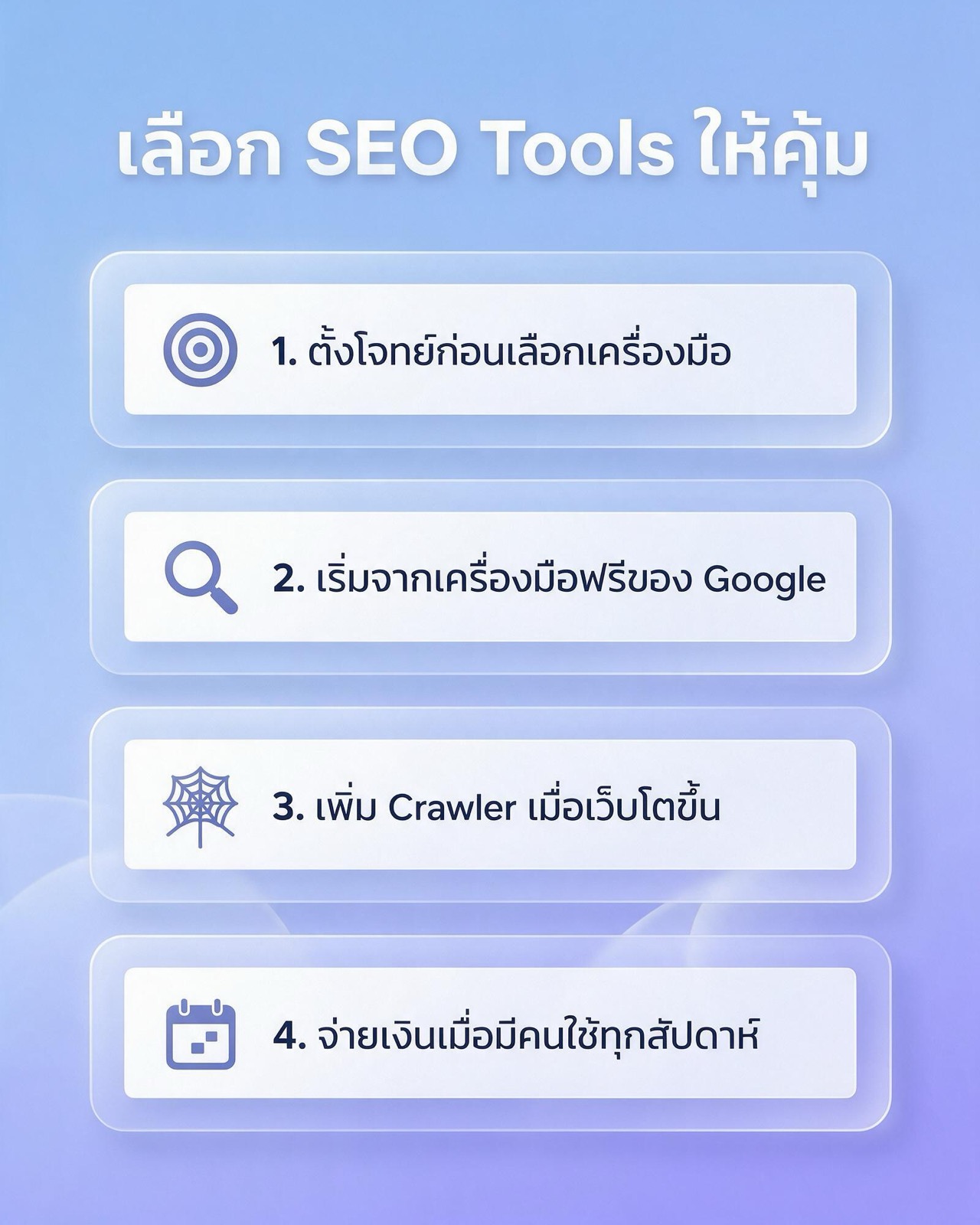
- Define the problem before choosing a tool. Write down the questions you need answered every month first, for example which service pages gained or lost impressions, why new pages are not being indexed, and where competitors get their links. Then match each question to the six tool groups above.
- Start with Google's free tools. Set up Search Console and GA4 correctly, link the two, and use them consistently for at least one to two months to see how far the free data goes.
- Add a crawler as the site grows. When the site has several hundred pages, goes through a migration, or has several people editing content, add regular crawls. Start with the free Screaming Frog and buy a licence once the site passes 500 URLs.
- Pay when someone will use it every week. Buy a paid suite when a named person will open it every week, and there is real work that needs competitor data or daily rank tracking.
A worked value check (illustrative numbers)
Suppose a company is considering a suite at 139 dollars a month, and one marketer will use it about 4 hours a week, roughly 16 hours a month. The tool then costs about 8.70 dollars per hour of actual use. If that month they only use it for 2 hours, the cost per hour jumps to nearly 70 dollars. These numbers only illustrate the method. The part to take away is the questions: who will use it, for how many hours, and how many fixes to the website came out of that use.
Trial before you commit
- Use the free plan or trial on your own site and on two or three main competitors.
- Compare the keywords the tool shows with Search Console, and check whether they match the queries that actually brought clicks.
- Search for the Thai terms your business really uses and see whether the tool has data or shows zero.
- Pay monthly at first, and switch to annual once you are sure the tool gets used.
Common mistakes with SEO tools
- Trying to fix every item in an audit report. Tool reports often carry hundreds of warnings, and most do not affect rankings. Sort by impact: an important page that is not indexed comes before a meta description that runs long.
- Treating a tool's score as the goal. Site health scores and domain scores are each vendor's own metric. Google does not use them. The real goal is clicks and conversions from search.
- Taking search volume as an exact figure. Volume from third-party tools is an estimate. It works for comparing terms against each other, but should not be used as a fixed traffic forecast.
- Buying several tools that do the same job. Two large suites overlap almost completely. Without a specific reason, pick one.
- Not configuring the tool for your market. Forgetting to set Thailand or Thai in rank tracking means you get positions from a different market.
Limits of SEO tool data you should know
Every tool has blind spots. Knowing them in advance stops you from making the wrong call from a number.
- Rankings vary by device, location and search history. A rank tracker's number is a snapshot from one point, not what every user sees.
- Today's results pages contain many elements, such as AI Overviews, maps and video. A position 1 plain link can therefore sit lower on the screen than you expect.
- No vendor's link database covers the whole web, so the link counts each tool reports differ.
- Visibility in AI search answers is harder to measure than classic rankings. Some tools have started reporting on it, but the methods still differ widely between vendors.
SEO tools for Thai-language websites and the Thai market
Thai does not put spaces between words, so some tools treat queries with the same meaning but different spelling as separate terms, for example with or without a space before an English word, or a brand name written in Thai versus English. When researching keywords, search several variants and group them yourself.
Specific long-tail Thai queries often have little data in third-party tools, or show a volume of zero, even when the site's Search Console shows people really do search for them. For Thai sites, Search Console is therefore the best source of keyword ideas. Look for queries with impressions but few clicks, then improve the related page.
Sites in both Thai and English should keep separate projects or separate keyword groups per language in the rank tracker, with the search location set to Thailand. On cost, most tools are priced in foreign currency, so the annual budget should leave room for exchange-rate swings.
Another change is search through AI, which classic SEO tools do not yet measure fully. If a business wants its brand cited in AI answers, it is worth looking at AI SEO and GEO (Generative Engine Optimization) alongside the classic tools.
SEO tools FAQ
Are free SEO tools enough for a small business?
For a small business with a site of a few hundred pages, free tools are usually enough for the core work. Search Console shows queries and indexing problems, GA4 shows user behaviour, and the free Screaming Frog checks up to 500 URLs. What is missing is competitor data and daily rank tracking.
Should I choose Ahrefs or Semrush?
The two do the core jobs about equally well, so decide by trialling both on your own site. Ahrefs is known for its link database, while Semrush covers many areas including advertising. Search the Thai terms your business uses in both, and pick the one whose data lines up better with Search Console.
How many SEO tools do I need?
Most sites need only three or four: Search Console, GA4, one crawler, and one paid suite when it becomes necessary. Several tools doing the same job add cost without adding new data.
Will rankings go up just by using SEO tools?
No. Tools only point at what to fix. Rankings change when someone uses the data to fix pages and their content. If the team has no time to act, buying more tools will not help.
Summary: start from the problem, then pick the tool
The best-value SEO tools are the ones your team actually uses and turns into fixes on the site. Start with Google's free tools, add a crawler as the site grows, and pay for a suite when there is work that needs competitor data and a clear owner. If you want specialists to read the tool data and prioritise what to fix, see the SEO audit service or the SEO services from Relevant Audience, and for planning online marketing as a whole, see digital marketing for startups.