
TL;DR
- Content pruning gives every page one of four outcomes: Keep, Update, Consolidate (merge and 301 redirect) or Delete, and deletion is usually the rarest.
- Decide with 12 months of Google Search Console data (clicks, impressions, position) plus GA4 sessions, engagement rate and key events, so revenue pages are not removed by mistake.
- Google's documentation treats all 4xx codes except 429 the same way, so 404 and 410 both drop a page from the index; a 301 to a matching page beats both.
- A noindex rule only works if Google can crawl the page, so never block a noindexed page in robots.txt, and keep the sitemap to canonical URLs you want indexed.
- Measure by topic cluster, not single URLs: add up the clicks of all merged pages before the change and compare them with the main page after it.
Content pruning is the process of reviewing every content page on a website and deciding, page by page, whether to keep it, update it, merge it with another page or delete it. The goal is a site where every page that remains actually answers a reader's question, not a site that simply has fewer pages. If your site has hundreds of articles written over several years, content pruning is the housekeeping that makes the good material easier for both readers and Google to find.
Picture a tree that has never been pruned. Dead branches, branches growing over each other and branches that never bear fruit all compete for light and water with the healthy ones. A website works in a similar way. Old articles with outdated information, pages that repeat the same topic and short pages nobody opens make the whole site cluttered and harder to maintain. This article covers how content pruning for SEO works, the warning signs that it is time to start, how to sort pages with the Keep, Update, Consolidate and Delete approach, a decision table, the technical cautions, and how to measure the result once the pruning is done.
What is content pruning, in plain terms
The word pruning comes from gardening, where it means cutting back branches. In SEO it means a systematic review of all the content you already have, followed by handling each page in a way that matches the value it really delivers.
A common misunderstanding is that content pruning means deleting articles. Deletion is only one of four options, and it is usually the one used least. Most pages that go through a review are kept or updated. Some are merged into a page that covers the same subject, and only a portion genuinely needs to be removed.
The difference between content pruning and writing new articles is direction. Writing new content adds things to the house. Pruning organises what is already there. A site that only ever does the first and never the second ends up with several articles competing for the same keyword, articles that contradict each other, and nobody who knows which page is the main page for a topic.
Why content pruning matters for a website doing SEO
There are three main reasons, and all of them are about the quality readers get.
- Readers reach the right page faster. If five articles each answer the same question halfway, a searcher may land on the weakest one. Merging them into a single complete page means everyone gets the same, best answer.
- Signals inside the site stop being scattered. Internal links and links from other sites that used to point at several pages now point at one, which makes it easier for Google to understand which page is the main page for the topic.
- The site becomes easier for the team to maintain. A site with fewer but denser pages is faster to update, easier to check for errors, and less likely to have old pages quoting prices, promotions or steps that no longer apply.
On crawl budget, the amount of crawling Googlebot does on a site, Google's documentation says it mainly matters for very large sites, such as sites with a million or more unique pages, or sites with 10,000 or more unique pages whose content changes daily. A typical company site or blog with a few hundred articles should not run content pruning mainly out of worry about crawl budget. Content quality and the reader's experience are the better reasons.
What happens if you never do content pruning
A site that is never pruned does not break in a day. The problems build up slowly and are easy to miss. Common examples include the following.
- Several pages compete for the same keyword. Google has to choose which one to show and sometimes switches between them, so rankings become unstable. This problem is called keyword cannibalization, and there is a separate article about it on the RA blog, so this article does not go into the details again.
- Outdated information still appears in search results. Think of an article that describes a feature a platform has since retired, or steps for a screen that has completely changed.
- Your best pages get fewer internal links than they should. Internal links get spread across a large number of pages that do not matter.
- The content team repeats itself without realising. When nobody knows what the site already has, there is a good chance someone writes the same topic for the third or fourth time.
- Google Search Console reports become hard to read. A large number of low-value pages fills the Page indexing report with entries to work through, which makes the real problems harder to spot.
When to do content pruning: the warning signs
You do not need to wait for rankings to drop. If your site shows two or more of the following symptoms, it is time to start.
- Many articles received no clicks from Google in a full year. You can see this in the Performance report in Google Search Console by setting a 12-month range and sorting pages by clicks.
- The Page indexing report shows a large number of pages as "Crawled - currently not indexed" or "Discovered - currently not indexed". Google says these statuses are common and do not necessarily need attention, so check them mainly for pages that matter to you.
- Searching your main keyword brings up several of your own URLs taking turns. Or, in the Performance report, filtering on a single query shows several pages collecting impressions.
- Some articles quote years, prices or tool versions that are out of date. An example is a tutorial for Universal Analytics, which Google has stopped processing data for.
- Some pages are very short and do not answer any question. Examples include announcements for events that have ended, tag pages with a single article, or short news items nobody searches for anymore.
- Total clicks for the site are slowly falling even though new articles keep going out. This symptom says that volume does not mean quality, and it may be time to look at what you already have.
For a site that publishes regularly, a full-site review once a year plus a review of the most important topic clusters every quarter is a realistic rhythm that does not eat too much of the team's time. A site that rarely adds content can review once a year.
How to do SEO content pruning, step by step
The steps below are designed to work with Google's free tools and a single spreadsheet. No expensive software is required.
Step 1: Build a content inventory
Start by collecting every URL that is a content page. Useful sources are the site's XML sitemap, the post list from your back end, such as WordPress or another CMS, and a URL crawl from a crawler tool. Put everything into one spreadsheet, one row per URL, and add basic columns: title, publish date, last modified date, and the main keyword the page is meant to answer.
Step 2: Pull data from Google Search Console
Open the Performance report, choose the last 12 months, and export the page-level data: clicks, impressions and average position. A 12-month window shows pages with seasonal demand, such as an article about year-end promotions, which could look like nobody searches for it if you only looked at three months. Search Console keeps around 16 months of data, which is enough for a year-over-year comparison as well.
Step 3: Pull data from GA4
In GA4, use the Landing page report or the Pages and screens report to see sessions, engagement rate, average engagement time, and key events triggered from each page, such as form submissions or call clicks. This data matters a lot, because some pages get few clicks from Google but are the pages customers open just before they get in touch. If you only look at Search Console, you could delete a page that earns revenue without meaning to.
Step 4: Check the links pointing at each page
Check whether each page has links from other websites pointing at it, using the Links report in Search Console or the backlink tool you already use. A page with good-quality external links should not simply be deleted, even if nobody reads it. Merge it or redirect it to a related page so those links are not wasted.
Step 5: Group pages by topic
Sort all the pages by main keyword or topic. This step shows you straight away how many pages talk about the same thing. Any group with three or more pages on one topic is a leading candidate for consolidation.
Step 6: Decide page by page
Use the four options in the next section. Record the decision in a new column, along with a short reason and the destination URL whenever a redirect is needed. Writing a reason on every row lets others on the team review the work, and lets you look back at it in the next round.
Step 7: Work in batches, then measure
Do not change the whole site in one day. Work in batches, for example one topic cluster per batch, and record the date of each change so you can tell which batch caused which movement in the reports. The measurement details are at the end of this article.
If your team does not have time to work through hundreds of rows of data, commissioning an SEO audit of the whole site first gives you a list of pages to handle, with the technical reasons attached, which you can use as the starting point for pruning straight away.
The 4 content pruning options: Keep, Update, Consolidate, Delete
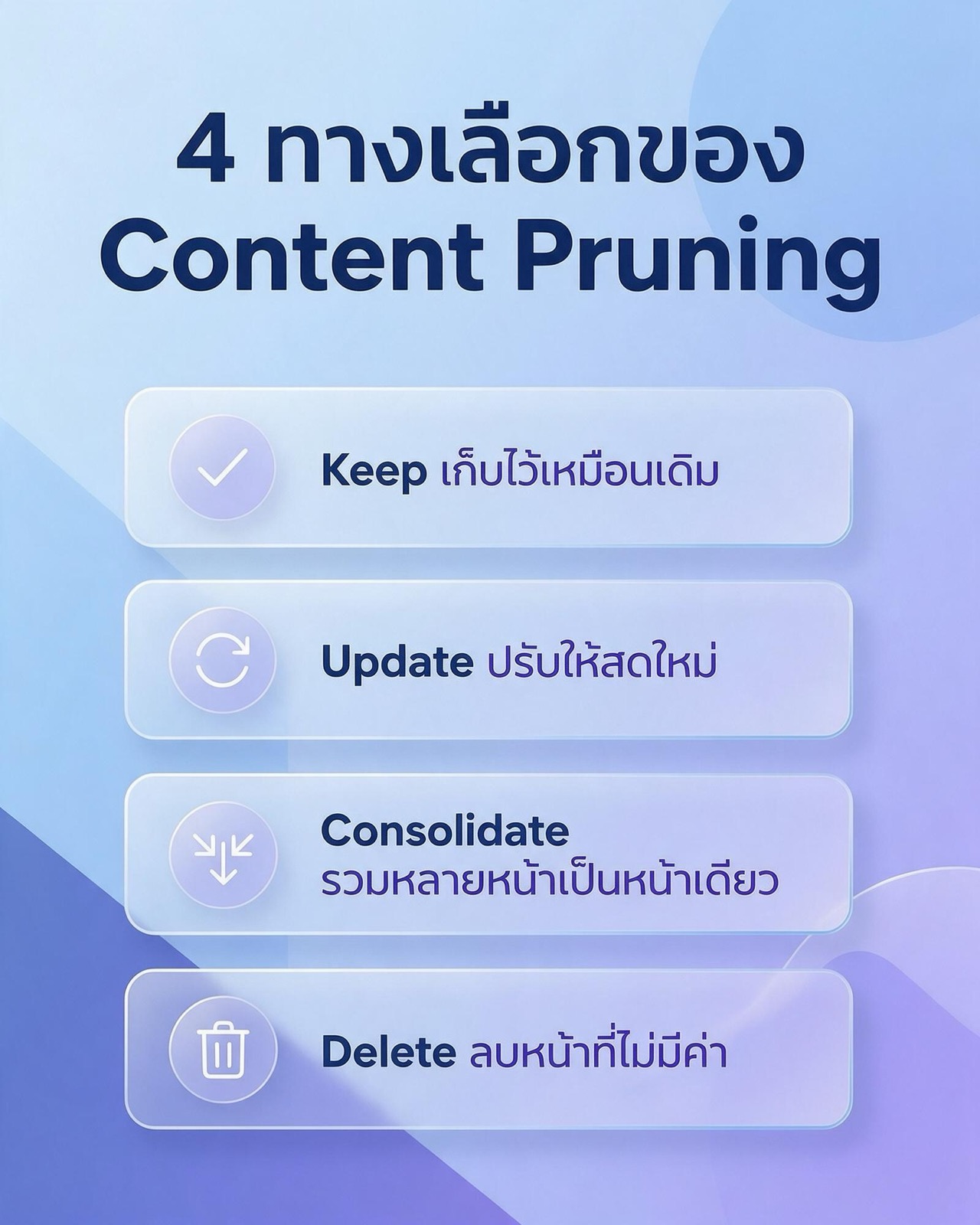
Every page in the inventory gets one of these four options. The image below is an easy way to remember them.
- Keep it as it is for pages that already work well: they get visits, the information is still correct and they answer the question fully.
- Update it to make it current for pages whose topic people still search for, but whose information is old, too thin, or no longer matches what searchers want.
- Consolidate several pages into one for groups of pages on the same topic. Pick the strongest page as the main page, move the useful material from the others into it, and redirect the rest.
- Delete pages with no value for pages that get no visits, have no links pointing at them, are no longer relevant to the business, and would not benefit from an update.
Keep: when to leave a page alone
A page that gets steady clicks, still has correct information, and holds readers' attention for a reasonable time does not need touching. Editing a page that already works carries more risk than benefit. What you can do is add internal links to it from the pages you have just updated or merged, because it is a page readers have already shown they like.
Update: how to make an update count
An update is not changing the date on a page and pressing save. The content has to change. Fix outdated information, add missing steps, rework the subheadings to match the questions people actually search for according to the Queries report in Search Console, add a table or image that makes the topic easier to follow, and cut paragraphs that go round in circles. The key point is to keep the original URL so you do not lose the history and links the page has built up. If the team is overloaded, setting up an article refresh cycle as part of your content marketing work makes updates happen in rounds instead of once and then forgotten.
Consolidate: merge into one best page
Choose the main page from the page with the most clicks, inbound links or best ranking in the group, then rewrite the useful parts of the other pages into the main page. Do not just paste every paragraph together, because you will end up with a long page that repeats itself. Once the merge is done, set up a 301 redirect from each merged page to the main page, and update internal links across the site to point at the main page directly. A separate guide to setting up 301 redirects is already on the RA blog.
Delete: remove pages safely
Before deleting, check three things: the page has no clicks and no key events, it has no good-quality external links pointing at it, and no other page on the site is a suitable redirect destination. If it passes all three, deleting it and letting the server return 404 or 410 is a reasonable choice. If there is a directly related page, redirecting to it is better, because readers who follow an old link still land on something useful.
Content pruning decision table, with example GSC and GA4 thresholds
The numbers in this table are example thresholds set for this article, not industry standards. A site with hundreds of thousands of visits a month and a site with a few thousand should set different thresholds. Adjust the numbers to the size of your site, then apply the same thresholds across the whole inventory so decisions stay consistent.
| Option | Example threshold (GSC / GA4, last 12 months) | What to do |
|---|---|---|
| Keep | 100 or more clicks from GSC, or at least 1 key event, and the information is still correct | Leave the content as is, add internal links pointing to it |
| Update | 500 or more impressions but average position worse than 10, or engagement rate below the site average, or outdated information | Rewrite the stale parts, keep the original URL |
| Consolidate | 2 or more pages collecting impressions for the same query, with no clear winner | Merge into the main page, set up 301s, fix internal links |
| Delete | 0 clicks, fewer than 50 impressions, no key events, no good-quality external links, and no related destination page | Delete and return 404 or 410, remove from the sitemap |
If a page meets the criteria for more than one row, always take the more cautious option. From most to least cautious, the order is Keep, Update, Consolidate and Delete. Remember too that the numbers are only a starting point. Someone who knows the business must review every row proposed for deletion, because some pages have business reasons the numbers do not show, such as policy pages, pages the sales team sends to customers directly, or pages that are legally required.
Technical cautions before and after pruning
This is where content pruning goes wrong most often, because each method sends Google a different signal. The points below are based on what Google states in its Search Central documentation.
301 redirect: use it when there is a genuinely matching destination
A 301 says that a page has moved permanently. Google treats it as a strong signal that the destination should be the canonical page. The caution is that a redirect must go to a page whose content really matches. Redirecting every deleted page to the home page does not help readers, and Google may treat it as a soft 404. Also avoid redirect chains, such as A to B and then B to C. Change it so that A goes to C directly.
noindex: for pages that must exist but should not appear in search results
Some pages need to stay on the site for users but do not need to appear in Google, such as a thank-you page after a form submission or a tag page with very few articles. These pages can use noindex. A frequent mistake is adding noindex and then also blocking the same page in robots.txt. Google states that it has to be able to crawl the page to see the noindex rule. If the page is blocked, it may stay in search results. The details of the noindex tag are covered in a separate article on the RA blog.
404 vs 410: less different than people think
Google's documentation on HTTP status codes says that all 4xx errors except 429 are treated the same way: they signal that the content does not exist, and URLs that were already indexed are removed from the index. So according to that documentation, choosing 410 over 404 gives no indexing advantage. The benefit of 410 is that it states the intent more clearly to people on the team or other systems reading the logs: this page was removed on purpose. Either is fine, but use the same one across the site, and make sure your 404 page links back to the home page or a search box so readers do not hit a dead end.
Internal links: fix them all before you close the job
After merging or deleting pages, find every internal link still pointing at an old URL and change it to point at the destination directly. A redirect will still take readers to the right place, but links that pass through redirects add a small delay and make the site structure harder to read. Links pointing at deleted pages become broken links immediately. Run a crawler over the whole site after every batch.
XML sitemap: list only the pages you want in search results
Google recommends that a sitemap contain only the canonical URLs you want indexed. After pruning, remove deleted pages, redirected pages and noindexed pages from the sitemap, and update the lastmod value of pages whose content you genuinely changed. Google says it uses lastmod when the value is consistently accurate, so do not change lastmod on pages you did not edit.
canonical and hreflang on bilingual sites
If a page you delete or merge has a counterpart in another language, such as a Thai page paired with an English page through hreflang, decide on both at the same time, and fix the hreflang tags on the remaining pages so they do not point to URLs that no longer exist. Also check that the main page's canonical points to itself, not to a page that has been merged away.
How to measure the results of content pruning
Measurement has to start before you make changes. Record baseline values before editing, then compare them with an equal period after the edits. These are the metrics to track.
- Clicks and impressions for the topic cluster, not for a single URL, because after a merge the clicks from several pages move to the main page. Add up the numbers for every URL in the group before the change, then compare them with the main page after it.
- Average position for the main queries of the pages you updated or merged, taken from the Performance report filtered to that page.
- The number of indexed pages and their status in the Page indexing report. Deleted pages should gradually move into the Not found (404) group, or another 4xx reason if you use 410, and redirected pages should appear under Page with redirect, which is normal.
- Engagement rate and key events in GA4 for the updated pages, to see whether readers really get more out of them.
- Broken internal links, which should be at zero after each batch.
On timing, Google has to recrawl the pages before it sees the changes, and how long that takes varies from site to site. Wait at least several weeks before judging, and compare with the same period last year for seasonal topics. Do not decide based on the first few days, because numbers can move up and down while Google processes the redirects.
Another thing worth tracking is whether your pages appear in AI answers, such as Google's AI Overviews. If you also want to structure content for AI search, see the AI SEO page for more.
What is different about content pruning for Thai-language websites
Thai websites have a few traits that make pruning work need more care.
- Thai search queries come in many forms. Thai users type the same topic in several ways: with and without spaces, mixing Thai and English words, or with different transliterations. Many sites therefore have several articles written separately for each variant of a query, even though the searcher's intent is identical. Groups like this are often good candidates for merging into one page.
- Bilingual sites must decide in pairs. A Thai page and its English counterpart can perform very differently. Before deleting either one, look at the data for each language separately, and fix hreflang as described above.
- There are many promotion and festival pages. Think of Songkran, Loy Krathong or the 11.11 campaign. Pages for events that have ended, with no inbound links and no searches, are usually deletion candidates. But if the same campaign runs every year, using one URL and updating it each year works better than creating a new URL every time.
If you want content pruning to be part of a long-term SEO plan for the Thai market, see the service details on the SEO Thailand page.
Frequently asked questions about content pruning
Does content pruning mean deleting articles?
No. Content pruning means reviewing all your content and choosing one of four options for each page: keep, update, merge or delete. Deletion is the last option, for pages that genuinely have no value left. Most pages are usually kept or updated.
How often should you do content pruning?
For a site that adds articles regularly, a full-site review once a year and a review of the key topic clusters every quarter is a realistic rhythm. A site that rarely adds content can review once a year. What matters is doing it in rounds and recording every decision.
Should a deleted page return 404 or 410?
Either works, because Google's documentation says all 4xx status codes except 429 are handled the same way, and the page is removed from the index. A 410 states the intent of a permanent removal more clearly to anyone reading the logs. If there is a page with matching content, a 301 redirect to that page is better than both.
Will rankings go up immediately after content pruning?
Not immediately. Google has to recrawl the pages and process the redirects first, and how long that takes varies by site. Track the results over weeks or months, and measure by topic cluster rather than one URL at a time.
Does a small site with a few dozen articles need it?
Yes, and it can be done quickly. A small site has no crawl budget problem, but it still benefits from fixing outdated information and merging duplicate articles, because every page a reader lands on should be correct and complete.
Summary
Content pruning is housekeeping for a website, not a way to have fewer articles. Build a content inventory, pull data from Google Search Console and GA4, decide page by page with Keep, Update, Consolidate and Delete, take care with 301s, noindex, 404/410, internal links and the sitemap, and measure by topic cluster. If you would like to start with an expert review of the whole site, the RA team can help you plan it through our SEO audit service.