
TL;DR
- WooCommerce SEO is three separate problems: which store URLs a crawler may see, which of those are worth keeping in the index, and whether the indexed page gives a shopper enough to buy.
- Start with the crawl foundation. WooCommerce generates cart, checkout, my-account, ?orderby=, ?filter_ and ?add-to-cart= URLs that eat crawl effort before any on-page work matters.
- Category archives are usually the stronger ranking target than product pages, because they match the broader buying query and survive catalogue turnover.
- Structured data must match visible content. WooCommerce core and SEO plugins both emit Product markup, so pick one authoritative source and test the live URL rather than trusting defaults.
- There is no published benchmark for a healthy store's traffic, rankings or conversion rate. Record your own Search Console baseline before changing anything and measure against that.
WooCommerce SEO is the work of making a WooCommerce store crawlable, indexable and worth ranking: cleaning up the URLs the plugin generates on its own, writing product and category pages that answer a shopper's question, marking up products with structured data that matches what is visible on the page, and keeping the store fast enough to use on a phone over mobile data. Many store owners type the query as seo woocommerce, in that word order, because they want the practical version rather than the theory, so this guide is built as seven steps you can work through in order.
The reason a store needs its own playbook is that WooCommerce is not a theme or a post type. It is a full application bolted onto WordPress, and it creates pages, URL parameters, scripts and database queries that a plain WordPress blog never produces. A blog has posts, categories and a feed. A store has a shop archive, product categories, product tags, product attributes, variations, a cart, a checkout, a customer account area, sorting parameters, filter parameters, and an add-to-cart parameter that can attach itself to almost any URL on the site. Every one of those is a place where crawl effort leaks away or a near duplicate page appears.
What is WooCommerce SEO
WooCommerce SEO is search optimisation applied to the specific objects WooCommerce adds to a WordPress site: the shop archive, product pages, product category and tag archives, product attributes and variations, and the transactional pages that should never appear in search results at all. It overlaps heavily with general ecommerce SEO, and at the level of intent and keyword research the thinking is identical. What changes is the implementation, because the plugin has already decided much of your URL structure, your markup and your page weight before you touch a setting.
A useful working definition is this: WooCommerce SEO is the set of decisions that determine which of your store URLs a search engine is allowed to see, which of those it considers worth keeping in its index, and whether the page it keeps gives a shopper enough to buy. Those are three separate problems and they fail in different ways. A store can be perfectly crawlable and still rank for nothing because every product description was pasted from the supplier. A store can have beautiful product copy that no crawler reaches because the filter widget generated tens of thousands of parameter URLs and swallowed the crawl.
Two things are worth saying plainly before the steps. First, no plugin does this for you. Yoast, Rank Math and WooCommerce itself all handle parts of the job, and the parts they handle differ by plugin and by version, which is why every claim in this guide about markup ends with an instruction to test rather than to trust. Second, there is no published benchmark for what a WooCommerce store should rank for, how much organic traffic is normal, or what conversion rate counts as healthy. Anyone quoting one to you is quoting a number from a different catalogue in a different market. Derive your own baseline from your own Search Console and analytics data, then measure movement against that.
Why seo for woocommerce is a different job from blog SEO
The short answer is volume and machinery. A blog with 200 posts has roughly 200 URLs plus archives. A store with 200 products can generate many thousands of crawlable URLs without anyone adding a page, because WooCommerce composes URLs from parameters at runtime.
Here is what a stock installation tends to produce beyond your actual content:
- Cart, checkout and my-account pages, created automatically on install, each with content that is worthless in a search result.
- Sorting URLs on every archive, in the form ?orderby= followed by price, popularity, rating or date, each returning the same products in a different sequence.
- Layered navigation and filter URLs, typically in the form ?filter_ plus the attribute name, which multiply combinatorially as a shopper stacks filters.
- Add to cart links carrying ?add-to-cart= and a product ID, which can be crawled from anywhere the button appears.
- Product tag archives, which most stores create by accident and then never give content to.
- Paginated archives at /page/2/ and beyond, which need their own canonical handling.
None of these are bugs. They are the plugin doing its job for shoppers. The SEO job is deciding which of them a crawler is allowed to spend time on. That decision, made once and made deliberately, is worth more than any amount of on-page tinkering afterwards, which is why it is step one rather than step five.
The woocommerce seo guide: WooCommerce SEO in seven steps
Work through these in order. The sequence matters because each step assumes the previous one is done: there is no point writing category copy that a crawler is blocked from reaching, and no point adding schema to a page that is not indexed. Each step below names the setting or the screen, the common mistake, and what the mistake costs you.
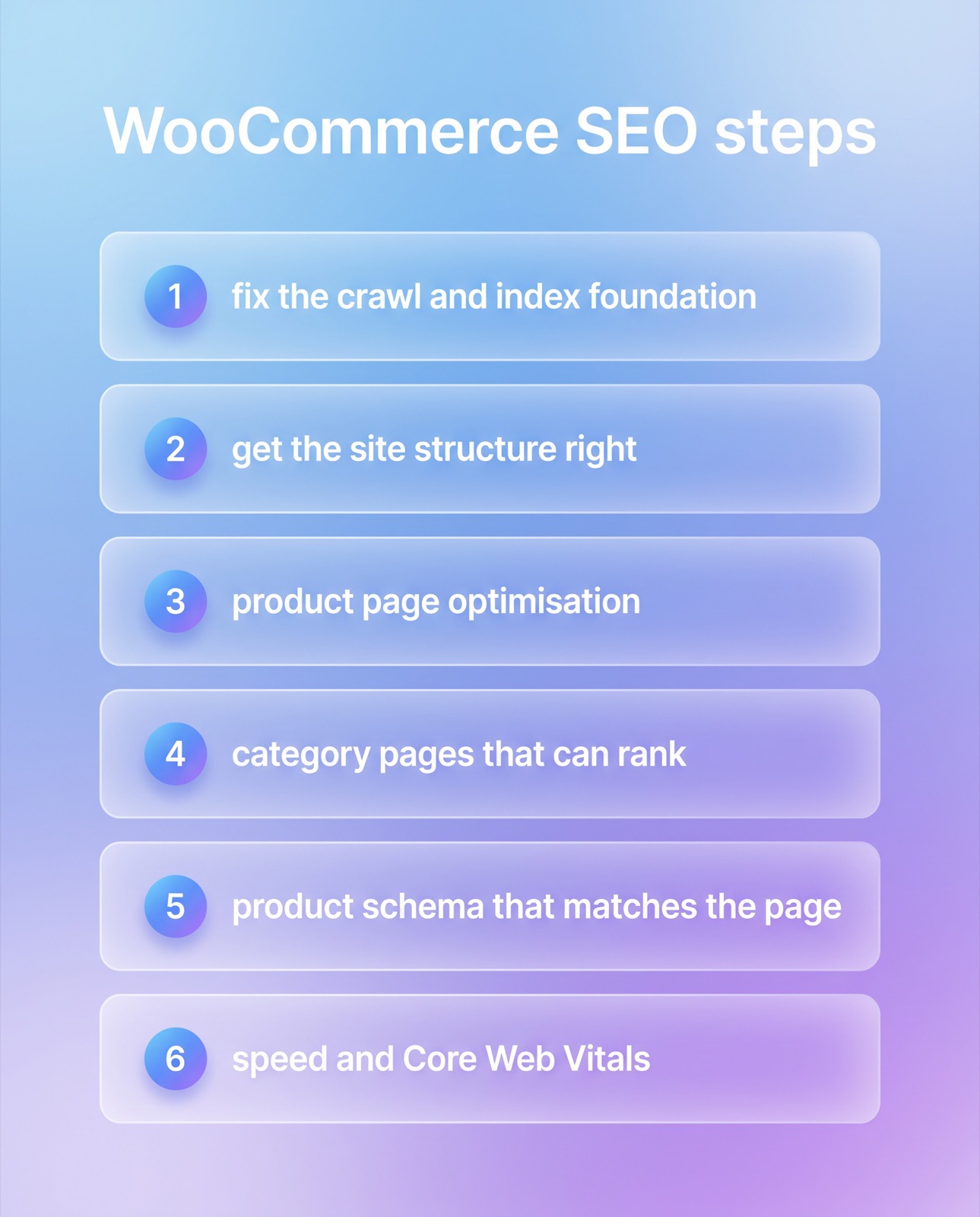
Step 1: fix the crawl and index foundation
Start in WordPress under Settings, then Permalinks. WooCommerce adds its own block there called Product permalinks, with options for a default structure, a shop base, a shop base with the product category included, or a custom base. Pick one and stop changing it. Every change rewrites every product URL on the site and forces you to redirect the old ones, and a store that has changed its product base twice usually has a redirect chain nobody documented. The same screen holds the Product category base and Product tag base, which control the prefix on your archive URLs.
Next, decide what should not be indexed. Cart, checkout and my-account pages have no business in search results. Open each of those pages in a browser, view the source, and look for a robots meta tag. Some installations already carry a noindex directive on them and some do not, depending on your WooCommerce version and your SEO plugin, so check rather than assume. If it is missing, set noindex on those three pages in your SEO plugin's per-page settings.
Then handle the parameter URLs. There is a real trade-off here and it is worth understanding rather than copying a rule. Blocking a pattern in robots.txt stops the crawl but also stops a crawler from ever reading a noindex tag on those URLs, so anything already indexed can linger. Allowing the crawl and serving noindex removes them from the index but keeps spending crawl effort on them. A workable approach for most catalogues: disallow the pure add-to-cart pattern, since those URLs have no value to anyone and no reason to be indexed; leave sorting parameters crawlable but make sure each sorted archive canonicalises to the unsorted archive; and treat filters as a content decision rather than a technical one. If shoppers genuinely search for a filtered combination, such as a colour or a size that is a real buying term, build that as a proper category or attribute page with its own URL and its own copy. If they do not, keep the filtered version out of the index.
Finish the step by looking at your XML sitemap. It should contain products, product categories and your real content pages, and it should not contain cart, checkout, account pages or any parameter URL. If your sitemap and your index directives disagree, the sitemap is telling a crawler to fetch something you have told it to ignore, and that inconsistency is one of the more common findings in an SEO audit of a WooCommerce store.
Step 2: get the site structure right
Structure is the map that tells both shoppers and crawlers how your catalogue is organised, and on a store it is mostly decided by two choices: how your product URLs are built, and how you use categories versus tags.
On URLs, the simplest structure that survives contact with a growing catalogue is a flat product base, where every product sits directly under one prefix regardless of category. The alternative, putting the category into the product URL, looks tidier and reads better, but it creates a genuine problem the first time a product belongs to two categories. The same product then has two possible paths, and unless canonical tags are handled correctly you have split the same page into two URLs competing with each other. If you already run category-in-URL and it works, you do not need to rip it out. Just confirm that every product resolves to exactly one canonical URL, and test that by opening a multi-category product through both paths and comparing the canonical tag in the source.
On taxonomies, categories are for the shape of the catalogue and tags are for cross-cutting attributes. Categories should be few, stable and worth a page of their own. Tags multiply fast and most stores end up with hundreds of tag archives holding one product each, which are thin pages with no purpose. If you are not going to give a tag archive real content and real internal links, do not let it into the index.
Breadcrumbs are the third piece. WooCommerce ships a breadcrumb trail and most SEO plugins can output the matching BreadcrumbList markup. A working breadcrumb does two jobs at once: it gives a shopper a way back up a level, and it gives a crawler a consistent internal link from every product back to its parent category, which is how category pages accumulate internal link value. Check that the trail reflects the category you actually want the product associated with, because on multi-category products the trail may pick one for you.
Step 3: product page optimisation
The title is the first decision. A product title should read the way a shopper would say the product out loud, with the identifying detail included: brand, model or type, and the distinguishing attribute such as size, capacity or material. Resist the urge to stuff. A title padded with buying words reads as spam to a human, and the human is the one deciding whether to click.
The description is where most stores lose. If your product description is the manufacturer's supplied copy, it is identical to the copy on every other retailer selling the same item, and there is no reason for a search engine to prefer your page. Rewriting hundreds of descriptions is slow, so prioritise. Take the products that already earn impressions in Search Console but sit low in position, and the products that carry your margin, and rewrite those first. What to add: what the product is for, who it suits and who it does not, what is in the box, sizing or compatibility notes in your own words, and the question your support team keeps answering about it. That last one is the highest value paragraph on most product pages and it costs nothing to collect.
Images matter twice, once for image search and once for page weight. Give the file a descriptive name before uploading rather than leaving a camera string, and write alt text that describes the image for someone who cannot see it. Alt text is not a second place to repeat the keyword. On variable products, decide deliberately what a variation should do. Variations that change only a colour swatch usually belong on one page. Variations that a shopper would search for by name, such as a distinct model number, may deserve separate products with their own URLs and their own copy.
Out of stock products need a policy, not an improvisation. A product that is temporarily unavailable should keep its URL, stay indexable, show the out of stock state honestly, and offer something to do next: a back in stock notice, or a link to the nearest alternative. Deleting it throws away every link and every ranking signal the page had accumulated. A product that is permanently gone should redirect to the closest genuine replacement, or to its parent category if there is none. Redirecting everything to the homepage is a habit worth breaking, because it helps nobody and tends to be treated as a soft error anyway.
Step 4: category pages that can rank
Category pages are usually the stronger ranking target and they are usually the most neglected page type on the store. The reason they are stronger is intent. A shopper searching for a product type is at the top of a buying decision and wants to see a range. A shopper searching for one exact model already knows what they want and often goes to a marketplace. The category page is the one that matches the broader, higher volume query, and it is the one that survives your catalogue turning over.
The tension is layout. WooCommerce shows the category description above the product grid, so a long block of copy pushes the products themselves below the fold and hurts the experience for the shopper who is ready to browse. The way out is to split the copy. Keep a short orientation paragraph above the grid, two or three sentences that confirm the shopper is in the right place and set out how the range is organised. Put the longer material below the grid: how to choose between the options, what the specifications mean in plain language, sizing or compatibility guidance, and the questions people ask before buying this category of thing. Text below the grid is still crawled and still counts. It just does not get in the way.
Handle pagination honestly. Page two of a category is its own page and should carry its own canonical pointing at itself, not at page one. Do not repeat the same category description on every paginated page. And give category pages internal links from your content: a buying guide that links to the category it is about is worth more to that category than another link from the footer.
Step 5: product schema that matches the page
Structured data is how you hand a machine the facts on the page in a form it does not have to guess at. For a store, the relevant type is Product, with an Offer nested inside it carrying price, currency and availability. WooCommerce core outputs a Product block on product pages by default, and SEO plugins frequently add or replace their own. That is where the first problem comes from: two blocks describing the same product, disagreeing with each other. Decide which one is authoritative and switch the other off.
What a Product block needs in order to be eligible for merchant style rich results is a name, an image, a price with its currency, and an availability state. Review and rating markup is eligible only when genuine reviews exist on the page and are visible to the person reading it. Whether a specific plugin emits a specific field by default, such as an identifier like GTIN or a shipping and returns block, varies by plugin and by version, so do not take anyone's word for it including this article. Run your live product URL through a structured data testing tool, read what actually comes out, and fix what is missing.
The rule that matters more than any field list: structured data must match what is visible on the page. If the markup says a price, that price must be the price the shopper sees. If the markup says in stock, the page must say in stock. If the markup carries a rating, the reviews must be on the page. Marking up a discount that is not offered, or ratings that do not exist, is the kind of mismatch that gets rich results removed and can attract a manual action. On variable products the markup usually reports a price range rather than a single price, which is correct behaviour, and again is worth confirming with a test rather than assuming.
Step 6: speed and Core Web Vitals
A store is heavier than a blog for reasons that are structural rather than careless. WooCommerce loads a cart fragments script that fires an AJAX request to refresh the mini cart, and on many themes that request runs on every page including pages with no cart on them. Cart, checkout and account pages cannot be page cached, because they show personal state. Product pages carry galleries, zoom scripts, variation logic and review widgets. And stores accumulate plugins faster than any other kind of WordPress site, each adding its own CSS and JavaScript to every page whether or not the page uses it.
The three Core Web Vitals metrics are Largest Contentful Paint, which measures how long the main content takes to appear, Interaction to Next Paint, which measures responsiveness to a tap or click, and Cumulative Layout Shift, which measures how much the page moves under the reader. Google publishes good thresholds of 2.5 seconds or less for LCP, 200 milliseconds or less for INP, and 0.1 or less for CLS, assessed at the 75th percentile of real visits. Treat the lab score from a testing tool as a diagnostic only. The number that counts is your own field data in the Core Web Vitals report in Search Console, because that comes from actual visitors on actual devices and networks.
What to do, in the order that usually pays: serve product images in a modern format at sensible dimensions, since image weight is the largest single cost on most product pages; reserve space for images and embeds so the layout stops jumping; audit your plugin list and remove what you are not using, then stop the survivors from loading their assets on pages that do not need them; limit the cart fragments script to pages where the cart is actually shown; and configure page caching with cart, checkout and account correctly excluded. If the theme itself is the bottleneck, and on older stores it often is, that is a web design decision rather than a plugin setting, and no amount of optimisation configuration will fully rescue it.
Step 7: measure and maintain
Search Console is the instrument. In the Page indexing report, look at what has been excluded and why, and check specifically whether the excluded set is what you intended in step one. Parameter URLs showing as crawled and not indexed is normal. Real product URLs showing as discovered and not indexed is a signal that crawl effort is going somewhere else, or that the pages are too thin to be worth keeping.
In the Performance report, filter page URLs by your product prefix and separately by your category prefix, and watch them as two different populations. They behave differently and averaging them together hides both. If Search Console offers the merchant listings or product snippets reports for your site, those tell you whether your markup from step five is actually producing eligible results rather than merely validating.
Then keep records. Write down the date you changed something and what you changed, because a catalogue changes constantly and without a log you cannot tell whether a movement came from your work, a seasonal swing or a supplier adding forty products. Set a recurring hygiene check: new products that shipped with the supplier description, products that went out of stock and were quietly deleted, categories that lost their copy in a theme update, and redirects that have started chaining. Search optimisation on a store is maintenance work more than it is a project, which is the part most owners find out a year in.
What each step fixes and where you check it
The table below maps the steps to the problem each one solves and the screen where you can confirm it is done, so you can work through it without guessing whether a change landed.
| Step | What it fixes | Where you verify it |
|---|---|---|
| Crawl and index foundation | Parameter URLs and transactional pages consuming crawl effort | Page indexing report in Search Console, plus your XML sitemap |
| Site structure and breadcrumbs | One product reachable through two paths, thin tag archives | Canonical tag in the page source of a multi-category product |
| Product page optimisation | Supplier copy duplicated across every retailer selling the item | Impressions and position for product URLs in the Performance report |
| Category page content | Archive pages with no text and nothing to rank on | The rendered category page, checking copy sits below the grid |
| Product schema | Duplicate or mismatched markup blocking rich result eligibility | A structured data test run against the live product URL |
| Speed and Core Web Vitals | Script and image weight making the store slow on mobile data | Core Web Vitals field data in Search Console |
How to improve woocommerce seo 2026 without chasing predictions
Forecasting algorithm changes is a waste of a store owner's afternoon. What can be said honestly is that two mechanisms already in operation change where the effort pays, and both of them reward the same work described above.
The first is that machines increasingly read product pages on a shopper's behalf. AI answer engines and shopping surfaces lift product facts, price, availability and specifications out of pages and present them without the shopper visiting. This does not make structured data a new tactic. It makes an existing tactic less optional, because when a machine rather than a person reads your page, ambiguity is not forgiven. A page where the price is drawn by a script, the stock state lives in an image and the specifications are in a PDF gives a machine nothing to lift. A page with clean markup that matches visible content gives it everything.
The second is that the facts have to be right and consistent. If your markup, your visible page and your product feed disagree about a price, the mismatch is now visible in more places than it used to be. Keeping one source of truth for price and availability, and letting everything else read from it, is unglamorous work that gets more valuable every year.
Beyond that, the durable basics have not moved. A store that is crawlable, has category pages worth ranking, has product pages written by someone who knows the product, loads quickly on a mid-range phone, and is maintained rather than launched, will do better than a store chasing whatever tactic is being discussed this quarter. That was true before any of the current answer engines existed and it will be true after them.
What this means for a WooCommerce store in Thailand
Thai stores face a few conditions that change the priorities rather than the method. Marketplaces occupy an unusually large share of product searches, so a Thai store competing on exact model names alone is competing against listings with far more domain strength. That pushes the value towards category and buying-guide content, where a specialist store can genuinely say more than a marketplace listing does, and towards branded demand that a marketplace cannot capture.
Language handling deserves care. Thai does not use spaces between words, which makes Thai URL slugs and Thai search behaviour behave differently from English. WordPress will percent-encode a Thai slug, which is valid and works, though it looks unreadable when pasted. Mixed language product names are common, with an English brand name and a Thai product type in the same title, and that is usually the right call because it is how shoppers actually type the query. Do not translate a brand name that Thai shoppers search in Latin characters.
If a store runs both Thai and English versions, hreflang has to be correct and reciprocal or the two versions will compete. And if you sell through both a WooCommerce store and a marketplace, the product descriptions should not be identical across both, since your own site is the one where the unique version belongs. Practical guidance for the Thai market sits with SEO Thailand work, where local search behaviour rather than a translated checklist drives the plan.
FAQ about WooCommerce SEO
Do I need an SEO plugin for WooCommerce?
You need something that gives you per-page control of titles, meta descriptions, canonicals and robots directives, and on WordPress that is normally a plugin such as Yoast or Rank Math. WooCommerce and WordPress alone do not expose all of those controls in the admin. What the plugin does not do is the work in this guide: it will not decide your permalink structure, write your category copy or fix your image weight. Pick one, learn it properly, and do not run two at once, because overlapping output is a common cause of duplicate meta tags and duplicate structured data.
Should product tag archives be indexed?
Only if you are going to treat them as real pages with real content and real internal links, which most stores will not. A tag archive holding one or two products and no description is a thin page that adds nothing to the index. The pragmatic default is to noindex product tag archives and put the effort into fewer, better category pages instead. If a particular tag matches a genuine buying term with search demand, promote it to a proper category page rather than trying to rescue the tag.
What should I do with out of stock products?
Keep the URL live and indexable, show the out of stock state honestly, and give the shopper somewhere to go next. Deleting the product throws away the links and history the page had built up, and returning a 404 for something you will restock in three weeks is self defeating. Only redirect when the product is permanently discontinued, and redirect to the closest genuine replacement or the parent category rather than the homepage.
Why do my category pages rank worse than my product pages?
Usually because they have almost no content on them and almost no internal links pointing at them. A default WooCommerce category page is a grid of products with a heading, which gives a search engine very little to assess. Add a short orientation paragraph above the grid and substantial guidance below it, then link to the category from your blog posts and buying guides using the words a shopper would use. That combination moves category pages more reliably than anything you can change on the product pages themselves.
How long does WooCommerce SEO take to show results?
There is no honest universal answer, and anyone quoting you a fixed number of weeks is guessing. Technical fixes such as removing parameter URLs from the index can show in Search Console within weeks because they change what is crawled. Content work on category pages compounds slowly and is usually measured over months. The useful move is to record a baseline from your own Search Console data before you start, then compare against that baseline rather than against a number from someone else's store.
Where to go from here
Work the seven steps in order on your own store and you will find most of what is holding it back, because the failures on a WooCommerce store are consistent from store to store. If you would rather have the technical foundation and the catalogue reviewed by someone who does it regularly, Relevant Audience offers WooCommerce SEO as a service, and the starting point is normally a review of what is currently indexed and why.