
TL;DR
- PrestaShop's core is free to download; real spend comes from paid modules, hosting and developer time.
- Magento comes in two editions on one codebase: free Magento Open Source and Adobe's paid Adobe Commerce.
- Adobe's install guide lists PHP, a web server, MySQL or MariaDB, a search engine (OpenSearch on the newest release line) and Composer for Magento.
- A 12-step PrestaShop to Magento checklist covers data mapping, customer passwords and a full 301 redirect map.
In the prestashop vs magento decision, PrestaShop usually suits small and mid-sized stores that want a lighter setup, a gentler learning curve and lower running costs, while Magento suits larger businesses with complex catalogs, several storefronts, B2B buying flows or heavy integration needs. Both are open source at the core, so the real difference is not the download price but the cost of hosting, extensions, development time and long-term maintenance that each one pulls in.
This guide explains what each platform is, compares features and technical complexity, breaks down the drivers of total cost of ownership without inventing price figures, and ends with a practical checklist for moving from PrestaShop to Magento when a growing store outgrows its first platform.
What is PrestaShop?
PrestaShop is an open source ecommerce platform written in PHP. The core software can be downloaded for free and installed on your own hosting, and the company behind it describes the product as a fully customisable platform where the merchant keeps full ownership of the store and its data. The open source project publishes the code on GitHub, and the current major release line promoted on the PrestaShop project site is PrestaShop 9.
Around that free core, PrestaShop sells and lists paid services: a hosted option for merchants who do not want to manage servers, support plans, payment solutions, migration services and a marketplace of modules and themes. That marketplace is where much of the real spend happens. A typical PrestaShop store starts with the free core and adds modules for payments, shipping carriers, search, marketing feeds, reviews and so on. Some are free, many are paid, and each one is a piece of third-party code that has to be kept compatible with the core version you run.
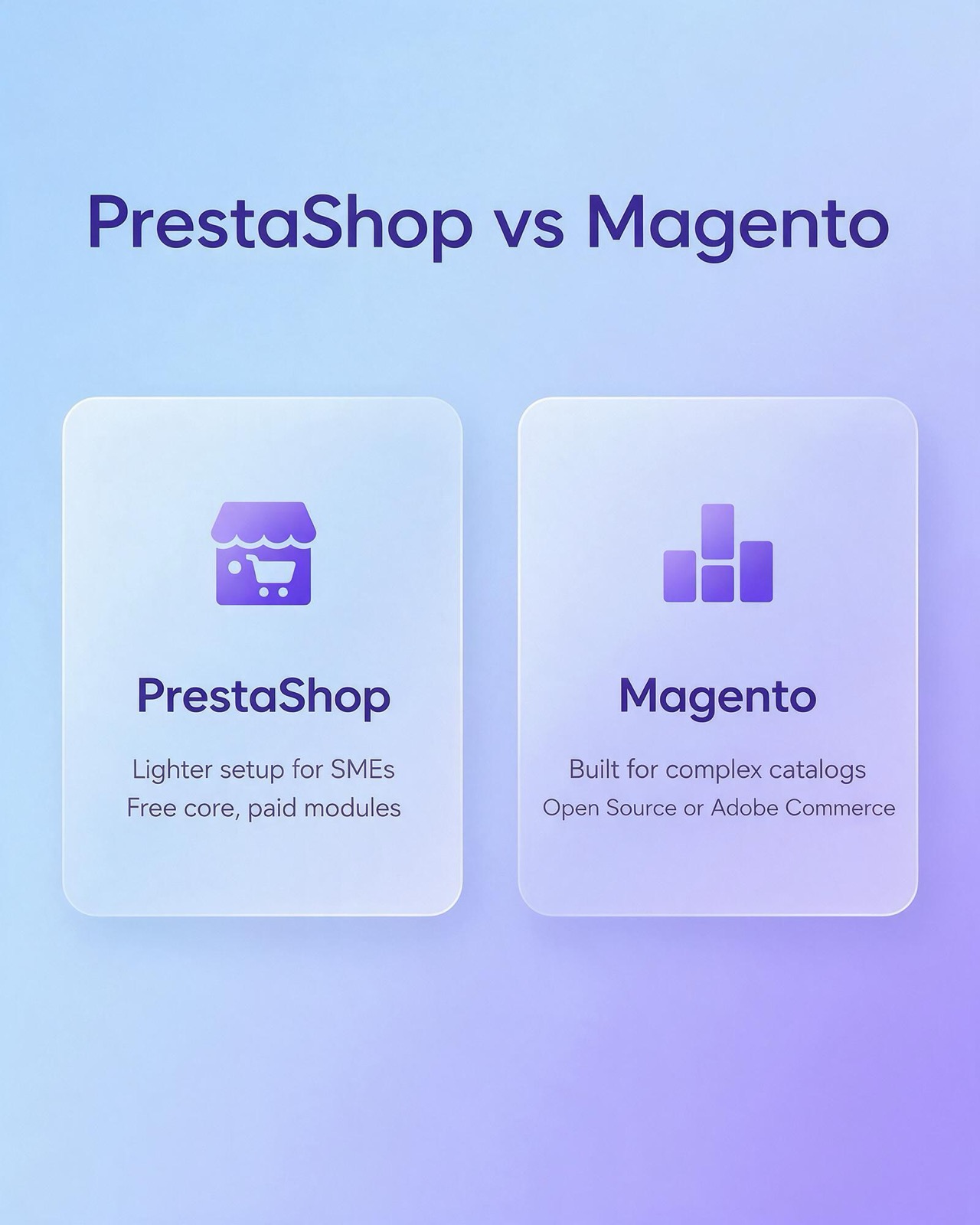
The short version that fits on a card is "Lighter setup for SMEs" and "Free core, paid modules". PrestaShop is designed so that a merchant with modest technical help can install it on standard PHP hosting, configure products, taxes and carriers from the back office, and start selling without a large development team.
Where PrestaShop is strong
- Low barrier to start. It runs on conventional PHP and MySQL hosting and does not demand a separate search engine service to get going.
- Back office built for merchants. Products, combinations (size, color and other variants), stock, carriers, taxes, discounts and order statuses are all managed from one admin panel.
- Multistore in the core. PrestaShop includes a multistore feature that lets one installation run more than one shop, which helps a small group of brands or regional stores share a catalog.
- Large module ecosystem. Most common needs already exist as a module, which shortens build time for standard requirements.
Where PrestaShop gets harder
- Module sprawl. Every feature added through a module adds a dependency. Thirty modules from twenty vendors can make upgrades slow and conflicts hard to trace.
- Complex B2B logic. Company accounts with several buyers, approval workflows, negotiated price lists per customer and quote requests are possible, but usually through custom code or several modules working together.
- Very large catalogs. Stores with very many products and variants need careful hosting, caching and search tuning, and at that point the "lighter" advantage shrinks.
What is Magento?
Magento is also a PHP ecommerce platform, now owned by Adobe, and it exists in two editions that share the same codebase. Magento Open Source is the free edition: you download it, host it yourself and handle support through your own developers and the community. Adobe Commerce is Adobe's paid edition, licensed from Adobe, which adds commercial features, official support and, in its cloud form, Adobe-managed infrastructure. When people say "Magento" in a comparison, they can mean either, so it is worth being precise in any proposal or quote you receive.
Magento was built for scale and flexibility. Its architecture separates websites, stores and store views, so one installation can run several brands, countries, currencies and languages with shared or separate catalogs. Its data model handles configurable products, bundles, grouped products and many custom attributes, and its APIs make it a common choice when the store has to talk to an ERP, a PIM, a warehouse system or a headless front end.
That flexibility comes with weight. Adobe's own installation guide lists the parts you manage: PHP, a web server, a MySQL or MariaDB database and a search engine (OpenSearch on the newest release line; earlier release lines also supported Elasticsearch), installed through Composer, plus PHP settings such as the memory limit. The card version of this is "Built for complex catalogs" and "Open Source or Adobe Commerce".
Magento Open Source vs Adobe Commerce
The free edition already covers catalog management, multi-store, layered navigation, promotions, checkout and the core APIs. Adobe Commerce layers on enterprise features such as B2B tools (company accounts, shared catalogs and quote requests), content staging and scheduling, advanced customer segmentation and official Adobe support. Adobe also publishes a lifecycle table for each release line on its Experience League documentation site, so you can see how long a version receives regular support and security fixes before you plan an upgrade.
The practical question is simple: if the features you need sit only in Adobe Commerce, compare the licence quote from Adobe against the cost of building those features on Magento Open Source with extensions and custom code. Neither answer is automatic.
Compare PrestaShop vs. Magento: Features
On paper both platforms tick most boxes: product catalog, variants, promotions, multi-language, multi-currency, taxes, shipping rules, customer accounts and order management. The gap shows up in depth and in how each feature is delivered.
Catalog and product types
PrestaShop handles simple products, products with combinations, packs and virtual products. It is comfortable with the catalogs of most small and mid-sized shops. Magento offers a richer set of product types (simple, configurable, grouped, bundle, virtual and downloadable) and an attribute system that lets merchandisers define any number of attribute sets for different product families. For a store that sells, for example, both apparel with sizes and colors and electronics with technical specifications, Magento's attribute sets are easier to keep tidy.
Multi-store and internationalisation
Both support several languages and currencies. PrestaShop's multistore is good for a handful of related shops. Magento's website, store and store view hierarchy is designed for groups that run many brands or countries from one admin, with different prices, catalogs and payment methods per website.
B2B selling
If wholesale buyers need company accounts, negotiated pricing, purchase approvals or requisition lists, Adobe Commerce has native B2B tools. Magento Open Source and PrestaShop can reach similar results through extensions or custom development, which moves the cost from a licence line to a development line.
Themes, front end and headless
PrestaShop has a large theme marketplace and a template system that front-end developers pick up quickly. Magento's default themes are more complex to customise, and Magento projects can also use a dedicated front-end approach or a headless setup where a separate application renders the storefront and talks to Magento through its APIs. Headless gives speed and design freedom, but it is a second application to build and maintain.
Extensions and integrations
Both have marketplaces. PrestaShop modules tend to be smaller and cheaper to adopt. Magento extensions often target larger merchants and integrations with ERP, PIM and marketplace systems. In both cases, every extension should be judged on code quality, update history and compatibility with the version you plan to run next year, not only the version you run today.
Complexity: skills, hosting and upgrades
Complexity is where the prestashop vs magento comparison has the biggest practical effect, because it decides who you need to hire and how often things break.
Developer skills
A PrestaShop store can be built and maintained by a general PHP developer who learns the module and override system. Magento development is a specialism. Its dependency injection, plugin system, layout XML, indexers and caching layers take time to learn, and mistakes in those areas often show up as slow pages or broken checkouts. Hiring a developer who has shipped and upgraded Magento stores before is close to mandatory.
Hosting requirements
PrestaShop runs on standard PHP hosting and scales up with better servers and caching. Magento expects more: enough memory for PHP, a search engine service (OpenSearch on the newest release line), and in practice a cache layer and a properly configured web server. Shared hosting that works for a small PrestaShop store is usually not suitable for Magento.
Upgrades and security patches
Both platforms release updates and security fixes. On PrestaShop, the main upgrade risk is module compatibility. On Magento, upgrades also touch extensions, but the platform itself is larger, so each upgrade needs a staging environment, regression testing and a deployment plan. Adobe states support windows per release line, which helps you budget upgrade work in advance.
Total cost of ownership: the real cost drivers
Neither platform has a single price, and any article that gives you one number for "the cost of Magento" or "the cost of PrestaShop" is guessing. What you can do is list the drivers, ask each vendor or developer to price them for your case, and compare like with like.
The table below summarises how the main cost drivers behave on each platform.
| Cost driver | PrestaShop | Magento |
|---|---|---|
| Licence or edition | Core is free to download; PrestaShop also sells a hosted option and paid services | Magento Open Source is free; Adobe Commerce is a paid Adobe licence quoted by Adobe |
| Hosting | Runs on standard PHP and MySQL hosting; scales with better servers and caching | Needs more memory, a search engine service and tuned caching; Adobe Commerce is also offered on Adobe-managed cloud infrastructure |
| Extensions or modules | Many small paid modules; the cost adds up module by module | Fewer but often larger extensions aimed at bigger merchants and integrations |
| Developer time | General PHP developers can work on it; shorter builds for standard stores | Specialist developers; longer builds, testing and upgrade cycles |
1. Licence or edition
PrestaShop's core and Magento Open Source cost nothing to download. Adobe Commerce is the exception: it is a commercial licence, and you should get a written quote from Adobe for your expected scale before you compare it with anything else. Remember that "free core" does not mean "free store".
2. Hosting and infrastructure
Ask for a hosting proposal that covers production, staging, backups, a CDN, SSL, monitoring and the search service if Magento is involved. Compare plans on the same traffic and catalog assumptions.
3. Extensions, modules and themes
Make a list of every feature that is not in the core: local payment gateways, shipping carriers, marketplace feeds, reviews, loyalty, advanced search, invoicing. Price each one, then add the yearly renewal or support fee where the vendor charges one. On PrestaShop this list is often long but each item is small. On Magento it may be shorter but each item can be larger.
4. Developer time
Developer time covers the initial build, theme work, integrations, data import, testing, and every upgrade after launch. Ask for estimates in hours by task, not as one lump sum, so you can see where the effort sits.
5. Ongoing maintenance and security
Budget for applying security patches, upgrading the core, re-testing extensions and monitoring performance. This is a recurring cost on both platforms and it grows with the number of extensions and custom code.
6. Payments and transaction fees
Payment gateway fees depend on the provider you choose, not on PrestaShop or Magento. Include them in your model so that the comparison reflects the full cost of selling, but do not let them decide the platform.
Which platform is better for an ecommerce website?
There is no universal winner. The better platform is the one whose strengths match the size and shape of your business for the next three to five years.
PrestaShop tends to fit when
- You run one store, or a few related stores, with a catalog of manageable size.
- Your selling is mainly business-to-consumer, with standard checkout and promotions.
- You want a general PHP developer or a small team to maintain the site.
- Budget priority goes to marketing and stock rather than to platform engineering.
Magento tends to fit when
- You run several brands, countries or websites from one back office.
- Your catalog is large, with many attribute sets and configurable products.
- You sell B2B with company accounts, custom price lists or quote flows.
- The store must integrate deeply with ERP, PIM, warehouse or marketplace systems.
- You have, or can hire, specialist developers and you are ready to fund proper hosting.
A useful test: write down the five features that matter most to revenue over the next three years, then ask a developer how each would be delivered on each platform (core, extension or custom code).
What this means for stores in Thailand
For Thai merchants, a few local factors weigh on the comparison. Local payment methods such as PromptPay QR and Thai card gateways need a module or extension on either platform, so check that a maintained one exists for the version you plan to run. Thai-language storefronts need proper translation of themes, transactional emails and invoices, not only product text. Tax invoice requirements, shipping integrations with local carriers and marketplace feeds also tend to come from third-party code. Whichever you choose, our ecommerce website design service and web design team can scope the build around these local requirements.
SEO on PrestaShop and Magento in brief
Both platforms can rank well when they are configured properly, and SEO alone is rarely a reason to pick one over the other. What matters is clean URLs, controlled faceted navigation, correct canonical tags, fast page loads and structured product data. Platform-specific work is covered in our dedicated pages for PrestaShop SEO and Magento SEO, and broader store-level strategy sits under ecommerce SEO. If you are migrating, SEO deserves a place in the checklist below, mainly through redirects.
PrestaShop to Magento: migration checklist
A migration is a project in its own right. The checklist below covers the main steps.
- Write down the reason for moving. List the features or limits that triggered the move, so the new build is measured against them.
- Choose the edition. Decide between Magento Open Source and Adobe Commerce based on the features you need, and get a written quote from Adobe if Adobe Commerce is in play.
- Audit modules and custom code. For every PrestaShop module, decide whether Magento covers it in core, through an extension, or through custom development, or whether it can be dropped.
- Map the data. Plan how PrestaShop products and combinations map to Magento simple and configurable products, how features map to attributes and attribute sets, and how categories, customers, addresses, orders, reviews and CMS pages will move.
- Plan customer passwords. The two platforms store password hashes differently, so decide whether to build a compatible login step or ask customers to reset their passwords, and prepare the email that explains it.
- Collect every URL. Export all product, category, CMS and image URLs from the current store, then build a one-to-one 301 redirect map to the new URLs.
- Rebuild integrations. Reconnect payment gateways, shipping carriers, ERP, accounting, marketplace feeds, analytics and tag management, and test each in a sandbox.
- Size the hosting. Set up production and staging environments that meet Magento's requirements, including the search service and caching.
- Run a trial migration on staging. Import a full copy of the data, then check counts, prices, stock, variant mapping and order history against the source.
- Test end to end. Place real test orders with every payment and shipping method, check emails, taxes, invoices and refunds, and test on mobile.
- Freeze and run a delta migration. Agree a short content freeze, move the orders and customers created since the trial migration, then switch DNS.
- Monitor after launch. Watch crawl errors, redirect hits, conversion rate, checkout errors and server load daily for the first weeks, and fix gaps fast.
FAQ: PrestaShop vs Magento
Is PrestaShop or Magento better for a small business?
PrestaShop is usually the better fit for a small business because it has a lighter setup, runs on standard hosting and can be maintained by a general PHP developer. Magento becomes the stronger choice once the business needs several storefronts, a very large catalog or B2B features.
Is Magento free?
Magento Open Source is free to download and use, while Adobe Commerce is a paid edition licensed from Adobe. Even the free edition carries costs for hosting, extensions and specialist development, so "free" applies to the software licence only.
Is PrestaShop free?
The PrestaShop core is free to download and install on your own hosting. Many of the modules and themes you are likely to add are paid, and PrestaShop also sells hosting, support plans and other services, so budget for those separately.
How long does a PrestaShop to Magento migration take?
The timeline depends on catalog size, the number of modules to replace and the integrations to rebuild, so there is no honest standard figure. Get an estimate broken down by the checklist steps above, and include time for a trial migration and full testing before the final switch.
Will switching platforms hurt my search rankings?
A migration can cause a drop in search traffic if URLs change without redirects or if content and metadata are lost. A complete 301 redirect map, preserved product content and a post-launch crawl check keep that risk low.
Making the call
The prestashop vs magento question is really a question about scale, complexity and who will run the store. If you want help scoping a new store, or planning a move from PrestaShop to Magento, talk to Relevant Audience about ecommerce website design and platform planning before you commit to a build.