
TL;DR
- Anchor text is the clickable text of a link and works as a short description of the destination page for readers and for search engines.
- Google publishes no target anchor text ratio, so treat every percentage table you find online as somebody's opinion rather than a documented rule.
- Export your own anchors, bucket them as exact match, partial match, branded, naked URL, generic and image, and watch the direction of change each quarter.
- An image link uses the alt attribute as its anchor text, so a linked image with an empty alt sends no description to the destination page.
- Internal anchors are designed because you control them; external anchors are assessed because you mostly do not.
Anchor text is the clickable text of a link, and it tells both readers and search engines what the destination page is about. In SEO terms, those few words are the shortest possible description of the page being linked to, and they are one of the signals Google uses to work out which queries that page should be relevant for.
One thing is worth saying plainly in the first paragraph. Google has never published a correct anchor text ratio. The percentage tables that circulate in the industry, the ones that tell you exactly how much should be branded and how much should be exact match, are individual opinions rather than figures documented by any search engine. This article does not hand you a table like that to memorise. It shows you how to export your own link data, bucket it, and read the picture you get, which is a far more usable basis for decisions than borrowing somebody else's numbers.
What anchor text is in SEO
Anchor text is the text sitting between a link's opening and closing tags. The structure is <a href=destination> this text is the anchor text </a>. A browser renders that text as underlined or coloured and makes it clickable. A search engine crawler reads that text alongside the href value and stores it as a description of the destination page. Put another way, every time somebody links to one of your pages, they are giving that page a nickname without thinking about it, and search engines collect all of those nicknames.
A common mix-up: anchor text is not the URL, it is not the destination page's title tag, and it is not the sentence around the link. The words around a link have their own name, link context, and search engines read that too, but anchor text is only the part that is actually clickable. Getting the distinction right matters in practice, because when you pull a report out of an SEO tool, the anchor column contains the clickable string, not the whole sentence.
Some links carry no anchor text at all. A link wrapped around an image whose alt attribute is empty is the case you will meet most often. A button built in JavaScript that never renders as a real link tag is another. Links like these still take a user to the destination, but they send no description with them, so you have given away one chance to describe that page for free.
Anchor text also works the same way in both directions: on links pointing at your site from other sites, and on links running between pages inside your own site. The reading mechanism is identical. What differs is which side you get to write. That point comes back in the final section.
Types of anchor text
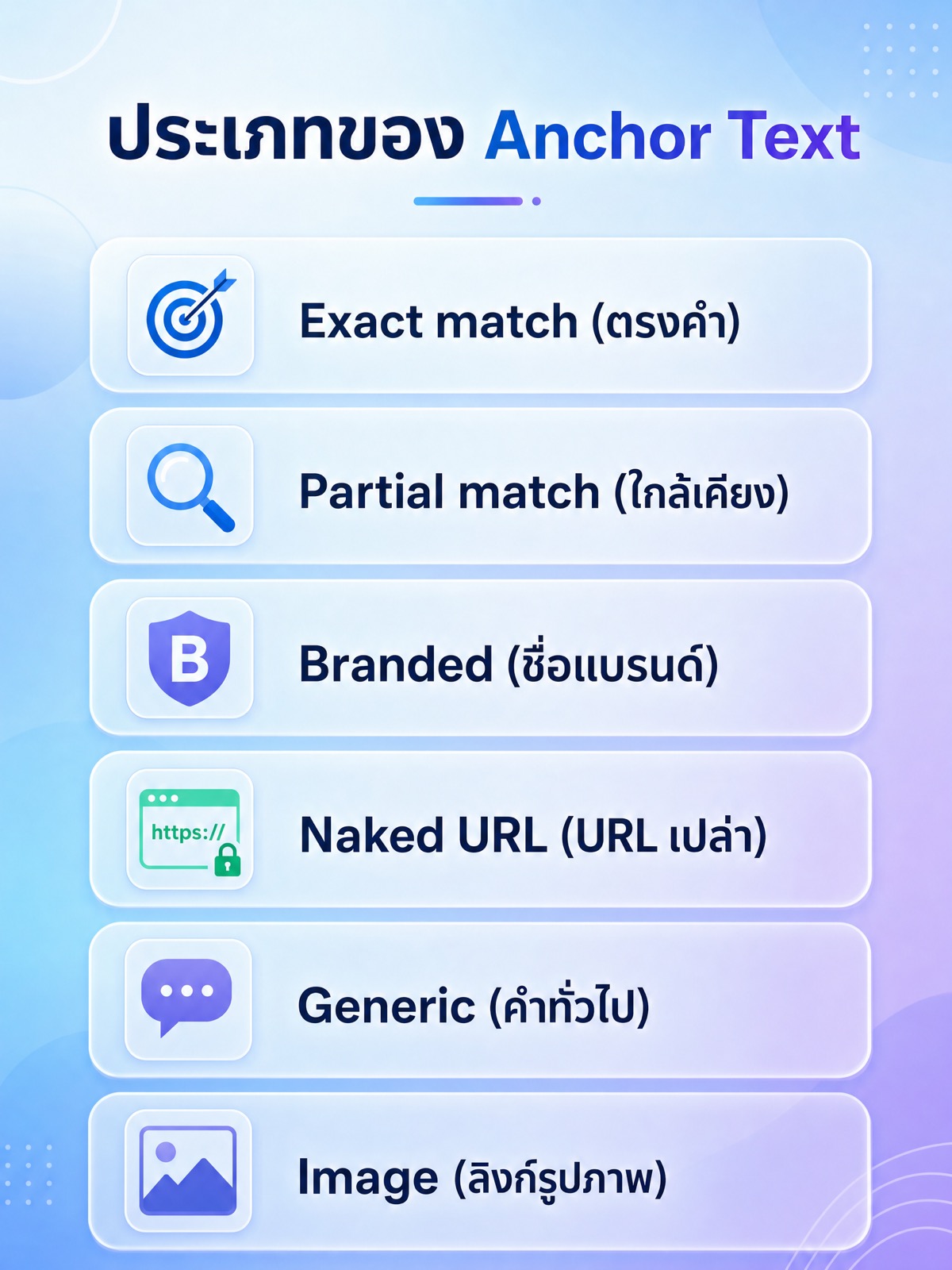
Anchor text types are not an official Google classification. They are the buckets SEO teams use to make link data readable. When you export every anchor pointing at your site you get thousands of rows of text, and it stays unreadable until it is sorted into buckets like these.
- Exact match is an anchor that matches the destination page's target query word for word, such as linking to an SEO service page with the words seo service and nothing else.
- Partial match is an anchor that contains the target query with other words wrapped around it, such as how to choose an seo service for your business.
- Branded is an anchor made of a brand name, a company name, or a domain name. It is the form that appears most naturally when people mention you.
- Naked URL is an anchor that is the URL itself, text starting with https followed by the domain. It is common on forums, in comments, and in press releases.
- Generic is an anchor that says nothing about the destination: click here, read more, see details, here. This is the bucket most sites fill without meaning to, and the one that wastes the most.
- Image is a link wrapped around an image with no visible text. Search engines use the image's alt attribute in place of anchor text. If the alt is empty, that link sends no description at all.
Some teams add sub-buckets, such as brand plus keyword anchors, or long sentence anchors from editorial content. That works fine, as long as you define your buckets once and use the same definitions every time you pull a report. The whole value of bucketing comes from comparing this month's picture with last month's, not from having tidy labels.
Why anchor text matters for SEO
The first reason is that it is a relevance signal. Google's documentation has described the job of anchor text consistently: it is text that helps convey what the destination page is about, to users and to search engines alike. When several pages link to the same page using words that mean roughly the same thing, that pattern helps confirm what the page is really about.
The second reason is that it is a user question before it is a ranking question. People scanning on a phone look for text that differs from everything around it, and links are part of that. If an anchor says what a click will give you, the click-through rate on your internal links improves without any other change. Screen reader users benefit even more directly, because their software offers a mode that reads out every link on the page as a list. If that list is ten copies of read more, the whole list is useless.
The third reason is that anchor text shapes how crawlers move through your site. Internal links tell a crawler which pages connect to which, and the anchor tells it what the connection is about. A site with many categories and well-written internal links can explain its own structure without relying on the sitemap alone.
The last reason is risk. Google's spam policies state that building links to manipulate rankings falls under link schemes, and the examples given include links with keyword-rich anchor text created to push rankings. That is as far as the defensible claim goes. There is no published number for how much is too much, and anybody quoting you one is guessing. What you can actually do is look at whether your link profile looks like people talking about you, or like somebody typing the same query into links over and over.
Anchor text ratio
There is no officially published anchor text ratio. Google has never given a target for what share should be exact match or branded, and the tables you find in articles do not come from search engine documentation. They come from one author looking at one set of sites and rounding the result. Treating those numbers as a target has two problems. The first is that they came from sites that are not yours, often in a language that is not yours. The second is that they change the question from does this link help the reader into how many more links do I need to hit my quota, which is the thinking that causes trouble in the first place.
The approach that works is to build the picture from your own data. The steps are:
- Export the anchors pointing at your site from whichever link analysis tool you already use. Get at least three columns: the anchor string, the destination page, and the source domain.
- Do the same for internal links by crawling your own site and exporting the full link report.
- Sort each row into the six buckets above. Filter brand and domain names first, then naked URLs, then the generic phrases you keep as a list. Whatever survives gets split into exact match and partial match.
- Count referring domains, not individual links. One site that drops a link into the footer of every article will otherwise distort the whole report.
- Save that picture as your baseline and repeat the pull each quarter using the same bucket definitions. What you want is the direction of travel, not a number from a single day.
Once you have the picture, the thing to look for is not a percentage but an unnatural shape. Profiles that grow on their own are scattered: brand names mixed with naked URLs, generic phrases from comments, long phrases people wrote themselves, and wording that never repeats exactly. Bought profiles look the opposite: the same phrase word for word across dozens of unrelated domains, pointing at the same page, appearing within a short window. That second shape is what deserves investigation, whatever the percentages happen to say.
| Anchor bucket | How to sort it | What to check in your own report |
|---|---|---|
| Exact match | Matches the destination page's target query word for word | The same phrase repeating across unrelated domains within a short window |
| Branded | Contains the brand name or the domain name | Misspelled brand names, or brand anchors pointing at pages that should not be the landing page |
| Naked URL | The text is a bare URL or domain | URLs still pointing at moved or deleted pages, recoverable with a redirect |
| Generic | Matches your maintained list of generic phrases such as click here | Its share of your own internal links, since that part you can fix today |
| Image | Link wraps an image with no visible text | Images with an empty alt, which means a link that sends no description at all |
If the result shows an unusual concentration of exact match anchors from sources you did not build, there are three options in order of severity. Leave them if the linking sites look ordinary and relevant. Contact the site owner and ask for the wording to change or the link to be removed. Use the disavow tool, which should genuinely be the last resort and should only follow a review through an SEO audit or an internal process detailed enough to justify it, because disavowing links you should have kept throws value away for nothing.
How to choose anchor text
The method that works in every case is to write words that answer the question what will I get if I click, without the reader needing the surrounding sentence. The test takes a second: cover the whole sentence and leave only the linked words. If those words still say what the destination is about, they are good enough.
For internal links, which you control completely, the fastest workflow starts at the destination page rather than at the article you are writing. Open the destination, write two to four short phrases describing what that page gives a reader, and keep that set as the vocabulary for links into that page. Later, when writing a new article, pick whichever phrase fits the sentence. This keeps the wording pointing at one page consistent without repeating the identical string every time.
Four mistakes come up repeatedly. The first is using the identical string for every link across the site, which reads as written-for-machines the moment anybody notices it. The second is stacking several links side by side in one sentence so the reader cannot tell which goes where. The third is one-word links that are too small to tap reliably on a phone, since a tap target smaller than a fingertip produces mis-taps. The fourth is linking a whole sentence or paragraph, which swallows the meaning and leaves no clear description behind.
On length, there is no rule about word counts, but there is a usable test. An anchor should be long enough that someone reading it in isolation understands the destination, and short enough to remain a phrase inside a sentence rather than the sentence itself. That test matters more in Thai than in English, because an over-long Thai phrase turns into a coloured band running across the middle of a paragraph and interrupts reading.
Last, check whether the link needs to exist. A good link is one the reader has a reason to click at that exact point in the article. If you added it because the paragraph felt like it ought to have a link, the usual result is a link nobody clicks and an anchor written carelessly.
Anchor text examples
The quickest way to see the difference is to compare two versions of the same sentence. Suppose the destination is a guide to measuring links. A sentence reading see how to measure links here gives the anchor here, which says nothing. A sentence reading read how to measure the links pointing at your site before setting targets gives an anchor that describes itself. Both sentences are about the same length, but the second one sends information to the reader and to the crawler.
The most overlooked case is a link wrapped around an image. When a link contains no text, search engines use the image's alt attribute in place of anchor text. The structure is a link tag wrapping an image tag that carries an alt attribute, written out as <a href=destination><img src=image alt="this text acts as the anchor text"></a>.
- A promotional banner linking to a product page, with alt describing the product and what the destination offers, works well, because the alt describes the image and the destination at the same time.
- The same banner with alt set to banner1 or a filename like img-2026-01 is wasted, because neither screen reader users nor crawlers get anything from it.
- The same banner with an empty alt leaves the link with no anchor text whatsoever. The destination is still discoverable, but no description travels with the link.
- A header logo linking to the home page should carry the brand name as its alt, since every page on the site then sends a branded anchor to the home page automatically.
- A purely decorative image that is not a link should keep an empty alt, per accessibility practice. That case is entirely different from an image that is a link.
When one page carries both an image link and a text link to the same destination, keep the two descriptions consistent. They do not need to match word for word, but they should be about the same thing. To find out how many linked images have an empty alt, crawl the site with a site crawler, filter the image report for empty alt values, and keep only the rows where the image sits inside a link.
How internal links and external anchor text differ
The difference that matters most is control. Every internal link is something you wrote, can edit immediately, and can change in bulk across the whole site. External anchor text is wording somebody else chose. You can ask them to change it, but you cannot make them. That difference leads to two different jobs: internal linking is design work, while the external profile is monitoring and assessment work.
In practice, internal links are where you get to choose wording deliberately, and that wording should describe your site structure. Category pages should be linked with the words people actually use for that category. Service pages should be linked with words saying what the service does. Keeping the wording consistent across the site helps readers and crawlers see which page is the main one for a topic. This sits inside structural SEO services work rather than inside link building.
The external side is the reverse: you influence it only indirectly. What you can actually do is make your pages worth citing, name them clearly enough that whoever links to you can lift the name straight into their anchor, and, when running link building with partners or publications, suggest natural wording instead of pushing the target query in every time. Repetition is exactly what makes a profile look unnatural. If you want a picture of the current profile before adding anything new, reviewing it through a backlink service with a documented review process gives you a baseline to compare against next quarter.
One more difference affects measurement: the counting base. Internal links can be counted as links, since you control the whole site. External links should be counted as domains, because several thousand links from one domain does not mean several thousand people mentioned you.
What this means for Thai-language sites
Thai is written without spaces between words, so matching a query against an anchor behaves differently than it does in English. A single Thai phrase can be segmented several ways, and a target query can sit in the middle of a phrase with no visible word boundary. The practical result is that deciding whether a Thai anchor counts as exact match or partial match is always fuzzier than in English, which is one more reason chasing percentages is wasted effort.
Second, a great many Thai sites link with the words click here, read more, or see details, which is the generic anchor problem in full. The upside is that this is the fastest thing to fix on most sites, because those are all internal links. Going through buttons and article card links and replacing them with phrases that name the destination is usually a single day of work that pays off for users and for accessibility.
Third, Thai brand names are commonly written two ways, in Thai script and in Latin script, sometimes inside the same phrase. When building the branded bucket, include both forms and the common misspellings in the same list. Otherwise the picture will tell you that you have fewer branded anchors than you really do.
Fourth, much Thai link sharing happens in chat apps and closed groups, which never become links a crawler can see. Reading your anchor picture from link reports alone shows only the open web portion, and it should not be read as the full picture of how often you get mentioned.
Frequently asked questions about anchor text
What is a safe anchor text ratio?
There is no number that answers this, because Google has never published a target distribution and no official documentation sets such a threshold. The figures found in articles are opinions presented as data. What you can do instead is export your own anchors, bucket them with fixed definitions, and check whether the same phrase repeats across unrelated domains. That signal means more than any percentage.
Can I reuse the same anchor text for internal links?
Yes, if that wording is what people genuinely call the page and the sentence still reads naturally. Repetition itself is not the problem; repetition that makes sentences read unnaturally is. The safer habit is to prepare two to four phrases per destination page and pick whichever suits the sentence you are writing.
Does an image link count as anchor text?
Yes, with the image's alt attribute standing in for the link text. If the alt is empty, that link carries no description to the destination at all. To check, crawl the site and filter for images that sit inside links and have an empty alt, then write alt text describing both the image and what the reader gets by clicking.
What should I do about exact match anchors somebody built without asking?
Start by judging the quality of the linking site before deciding anything. If the site looks ordinary and the content is relevant, leaving the link alone is reasonable. If the links come from a network of sites that exist to place links, ask for removal or rewording first, and keep the disavow tool as a genuine last resort.
Does anchor text still matter as AI answers appear in search results?
Yes, because the underlying mechanism has not changed. Anchor text is still a human-written description of a destination page, and systems that read the web still follow links as paths and use link text as context. Writing anchors that say what the destination covers helps with classic search results and with systems that summarise across several pages.
Where to start
The order that shows results fastest is to fix internal links first, because that is the part you can change today. Search your site for click here and read more, replace them with phrases that name the destination, then export your external anchors and bucket them to see what the current profile looks like. If you want a team to review your link structure and your acquisition plan together so the two line up, the link building service page is a reasonable place to start the conversation.