
TL;DR
- A 301 is a permanent redirect and a 302 is a temporary one. Google's documentation says permanent redirects show the new URL in search results and temporary redirects keep showing the source URL.
- Use a 301 for site moves, HTTPS and domain changes. Use a 302 for A/B tests, returning seasonal promos and short outages of a single page. For a whole site offline for one to two days, Google recommends a 503.
- Google's site move documentation says 301 and other permanent redirects do not cause a loss in PageRank. It publishes no percentage for any redirect type.
- Google gives no number of days after which a 302 is treated as a 301. It says the target of a temporary redirect might still be indexed if other canonicalization signals are present.
- To see which code a URL returns, use the Network tab in browser developer tools, run curl -I in a terminal, or crawl the site. Search Console URL Inspection shows which URL Google chose as canonical.
The short answer on the 301 vs 302 redirect question: a 301 tells browsers and Google that a URL has moved for good, and a 302 tells them the move is temporary and the original URL is coming back. Use a 301 when you never expect to undo the change, and a 302 when you do, because Google reads the first as a request to show the new URL in search results and the second as a request to keep showing the old one.
That sounds simple, and most of the time it is. The trouble starts with the in-between cases: a product that is out of stock for now, a promo page that returns every year, a test that runs longer than planned, a maintenance page nobody remembers to remove. This guide covers those decisions. It leaves the server setup, redirect chains and migration mapping to the separate 301 redirect guide on this blog, and sticks to one job: picking the right status code and checking that your site really sends it.
What is a redirect?
A redirect is a server response that says "the thing you asked for is at a different address, go there instead". The browser asks for URL A. The server replies with a three-digit status code in the 300 range plus a Location header that names URL B. The browser then requests URL B, usually so quickly that the visitor never notices.
The status code is the part that matters for SEO. Visitors land on the same page whichever code you send, so a wrong code can sit unnoticed for years. Search engines read the code as a statement about your intentions. The HTTP standard (RFC 9110) defines five redirect codes that you will meet in practice:
- 301 Moved Permanently: the resource has a new permanent address. Browsers may cache this answer without being told to.
- 302 Found: the resource is temporarily at another address. Keep using the original URL for future requests.
- 303 See Other: go and fetch a different page with a GET request. This is typically used after a form submission.
- 307 Temporary Redirect: the same meaning as 302, but the browser must repeat the request with the same method, so a POST stays a POST.
- 308 Permanent Redirect: the same meaning as 301, with the same method-preserving rule as 307.
For ordinary page requests, which are GET requests, 301 and 308 behave alike and so do 302 and 307. The difference only shows up with forms and APIs. That is why the practical choice for a marketing site comes down to permanent or temporary.
What is the difference between a 301 and a 302?
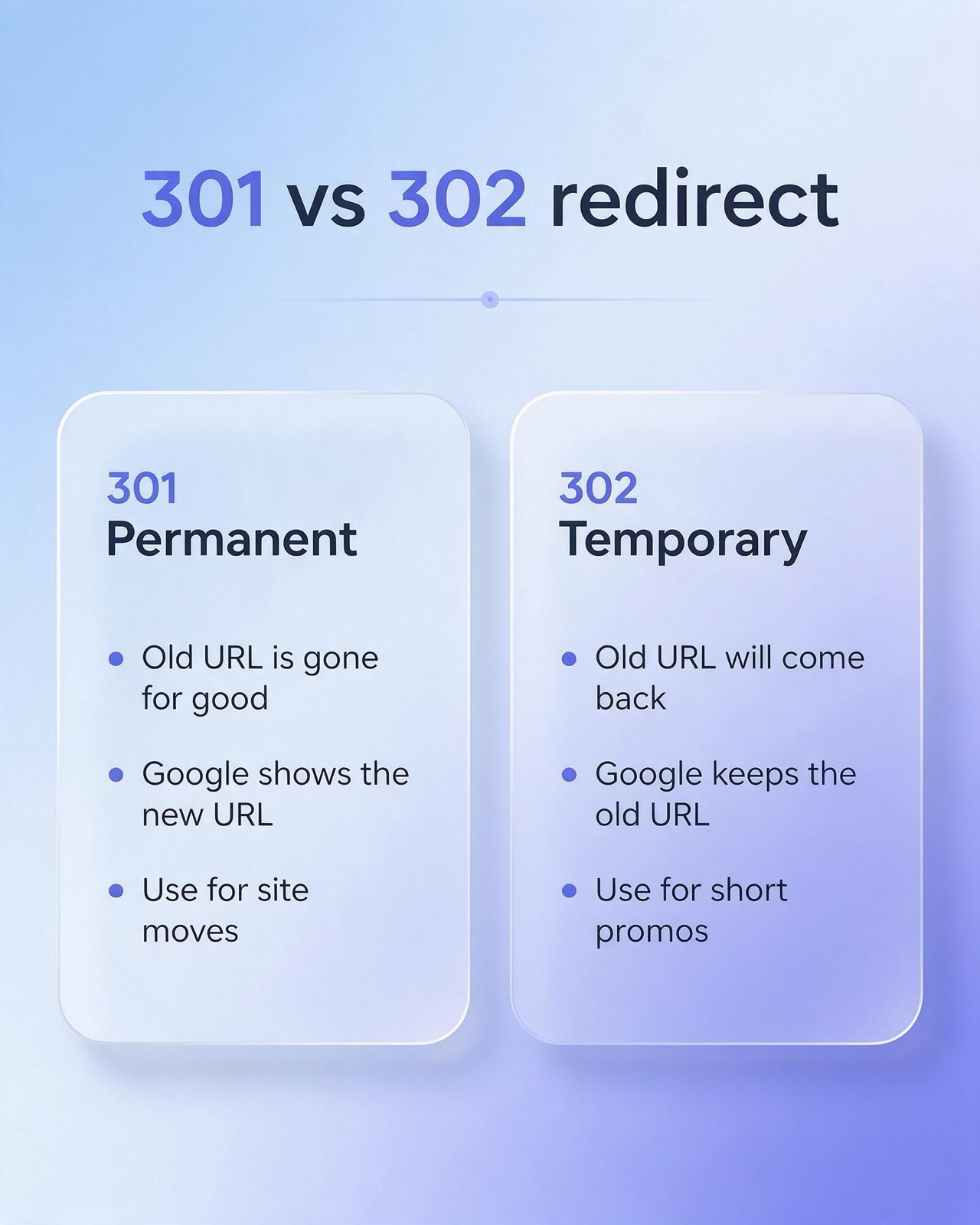
The difference is the promise you make about the future. A 301 says the old URL is gone for good. A 302 says the old URL will come back. The other differences follow from that.
What a 301 tells Google
Google's documentation "Redirects and Google Search" says (as read on 16 November 2026) that with a permanent redirect Googlebot follows it, and the indexing pipeline uses it as a signal that the redirect target should be canonical. In plain terms, Google shows the new URL in search results. The same page advises using permanent redirects when you are sure the redirect will not be reverted. Google's reference page on HTTP status codes describes a 301 as a strong signal that the redirect target should be processed, and says a 308 is treated as equivalent to a 301.
What a 302 tells Google
For temporary redirects, the same documentation says Googlebot follows the redirect, but the indexing pipeline does not use it as a signal that the target should be canonical. Google keeps the old URL in results. The status code reference calls a 302 a weak signal that the redirect target should be processed, and treats a 307 as equivalent to a 302. A 303 is listed with the temporary group.
One caveat is easy to miss. Google's documentation adds that the target of a temporary redirect might still be indexed if other canonicalization signals are present. A 302 is a request, and Google weighs it with everything else it knows about the two URLs.
What changes for browsers
Browsers treat the two codes differently too, and this matters when you make a mistake. Under the HTTP standard a 301 can be cached by default, so a visitor's browser may remember it and skip your server entirely on the next visit. A 302 is only cached when your server sends explicit caching headers. A wrong 302 is fixed the moment you change the rule. A wrong 301 can live on in the browsers of people who already visited, even after you remove it. That alone is a good reason to test with a 302 first when you are not sure.
When to use 301 vs 302 redirect: a scenario table
Ask one question for each case: will the original URL serve its own content again? If the answer is no, use a 301. If the answer is yes, use a 302. The table applies that question to seven common situations.
| Scenario | Use | Why |
|---|---|---|
| Site move, new URL structure or merged pages | 301 | The old URLs will never serve content again, so you want Google to show the new ones. |
| HTTP to HTTPS, or a change of domain | 301 | The move is permanent. Google's documentation recommends server-side permanent redirects for site moves. |
| Product temporarily out of stock | 302, or no redirect | The product URL will be back. Keeping the page live with an out-of-stock notice is often simpler than redirecting. |
| Seasonal promo that returns every year | 302 | The promo URL is used again next season, so the original should stay in Google's index. |
| A/B test that sends visitors to a variant URL | 302 | Google's A/B testing guidance says to use 302 and not 301, so the original URL stays indexed. |
| Geo or language redirect | 302, used sparingly | The destination depends on the visitor, so it cannot be permanent. Google advises against automatic language redirects. |
| Maintenance or a service that is briefly unavailable | 302 for one page, 503 for the whole site | The page returns soon. For an urgent sitewide closure of one to two days Google's guidance is a 503 status. |
Site moves, HTTPS and domain changes
These are the clear 301 cases. A redesign that changes URL paths, a switch from HTTP to HTTPS, a rebrand onto a new domain and a merge of two thin pages into one all end the life of the old URL. Google's site move documentation recommends server-side permanent redirects such as 301 and 308 for this, and its page on canonical URLs lists redirects from HTTP to HTTPS as one way to make sure the HTTPS version is preferred. Site moves are where SEO services and development teams most need to agree on the plan before launch day.
Out-of-stock products
Start by asking whether the product is coming back. If it is, the cleanest answer is often no redirect at all: leave the page live, say clearly that it is out of stock, and offer alternatives on the page. The URL keeps its place in search and is ready when stock returns. If you must send visitors elsewhere for a while, a 302 to the closest alternative or the parent category is the honest code.
If the product is discontinued, the question changes. A 301 to a true replacement makes sense. A redirect to the home page or a loosely related category does not. Google's site move documentation warns that redirecting many old URLs to one irrelevant destination can be treated as a soft 404. Redirect rules for retired products are a regular part of ecommerce SEO work.
Seasonal promos
A promo page that comes back each year is temporary by nature. Suppose /summer-sale/ should send visitors to the main shop page between campaigns. A 302 fits, because the promo URL will serve its own content again and you want it to keep its standing in search. When the sale returns, remove the redirect and the page is live at the same address.
A one-off campaign that will never run again is different. Once it ends, a 301 to the most relevant lasting page is correct. If nothing relevant exists, let the page return a 404 or 410.
A/B tests
Google's A/B testing guidance is explicit here. If a test redirects users from the original URL to a variation URL, use a 302 and not a 301, because the redirect only lasts as long as the experiment and search engines should keep the original URL in their index. The same page recommends a rel="canonical" link on the variant URLs pointing at the original, and removing test elements as soon as the test concludes. It also warns that an experiment left running for an unnecessarily long time may be read as an attempt to deceive search engines.
Geo and language redirects
Redirecting by location or browser language is conditional. Different visitors get different destinations, so a permanent code is wrong by definition. If you redirect at all, it has to be a 302. Before you do, read Google's guidance on multilingual sites: it says to avoid automatically redirecting users from one language version to another, because that can stop users and search engines from viewing all versions of the site. Its page on locale-adaptive content adds that Googlebot's default IP addresses appear to be based in the USA and that it sends requests without an Accept-Language header. A redirect keyed on either of those can hide your other language versions from the crawler. A visible language switcher and hreflang annotations are the safer pattern.
Maintenance
If one service or section is down for a short time, Google's redirect documentation gives exactly this as its example for a temporary redirect: send users to a page that explains what is happening, without compromising the original URL in search results. If the whole site has to go offline for a day or two, redirects are the wrong tool. Google's guidance on pausing a site recommends an informational error page with a 503 status code for an urgent closure of one to two days. Redirecting every URL to a /maintenance/ page with a 301 is the version of this mistake that does real damage, because it asks Google to replace every page on the site with one URL.
Does redirecting a URL affect SEO?
Yes, because a redirect changes which URL Google indexes and shows. Used correctly, a redirect is how you keep search visibility through a URL change. Used with the wrong code, it points Google at the wrong URL.
Google's documentation explains the mechanism in a section on alternate versions of a URL. When you redirect, Google keeps track of both the redirect source and the redirect target. One of them becomes the canonical URL, and which one depends on signals such as whether the redirect was temporary or permanent. The other becomes an alternate name for the canonical. So the status code does not decide whether your content stays in Google. It decides which address represents that content.
301 vs 302 redirect SEO impact: link equity and indexing
Link equity is the informal name for the ranking value a page gains from links that point to it. The fear behind most 301 vs 302 questions is that a redirect leaks some of it.
On permanent redirects Google's position is published. Its site move documentation says that 301 and other permanent redirects do not cause a loss in PageRank. No percentage is attached, and any figure you see quoted for "equity lost through a 301" does not come from Google's documentation.
On temporary redirects the documentation makes no equivalent statement in either direction. What it does say is that a temporary redirect is not used as a signal that the target should be canonical, and that Google shows the source page in results. The practical reading follows from that. With a 302 you are asking Google to keep crediting the old URL. If the move is in fact permanent, the page that visitors reach is the new URL, while the one Google has been asked to index is the old URL. The links still count, but toward an address you no longer use.
This matters most for pages that have earned links over time. A page that picked up coverage through digital PR or a link building service holds value that you want attached to the URL you plan to keep. Sending those links through a permanent redirect to a close replacement keeps that value on the page people now see. Parking them behind a temporary redirect leaves the decision to Google's other signals.
The effect on indexing shows up in a few places:
- The URL shown in results. After a 301, expect the new URL to replace the old one as Google recrawls. With a 302, expect the old URL to stay.
- Old URLs that linger. Google's documentation notes that after a move the old URL may still appear now and then as an alternate name when a query suggests the user trusts it more. It describes this as normal and says it fades without action.
- Reporting. In Search Console, performance data follows the canonical URL. A long-lived 302 can leave your data under the old address while your analytics tool reports sessions on the new one.
What happens when a 302 is left in place for months?
This is the question with the most folklore around it, so start with what Google's documentation says and does not say. It does not give a number of days or months after which a 302 is treated as a 301. No published threshold exists. What the documentation does say is that the target of a temporary redirect might still be indexed if other canonicalization signals are present.
A redirect is one signal among several. Google's page on canonical URLs lists the others, including rel="canonical" annotations and sitemap inclusion. If your internal links, your sitemap and your canonical tags all point at the new URL while the old one answers with a 302, the signals disagree, and Google has to pick. It may choose the new URL in spite of the temporary code, or it may keep the old one. Either way, you have handed over the decision.
A forgotten 302 has some predictable effects:
- Search results may keep showing the old URL, possibly with an old title, while visitors land on the new page.
- Browsers do not cache the redirect by default, so every visit through the old URL costs an extra round trip to your server.
- Your intent is unclear to every other system that reads status codes. Google's documentation makes this point itself: the codes are semantically different, and other clients, including other search engines, may rely on the difference.
- The next person to work on the site cannot tell whether the redirect is supposed to end.
The fix is small. Changing a 302 to a 301 is a one-line change in most setups, and Google picks up the new code the next time it crawls the old URL. The opposite direction is harder: a 301 you later regret may already be cached in visitors' browsers. So when you are unsure, begin with a temporary redirect, then make it permanent once the decision is final. Put a review date on every temporary redirect so that step is not forgotten.
It also helps to know how accidental 302s happen. Many tools default to temporary. A bare Location header set in PHP sends a 302 unless you specify another code. Popular web frameworks default their redirect helper to 302 or 307. None of these defaults is wrong, since temporary is the safer starting point, but a permanent move needs someone to choose permanent on purpose.
How to check which status code a URL returns
You cannot tell a 301 from a 302 by looking at the page. Use one of these four methods, starting with the quickest.
Browser developer tools
- Open Chrome DevTools (F12, or right-click and choose Inspect) and go to the Network tab.
- Tick "Preserve log" so the list is not cleared when the page changes, and tick "Disable cache" so a cached 301 does not hide the real response.
- Type the old URL into the address bar and press Enter.
- Find the first request in the list. The Status column shows 301, 302, 307 or 308. Click the request and read the Location header to see the destination.
One thing to watch: on sites that use HSTS, Chrome may show "307 Internal Redirect" for the jump from HTTP to HTTPS. The browser generates that itself. It is not your server's response, so confirm with the next method.
curl in a terminal
The command curl -I https://www.example.com/old-page prints only the response headers. The first line shows the status, for example "HTTP/2 301", and the "location:" line shows the target. Add the L flag (curl -IL) to follow every hop and print each status in turn, which shows the full path a URL takes. Because curl has no cache, no cookies and no HSTS memory, it shows what the server sends to a first-time client.
Search Console URL Inspection
URL Inspection answers a different question. It shows what Google has concluded, which is separate from what your server sends. Inspect the old URL and look at the Google-selected canonical. After a permanent redirect has been processed, the old URL is normally reported under "Page with redirect" in the Page indexing report, and the canonical is the new URL. If months after a move the old URL is still the canonical, check the status code with curl before anything else.
A site crawler
For more than a handful of URLs, run a crawler over the site or over a list of old URLs. Any desktop or cloud crawler reports the status code and destination for every redirect, and most let you filter by 302 and 307. Sort that list, and each temporary redirect should have an owner who can say when it ends.
A quick way to choose
When a new redirect request arrives, run through these questions in order:
- Will the original URL ever serve its own content again? If yes, use a 302. If no, go to the next question.
- Is there a page that truly replaces the old one? If yes, use a 301 to that page. If no, let the old URL return 404 or 410.
- Does the destination depend on who is visiting, such as their country, language, login state or test group? If yes, the redirect is conditional and must be temporary.
- Are you unsure? Start with a 302, set a review date, and switch to a 301 when the decision is final.
What this means for Thai websites
Four details are worth checking on Thai sites.
Bilingual /th/ URLs. A site with English pages at the root and Thai pages under /th/ has two sets of URLs to redirect in any change, and each old Thai URL should go to its Thai replacement, not to the English one. Avoid redirecting visitors from the root to /th/ based on browser language or a Thai IP address. This is the automatic language redirect that Google's documentation advises against, and since Googlebot mostly crawls from outside Thailand without a language header, it would see only one version. Use hreflang and a visible language switch.
Thai-character slugs. A slug written in Thai travels over HTTP as percent-encoded UTF-8, a long string of %E0 sequences. Redirect rules can fail without warning here. Some servers match rules against the decoded path and some against the encoded one, and the hex digits can arrive in upper or lower case. After adding a rule for a Thai slug, test it with curl in both forms: the Thai text pasted directly and the percent-encoded string. Check that the Location header comes back correctly encoded.
Double-date campaign pages. Pages built for 11.11, 12.12 and similar sale dates are the seasonal promo case from the table. If the same URL is reused each year, keep it. Between campaigns either leave the page live with a "back soon" message or use a 302 to the relevant category. If each year gets a new URL, 301 last year's page to this year's once the new one is live, so that links and saved bookmarks carry forward.
Marketplace campaign landing pages. Brands that sell on their own site and also on Shopee or Lazada sometimes point a product or campaign URL at their marketplace store during a platform sale. That is temporary by design and should be a 302, removed when the campaign ends. A 301 here would ask Google to drop your own page in favour of an address on a domain you do not control.
FAQ
Does a 302 redirect pass link equity?
Google's documentation does not state a figure or a yes-or-no rule for 302s. It says permanent redirects do not cause a loss in PageRank, and that a temporary redirect is not used as a signal that the target should be canonical, so with a 302 Google is being asked to keep crediting the original URL.
How long can a 302 redirect stay in place?
There is no published time limit. Google's documentation gives no number of days after which a 302 is treated as permanent, but it does say the target might still be indexed if other canonicalization signals are present, so a long-lived 302 leaves the outcome to Google.
What is the difference between a 302 and a 307 redirect?
Both are temporary, and a 307 also guarantees the request method is kept. With a 302 a browser may turn a POST into a GET, and with a 307 it must not. Google's status code reference treats a 307 as equivalent to a 302.
Can I change a 302 to a 301 later?
Yes, and it is the safer order to work in. Change the status code in the redirect rule, confirm it with curl, and Google reads the new code on its next crawl of the old URL. Going from 301 back to 302 is less reliable, because browsers may have cached the 301.
Should a maintenance page use a 301 or a 302?
Never a 301. For a single unavailable service, a 302 to an explanation page matches the example in Google's redirect documentation. For a whole site that is offline for a day or two, Google's guidance on pausing a site recommends returning a 503 status code.
If you are not sure which redirects on your site are temporary, which are permanent and which were never meant to last this long, a crawl will show you in an afternoon. Relevant Audience includes a full redirect review, covering status codes, destinations and conflicting canonical signals, in its SEO audit.