
TL;DR
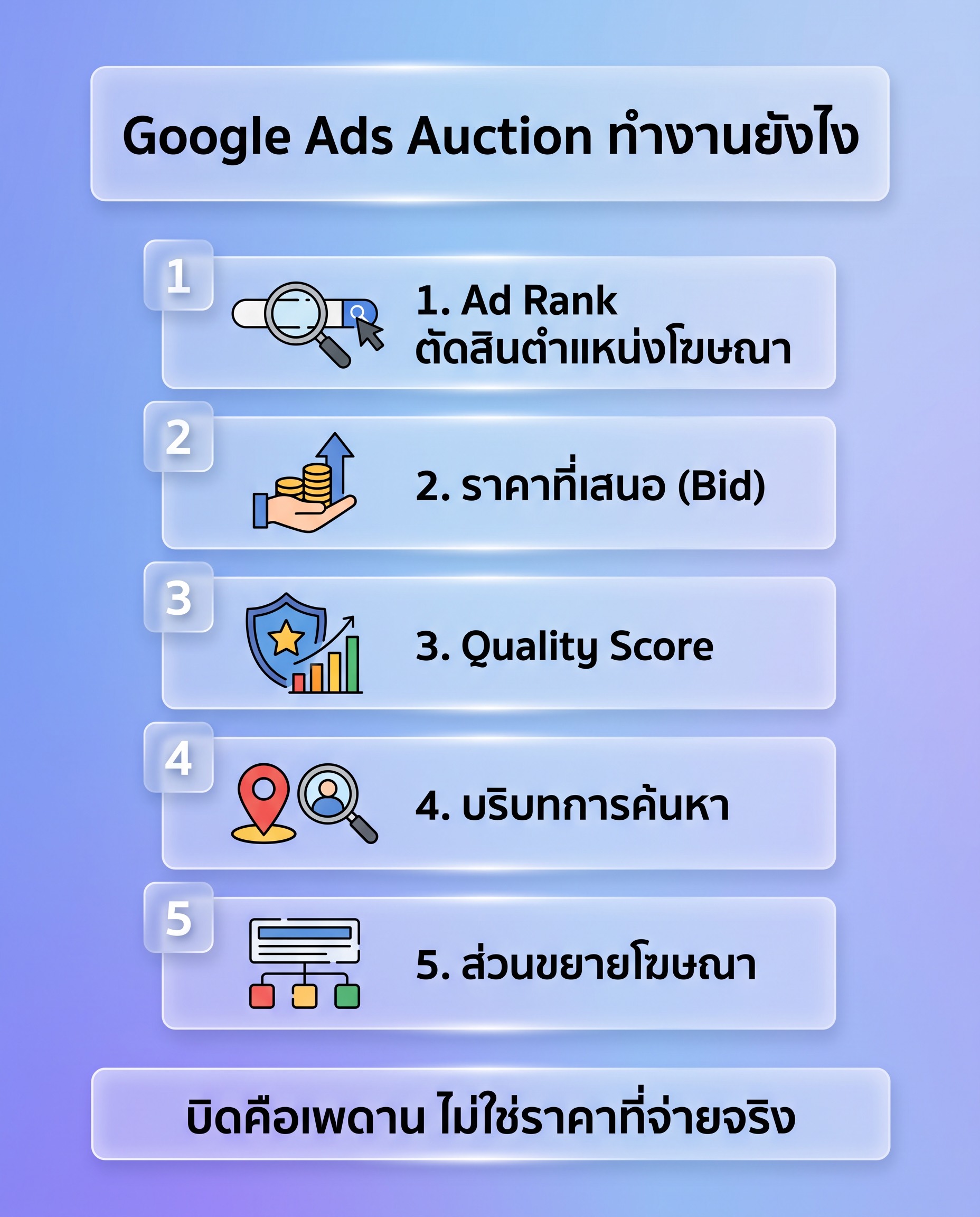
- Google Ads runs a fresh auction on every search: matching ads are scored by Ad Rank, which combines your bid, ad and landing page quality measured at auction time, the Ad Rank threshold, the search context, and the expected impact of assets.
- Quality Score is a 1 to 10 diagnostic built from three components: expected CTR, ad relevance, and landing page experience, each reported as below average, average, or above average.
- Your maximum bid is a ceiling, not the price paid. A better quality ad can outrank a higher bid and pay less per click, which is why fixing the landing page usually beats raising the budget.
- Search suits capturing existing demand, Shopping suits product feeds, Display suits remarketing, Video suits products that must be seen, and Performance Max suits accounts where conversion tracking is already accurate.
- The honest limits: traffic stops the day you stop paying, conversions lag clicks, and automated bidding amplifies whatever conversion signal you feed it, including a wrong one.
Google Ads works through an auction that runs fresh every single time someone types a search, not through booking a position in advance the way you would buy a billboard. When a search happens, the system pulls in every ad whose keywords match that query, scores each one with a value called Ad Rank, and orders them by that score. Ad Rank combines what the advertiser is willing to pay, the quality of the ad and its landing page, and the context of that particular search. The whole process finishes in a fraction of a second, before the results page finishes loading on the searcher's screen.
Because that is the mechanism, a business that launched its website yesterday can appear above a site that has been working on SEO for three years, as long as the ad passes policy review, the keywords match what people actually search for, and the bid is competitive. This article explains how the auction scores ads, how the five campaign types differ, which one a business owner should start with, what to measure after launch, and the limits worth knowing before spending the first baht.
Why SEO takes months while Google Ads shows results within hours
SEO works against the organic ranking system. Google has to crawl your pages, judge how well the content answers the query, look at how many other sites reference you, and then move your position gradually. Those signals accumulate slowly by nature. A new site that nobody links to still has to wait for the system to collect data, compare it against pages that have held those positions for a long time, and decide whether to promote you above them. Real movement is usually counted in months, not days.
Advertising skips the accumulation because you are paying to enter the auction directly. The steps from zero to a live ad are simply opening an account, adding a payment method, building a campaign with keywords and ad text, pointing it at a landing page, and waiting for policy review, which Google states is completed for most ads within one business day. Once the ad is approved it enters the auction the moment somebody searches one of your terms. Nothing has to link to your site first.
It is worth being precise about what "fast results" means. What happens fast is impressions and clicks. Sales that justify the spend are a separate matter and always take longer. Automated bidding needs a volume of conversion data before it bids accurately, someone who clicks today may come back and buy several days later, and irrelevant queries will show up in the first week until you start cutting them out. The speed Google Ads really gives you is the speed of testing how the market responds to your offer, not a guarantee of profit in week one.
How the Google Ads auction works, step by step
Every time someone presses search, the system does the following five things in order, then does all of it again from scratch on the next search. No result from a previous auction is reused.
- Reads the actual query along with its context: location, device, time of day, and browser language.
- Matches that query against the keywords of every advertiser currently running, according to the match type each one chose.
- Filters out ads that are not eligible, such as ads still under review, campaigns that have already exhausted the day's budget, or ads not targeted at the searcher's location.
- Calculates Ad Rank for every remaining ad.
- Orders the positions by Ad Rank and works out the cost per click for each advertiser, which is not the amount they bid.
Your bid is a ceiling, not the price you pay
The maximum CPC is the most you are willing to pay for one click, not the number deducted from your account every time. The price you actually pay is usually lower, because the system charges only what is needed to keep you above the advertiser one position below you. The consequence is that a high quality ad often pays less per click than a competitor bidding more with an ad that matches the query less well. In a live account you can see this gap by comparing the average CPC column against the bid you set.
If you use an automated strategy such as Maximize conversions or Target CPA, you do not set keyword level bids at all. The system adjusts the bid in each individual auction based on how likely that click is to convert. What you control instead is the target and the daily budget. The trade off is that the system needs correctly configured conversion data first, otherwise it learns from the wrong signal and pushes budget toward clicks that look good but never make money.
The three Quality Score components
Quality Score is a 1 to 10 rating that Google reports at the keyword level. You see it by going to the Keywords page and adding the Quality Score column. It is built from three components, and each one is reported on a three step scale: below average, average, or above average.
- Expected CTR: how likely your ad is to be clicked when it shows for that query, relative to other ads in the same position.
- Ad relevance: how closely the ad text matches the meaning of the query. If the keyword is "cctv installation service" but the headline says something broad like "complete IT equipment", this component drops.
- Landing page experience: what happens on the destination page, covering whether it delivers what the ad promised, how fast it loads, how usable it is on a phone, and how clearly it says who the business is.
The common misunderstanding is thinking that the 1 to 10 number is multiplied into the auction directly. Google describes Quality Score as a diagnostic tool that summarises past performance, while the live auction re-evaluates quality every time from signals available at that moment. The value of the score is that it points at which component is weak. A keyword with below average ad relevance is fixed by splitting the ad group and writing headlines that match the query. A keyword with below average landing page experience is fixed on the page, not in the bid.
What Ad Rank is made of
Ad Rank decides two things at once: whether your ad shows at all, and where it sits if it does. The components Google names are your bid, the quality of the ad and landing page measured at auction time, the Ad Rank thresholds your ad has to clear, how competitive that particular auction is, the context of the search such as the searcher's location and device, and the expected impact of your assets and ad formats, for example sitelinks or a call button.
Those last two matter more than most people assume. A full set of assets makes the ad occupy more of the screen, makes it more likely to be clicked, and feeds back into Ad Rank. The thresholds explain why some queries show no ads at all: if nobody clears the bar, Google leaves the space empty rather than showing low quality ads.
An illustrative example of who wins
Assume three advertisers compete on the same query. The numbers below are an invented example used to explain the mechanism. They are not taken from any account and they are not market averages.
- Shop A sets a maximum bid of 40 baht but sends traffic to a homepage that sells everything at once, so its quality is judged low.
- Shop B sets a maximum bid of 25 baht, uses the searcher's own words in the headline, and sends traffic to a page about that exact service, so its quality is judged high.
- Shop C sets a maximum bid of 30 baht with average quality and a page that loads slowly on mobile.
In that situation Shop B can take the top position despite having the lowest bid, and often pays less per click than Shop A as well, because higher quality offsets the lower bid inside the Ad Rank calculation. Shop A, with the highest bid, may end up in a lower position while paying more per click. This is why competing on money alone is always the most expensive route, and why fixing the landing page usually lowers cost more than raising the budget does.
Why you sometimes cannot see your own ad
Business owners often search for their own service, see no ad, and panic. The usual causes are few. The daily budget was spent by mid morning, the campaign does not target the province you happen to be sitting in, the ad schedule has that hour switched off, Ad Rank did not clear the threshold for that query, or the system chose not to keep serving the same ad to someone who has searched the same term repeatedly without clicking. Searching repeatedly to check also adds impressions without clicks, which drags your click through rate down. The correct method is the Ad Preview and Diagnosis tool under the Tools menu, which tells you exactly why an ad is or is not eligible.
The five Google Ads campaign types and what each one is for
The campaign creation menu offers more than five options, but these five cover what most businesses actually use. The table below summarises the objective each one serves and when to reach for it, before the sections that follow go into detail.
| Campaign type | Objective it suits | When to start it |
|---|---|---|
| Search | Capture people already searching for your product or service | Start here in almost every case, if people search for what you sell |
| Shopping | Sell physical products through a product feed with images and prices | Once the online store and the Merchant Center feed are ready |
| Display | Build awareness and bring past visitors back | After you have enough traffic to run remarketing |
| Video | Explain products that need to be seen, and build brand recall | When you have usable video and a budget separate from demand capture |
| Performance Max | Let the system spread budget across every channel for conversions | Once measurement is accurate and conversions arrive steadily |
Search captures people who already raised their hand
Search campaigns are the text ads on the results page. The strength is that you choose which kinds of queries you are willing to pay for. Somebody typing "emergency aircon repair near me" is already about to spend money, unlike somebody scrolling a social feed who runs into an ad without looking for anything. A responsive search ad accepts up to 15 headlines of 30 characters each and up to 4 descriptions of 90 characters each, and the system assembles combinations from them for each individual query.
The thing to watch in a Search campaign is match type. Broad match is the widest and burns budget fastest when there is no negative keyword list yet. Exact match is the narrowest, although it still picks up queries with the same meaning. Beginners should start with phrase and exact, then open up once they know which kinds of queries actually make money.
Display rents space on other people's sites
Display means banners on websites, in apps, and inside Gmail across Google's partner network. People seeing those ads are not searching for anything. They are reading the news or looking at a recipe, so purchase intent is far lower than on the Search side. The cost per click is usually much cheaper, but you cannot compare cost per click across campaign types. Compare cost per conversion instead.
What Display genuinely does well is bringing back people who visited your site and did not decide, because the audience is defined and the result is measurable. Broad prospecting from day one, on the other hand, tends to burn budget on mobile game apps and low quality sites. If you run it, exclude mobile app placements first and review the placement report weekly.
Shopping sells with images and prices
Shopping ads show a product image, title, price, and store name, pulled from the product feed you upload to Google Merchant Center rather than from keywords you type. That means the quality of your product titles and attributes decides which queries you appear for. A store whose product titles are bare model codes loses to a store that puts the product category, brand, colour, and size into the title.
For online retailers, Shopping often gives the best return per unit of budget early on, because shoppers see the price before clicking, so the people who click have already filtered themselves. If you are putting together the whole selling system rather than only the ads, look at the wider picture of ecommerce marketing as well, since the feed, the checkout, and the measurement have to work together before any of it pays off.
Video means campaigns on YouTube
Video campaigns run on YouTube: skippable formats after five seconds, six second bumpers that cannot be skipped, and placements in search results and suggested feeds. The strength is explaining products that only make sense once someone sees them in use, such as tools, courses, or services that have to earn trust first. The weakness is that most viewers were not looking for your product, so the measurement window has to be longer and you have to accept that some conversions land days later.
A business that already has clips can start with a small budget to test what percentage of viewers watch to the end before scaling. For more detail on formats and how to plan clips for this channel, the YouTube advertising service page breaks down each ad format more thoroughly.
Performance Max hands the wheel to the system
Performance Max, usually shortened to PMax, is the one campaign that distributes ads across every Google channel at once: search results, YouTube, Display, Gmail, Discover, and the Maps tab. What you supply is asset groups made of headlines, descriptions, images, logos, and video, plus audience signals and search themes. The system then decides which asset goes where in order to get the most conversions from the budget you gave it.
The trade off is visibility and control. You do not get query reporting as detailed as a Search campaign, and you cannot directly forbid spend on a specific channel. What you really control is asset quality, audience signals, brand exclusions, and switching off automatic final URL expansion. A new business whose conversion tracking is not yet accurate should not start with a Performance Max campaign, because the system will learn from the wrong signal and scale that mistake quickly.
Which type should a Thai business owner start with
For most cases the answer is Search first, provided people genuinely search for what you sell. The reason is that it is the only campaign type where you can see exactly which queries your money went to. That data set is valuable in month one because it tells you the language real customers use, which you can then reuse on your website, in sales scripts, and in later campaigns.
Here is a sequence that works for most Thai businesses.
- Month one: launch Search with brand keywords separated from generic keywords, because the two groups have completely different costs and intent. Mixed together, the numbers look flattering and tell you nothing.
- Weeks two to four: read the search terms report every week. Promote the queries that make money into keywords and add the irrelevant ones to your negative keyword list.
- Once Search is stable and visitors arrive steadily, add Display remarketing to follow up with people who came and did not decide.
- If you sell physical products, build the feed and run Shopping alongside Search from the start, since the two reinforce each other on the same results page.
- Keep Video and Performance Max for later, once conversion measurement is accurate, assets are ready, and there is enough budget for the system to experiment without touching the part that already makes money.
There is a real exception. A business selling something new that nobody knows exists has nobody searching for it in the first place. Search will be quiet because there is no demand to capture, not because the setup is wrong. That kind of business has to create demand first through channels that reach people who do not know the category, then come back and harvest with Search once people start searching the product name.
Six things Google Ads does better than SEO and social ads
This comparison does not mean the other channels are worse. Each solves a different problem. The point is knowing which job to hand to Google Ads.
- It captures intent that has already been declared. Someone typing a query is stating their need out loud, while social advertising has to infer need from past behaviour.
- It switches on and off immediately. Change the budget in the morning and see the effect by the afternoon, unlike SEO work where a single piece of content may take months to rank.
- It tests prices and offers quickly. If you want to know whether customers respond more to a guarantee or a discount, change the headline and measure within days.
- It shows you the words customers really use. The search terms report is market data you can reuse for content and for sales scripts.
- It controls place and time precisely. Target only the districts you deliver to, or run only during the hours someone answers the phone.
- It feeds other channels. People who clicked from search without buying can be followed up with social ads at a lower cost per reach.
In the other direction, SEO is better at accumulating traffic that does not disappear when you stop paying, and at answering early stage questions from people who are not ready to buy. Social is better at reaching people who do not know the product exists and at telling a story visually. A workable plan usually uses Google Ads to capture the demand that exists today while SEO and content gradually lower the cost per customer over time.
The limits to know before launching the first campaign
This is the part that people selling advertising tend to skip, and it matters for the decision.
- Stopping payment stops traffic immediately. Nothing accumulates the way organic rankings do. Spent budget builds no long term asset except the data you kept.
- Cost per click depends on competition. In fiercely contested categories the price rises until businesses with thin margins per order cannot play. Working out the profit per customer before you start matters more than looking at the click price.
- Automation is only as good as the data you feed it. If conversions are configured wrongly, for example counting everyone who reaches the contact page as a lead, the system will chase people who open that page and vanish, and it will do so very quickly.
- Irrelevant queries always appear, especially early and with broad match. Without someone reading the search terms report weekly, a share of the budget leaks continuously and nobody notices.
- Short windows mislead. Three days without conversions does not mean failure, and two orders in one day does not mean success. Wait until there is enough data before judging.
- Conversions always lag clicks. Someone who clicks today may call next week, which makes the most recent days always look worse than reality.
- Ads do not rescue a weak offer. If the price is above market with no reason behind it, or nobody answers the phone, more budget only accelerates the loss.
What to measure after the campaign is live
The work after launch matters more than the setup, and it is where most accounts lose. The list below is in priority order.
- Finish conversion measurement before spending the first baht. Go to the Goals menu, then Conversions, create the actions that count as real outcomes such as form submissions, calls, or chat button clicks, and confirm that conversions are actually being recorded rather than assuming the tag is enough.
- Read the search terms report weekly during the first month. Open the campaign, go to Insights and reports, then Search terms. Add irrelevant queries as negatives and promote the profitable ones into keywords of their own.
- Check impression share lost to budget and lost to rank. Losing to budget means there is demand left to capture. Losing to rank means quality or bids need work. The two causes have different fixes.
- Look at the Quality Score components per keyword and fix whichever one reports below average, instead of reaching for a bid increase first.
- Look at asset performance inside the ad. The system reports which headlines are used often and perform well, so replace only the weak ones rather than wiping the set and starting over, because starting over discards the learning data too.
- Watch the landing page numbers alongside the ad numbers: the share of people who leave immediately, mobile load speed, and how many people finish the form. A lot of problems that look like ad problems are page problems.
What changes when the ads run in Thai
Thai is written without spaces between words, so the system has to segment the text itself. The result is that queries with slightly different spelling or spacing may be matched into your keywords or fall outside them without you noticing. The way to handle it is not to trust broad match early on, and to read the search terms report more often than you would for English.
Another common pattern is that Thai searchers mix two languages inside one query. Some people type the product name in English and the modifier in Thai, and many loanwords have several accepted spellings. Accounts built only on Thai keywords therefore miss high value queries. The fix is to run both languages in separate ad groups and write the ad text in the language that group is targeting.
Ad copy differs as well. Headlines are capped at 30 characters, and Thai vowel and tone marks each count as characters. Thai words that carry the same meaning tend to be longer than their English equivalents, so a single headline holds only a few words. The way around it is writing each headline as a short phrase that reads correctly on its own, because the system reorders headlines and any phrase that depends on the one before it will break.
Finally there is the contact destination. Many Thai customers are more comfortable opening a chat than filling in a form. If the main button on the page is a chat or call button, that click has to be counted as a conversion, otherwise the bidding system cannot see the outcome the business actually gets and will learn from a weaker signal instead.
FAQ about how Google Ads works
How much budget do I need before I see results
There is no single number that applies to every business, because a sensible minimum depends on the cost per click in your category and on how often enquiries close. A usable calculation is to estimate the cost per click for your category in Keyword Planner, multiply by the number of clicks needed to get one customer, then multiply again by the number of customers per month that makes it worthwhile. That figure is a starting point for testing, not a promise of results. If the maths says your budget only buys a handful of clicks per day, narrow the keywords and the targeted area rather than spreading the money thinly across everything.
Can I run this myself or do I need someone else to do it
You can run it yourself if you have time to read the search terms report every week and can absorb the cost of learning over the first few months. The hard part is not building the campaign, since the setup steps are straightforward. The hard part is deciding what the numbers mean, which keywords to stop, and where to be patient. Businesses with larger monthly budgets or hundreds of products usually come out ahead with someone managing it full time, because the cost of a leaking budget exceeds the management fee.
If I pay the most, do I get the top position
Not necessarily, because the bid is only one component of Ad Rank. A low quality ad may have to pay considerably more to hold the same position as a competitor whose ad matches the query better, and if Ad Rank does not clear the minimum threshold the ad will not show at all regardless of the bid. The top position is also not always the most profitable one. Some accounts earn a better return sitting in the second or third slot.
Do I have to choose between Google Ads and SEO
No, because the two solve problems in different time frames. Ads capture the demand that exists today, while organic rankings gradually reduce the cost per customer over the long run. A practical order for a limited budget is to start with ads to prove which query groups make money, then use that data to decide which terms deserve the effort of content.
How long before I know whether a campaign works
Judge by data volume rather than by days, because ten days in an account getting three clicks a day tells you less than three days in an account getting a hundred. A workable rule is to wait until there are enough clicks and conversions that the numbers stop swinging on a single day, add time for people who decide slowly, and after any change that affects bidding give the system time to settle before drawing conclusions.
Where to go from here
If you have read this far and believe people really are searching for your business, the next step is not opening an account and pouring in budget. It is writing down what one customer is worth, which page you will send traffic to, and who will read the search terms report in week one. Answer those three first and the first campaign has a much better chance of surviving.
For businesses without the time to look after the account every week, working with a Google Ads agency that is willing to show cost per customer every month cuts the cost of learning considerably. The questions worth asking in the first conversation are how conversions will be measured, how often negative keywords will be managed, and what the monthly report will say beyond the number of clicks.