TL;DR
- LLMs generate URLs by predicting plausible text rather than verifying live pages, which produces invented slugs, outdated paths and blended addresses that send high-intent visitors straight to a 404.
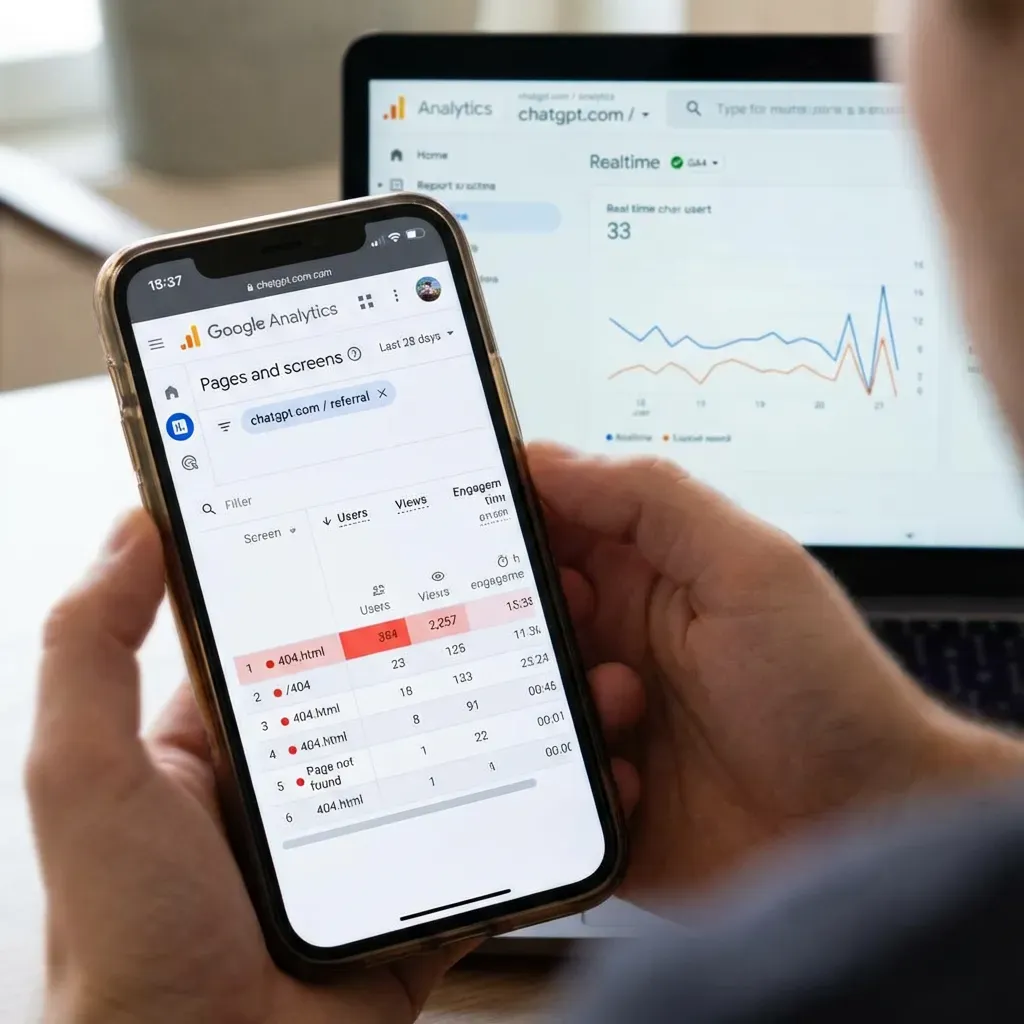
- To find them, isolate AI referral traffic in GA4 using the session source and medium dimension, then cross-reference it against your not-found page to see which phantom URLs are being hit and how often.
- Decide URL by URL: 301 redirect when a close, relevant page already exists or when backlinks point at the wrong URL, and serve a clean custom 404 when the request is genuinely irrelevant to your site.
- Do not mass-redirect phantom URLs to the homepage, and do not let an error page return a 200 status; both create soft 404s that confuse search engines and waste crawl budget.
- Repeatedly invented slugs are a content signal: if an assistant keeps generating a page you do not have and traffic keeps arriving, that is validated demand worth building the real page for.
You open your analytics, see a fresh stream of visitors arriving from ChatGPT, and feel a small thrill. Then you look closer: a meaningful share of those people are landing on pages that do not exist. They clicked a link that looked completely legitimate inside an AI answer, and they hit a 404. That is not a harmless glitch. It is a warm, high-intent visitor arriving at your door and finding it bricked over.
As more people use AI assistants to research products, compare services, and find companies, this problem is quietly growing. Large language models sometimes generate URLs that look plausible for your brand but were never real. This guide explains why it happens, how to find the wrong URLs pointing at your site, and how to turn those broken clicks into recovered traffic and, ideally, new customers.
Why ChatGPT and other LLMs return wrong URLs
Traditional search engines crawl the live web, verify that a page exists, and then link to it. A large language model works differently. It generates text by predicting the most likely next tokens based on patterns it learned during training. When it produces a URL, it is often assembling something that looks like a real address for your site rather than retrieving a link it has confirmed is live.
That leads to a few recurring patterns worth understanding:
- Plausible-but-invented paths. The model guesses a logical-looking slug, for example
/pricing-plans/when your real page lives at/pricing/. - Outdated links. The URL was correct at some point but you have since changed your structure, and the older pattern lingers in the model's associations.
- Blended or malformed URLs. The model stitches together fragments from different sources, producing an address that never existed anywhere.
Models that browse the live web in real time make fewer of these mistakes, but AI-generated links can still be stale or incorrect, so it is safest to assume some phantom URLs will always find their way to your site.
The business impact of phantom URLs
Every wrong URL is a person who wanted to reach you badly enough to click. The cost of losing them is real:
- Lost, high-intent visitors. People arriving from an AI answer are often deep in research mode. A 404 ends that journey abruptly.
- Damaged credibility. A broken page makes a brand look neglected, even when the mistake was the model's, not yours.
- Wasted attention. The hardest part of marketing is earning a click. A phantom URL throws that click away.
The good news is that this traffic is recoverable. You cannot control what a model generates, but you can control what happens when someone lands on a URL that does not exist.
Are AI referrals worth the effort?
For most businesses, yes. AI referral volume is trending upward, and the visitors tend to arrive with clear intent because they have already been guided by an assistant toward a specific recommendation. Even if AI referrals are a small slice of your total traffic today, the fix is largely a one-time setup that keeps paying off as the channel grows. If you want a broader strategy for being surfaced accurately by assistants, our ChatGPT SEO service focuses on exactly this.
How to find wrong URLs in Google Analytics 4
Before you can fix phantom URLs, you need to see them. GA4 lets you isolate AI referral traffic and cross-reference it against error pages.
Step 1: Identify AI referral sources
In GA4, build an exploration and add Session source / medium as a dimension. Look for referrals from domains associated with AI assistants (for example, sources containing "chatgpt" or "openai"). This isolates the traffic segment you care about.
Step 2: Cross-reference with your 404 page
Add Page path as a dimension and Views as a metric. Filter to the page path or page title your site uses for "not found" errors. The URLs feeding that error page from AI sources are your phantom links.
Step 3: Capture the requested path
A standard 404 report tells you the error page was hit but not which address was requested. Make sure your 404 template captures the originally requested path, either as a query parameter or a custom dimension, so you can see the exact wrong URLs being generated.
Redirect or custom 404? How to decide
Once you have a list of wrong URLs, each one needs a decision. Use this simple table.
| Situation | Best action |
|---|---|
| Wrong URL is close to a real, relevant page | 301 redirect to the correct page |
| Wrong URL is requested repeatedly and there is clear intent | Create a real page that matches that intent, or redirect to the closest match |
| Wrong URL is random, malformed, or one-off | Serve a helpful custom 404 (do not redirect) |
| Wrong URL implies a page you should have but do not | Treat it as a content opportunity and build the page |
Resist the urge to redirect everything to your homepage. Mass homepage redirects frustrate users and send weak relevance signals. A redirect should take someone to the page they were actually trying to reach.
Prioritising which URLs to fix
You will rarely have time to handle every phantom URL, so prioritise by impact:
- Frequency. Sort your wrong URLs by how many sessions hit them. Fix the highest-volume ones first.
- Intent. A wrong URL that clearly points at a product, pricing, or service page is worth more than a vague one.
- Proximity. URLs that are one small edit away from a real page are the fastest wins.
Any keyword or SEO tool that shows search demand can help here: if a phantom URL maps to a topic people actively search for, it is a strong candidate for a real page rather than a redirect.
Turning phantom links into a content strategy
Some of the most valuable signals hiding in your wrong-URL list are content gaps. If an assistant repeatedly invents /services/seo-audit/ and you have no such page, that is the market telling you a page should exist. Look for patterns:
- Repeated invented slugs around the same topic point to demand you are not yet serving.
- Invented comparison or "vs" URLs suggest people want you to address alternatives directly.
- Invented location or service-area URLs can reveal geographic intent worth a dedicated page.
Building the real version of a frequently-hallucinated page does double duty: it rescues the AI traffic and often ranks in traditional search too.
Designing an AI-friendly 404 page
For the wrong URLs you choose not to redirect, your 404 page becomes the safety net. A good one converts a dead end into a next step:
- Acknowledge and reassure. Say plainly that the page could not be found, without blaming the visitor.
- Offer a search box. Let people find what they came for immediately.
- Surface your key pages. Link to your main services, products, or most popular content.
- Keep navigation intact. Full header and footer navigation help people reorient.
- Return a real 404 status. The page should serve an HTTP 404 (or 410) status code, not a 200, so search engines treat it correctly.
Monitoring and maintaining your fixes
Wrong URLs are not a one-and-done problem because models update and your site changes. Build a light routine:
- Review your AI-referral 404 report monthly.
- Add new high-frequency redirects as they appear.
- Re-check redirects after any site migration or URL-structure change.
- Watch for new content-gap patterns that justify a real page.
Common mistakes to avoid
- Redirecting every 404 to the homepage. It hurts experience and relevance.
- Ignoring the requested path. Without capturing the exact wrong URL, you are fixing blind.
- Serving a 200 status on your error page. This creates "soft 404s" that confuse search engines.
- Treating all phantom URLs as noise. Some are your clearest content signals.
Frequently asked questions
Can I stop ChatGPT from generating wrong URLs for my site?
Not directly. You cannot control a model's output, but you can control the experience when someone lands on a wrong URL by using redirects and a strong custom 404 page.
Should I redirect a wrong URL or build a new page?
Redirect when a correct, relevant page already exists. Build a new page when the wrong URL is requested often and points to a topic you genuinely should cover.
Do wrong URLs hurt my SEO?
A handful of natural 404s is normal and not damaging on its own. The bigger risks are soft 404s (error pages returning a 200 status) and mass irrelevant redirects, both of which you can avoid.
How often should I review this?
A monthly check is enough for most sites, plus an extra review after any change to your URL structure.
Conclusion
AI assistants are becoming a real source of high-intent visitors, and some of them will always arrive at URLs that never existed. That is not a reason to worry; it is an opportunity. By finding your phantom URLs, redirecting the ones with a clear home, building pages for the ones that reveal genuine demand, and catching the rest with a helpful 404, you turn wasted clicks into recovered traffic. If you would like help capturing this channel accurately and at scale, our team is ready to talk.