TL;DR
- Microsoft Advertising lets advertisers filter audiences by 10 LinkedIn-powered job seniority tiers across both Search and Audience campaigns: CXO, VP, Director, Manager, Senior, Entry, Owner, Partner, Training and Volunteer.
- The feature is live in 23 markets across the Americas, EMEA and APAC, Thailand included, while the UK, Germany, France and the Netherlands are all absent.
- Seniority data is self-declared on LinkedIn profiles with no employer verification, so a Director could sit at a ten-person agency or a Fortune 500 company, which makes the tiers directional signals rather than hard facts.
- The three-phase playbook runs observation mode only on days 1 to 30, bid modifiers toward converting tiers on days 30 to 60, and hard targeting with seniority-specific ad groups from day 60 onward.
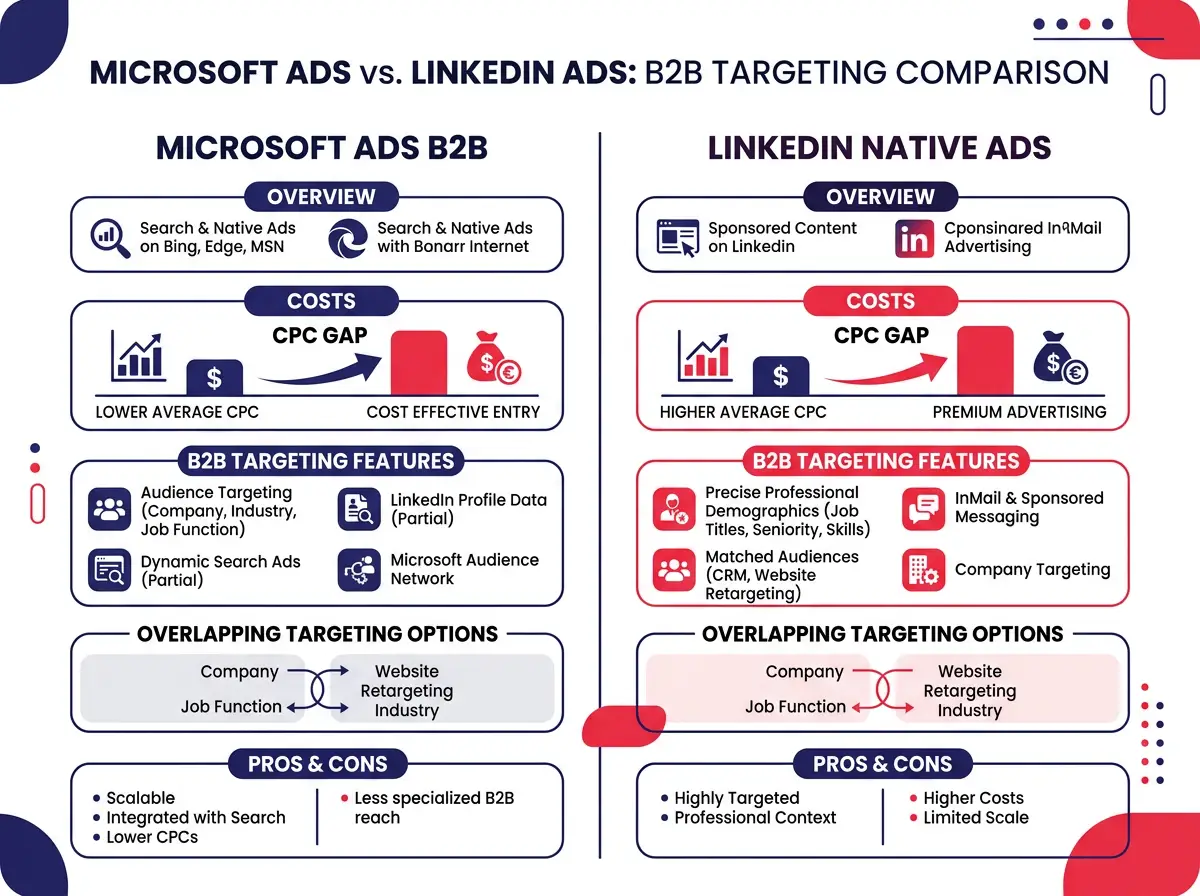
- Typical B2B CPC is put at $2 to $6 on Microsoft Ads against $8 to $15 or more on LinkedIn native, often 60 to 70 percent lower, with search intent layered over LinkedIn professional identity that Google Ads cannot replicate.
- What Microsoft Ads Job Seniority Targeting Does
- The 3-phase playbook for turning Microsoft Ads seniority targeting into a B2B lead machine
B2B marketers have always had the same nagging problem on search platforms: someone clicked your ad, but you have no clue whether it was the CFO who signs the checks or an intern pulling together a research slide deck. Microsoft Ads just changed that equation in a meaningful way.
Microsoft Advertising now lets advertisers filter audiences by 10 LinkedIn-powered job seniority tiers across both Search and Audience campaigns. The practical upshot is that B2B marketers can reach verified decision-makers at a fraction of what native LinkedIn ad costs typically run. That cost gap is exactly why this feature deserves more attention than it’s been getting.
What Microsoft Ads Job Seniority Targeting Does
Before you start shifting budget around, it helps to understand exactly what this feature is, where it works, and where it falls short.
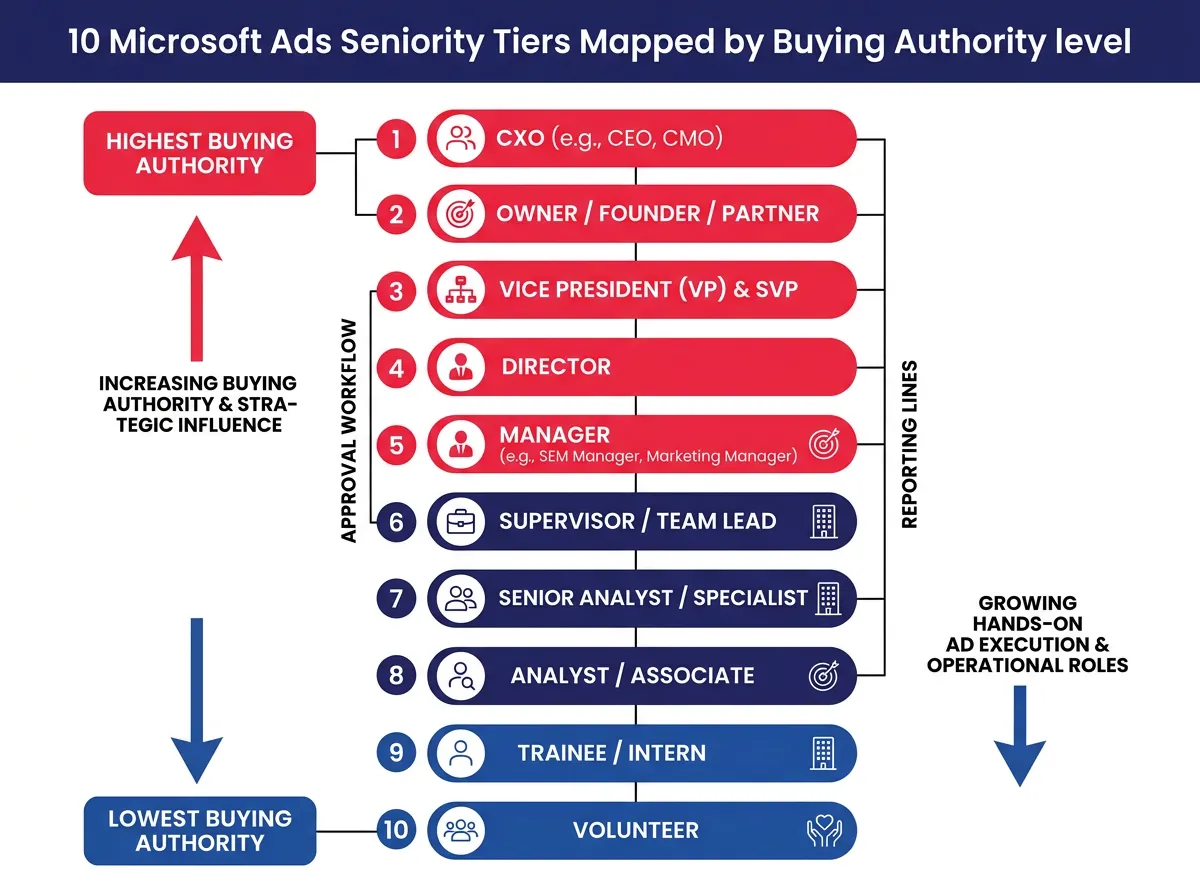
10 Tiers Ranked by Buying Authority, Not Just Title
Microsoft Advertising surfaces 10 standardized seniority levels pulled from LinkedIn profile data:
- CXO (C-suite executives)
- VP
- Director
- Manager
- Senior
- Entry
- Owner
- Partner
- Training
- Volunteer
These tiers are not equal in buying power, and treating them as interchangeable is a mistake. CXO, VP, and Director are the obvious high-authority targets, sure. But Owner and Partner deserve just as much attention, especially in campaigns aimed at small and mid-sized businesses. A business owner has final say on purchases in a way that even a VP at a large enterprise sometimes doesn’t. For SMB-focused advertisers, those two tiers are consistently undervalued and, more importantly, underpriced.
Training and Volunteer sit at the opposite end of the spectrum. Worth observing in specific contexts (education software, nonprofit tools), but for most B2B lead gen campaigns, they’re mostly wasted spend.
 ### Where it Works: 23 Supported Markets & Western Europe Gap
The feature is live across 23 markets:
- Americas: Argentina, Brazil, Canada, Chile, Colombia, Ecuador, Mexico, Peru, and the United States.
- EMEA: Egypt, Nigeria, Saudi Arabia, and South Africa.
- APAC: Australia, India, Indonesia, Japan, Malaysia, Philippines, Singapore, Taiwan, Thailand, and Vietnam.
Notice what’s missing. The UK, Germany, France, and the Netherlands are all absent. Four of the biggest B2B advertising markets in Europe, just not there. If your campaigns span multiple regions under a single structure, you need to account for this explicitly. Assuming uniform coverage will mess up your performance data and probably misallocate budget in ways that aren’t obvious until you’re already in trouble.
Keep your targeting setups separate for supported and unsupported markets. It’s a simple step, and it will save you from reporting headaches later.
Self-declared Data vs. Verified data: What You Need to know
LinkedIn seniority data comes from what users enter on their own profiles. There’s no employer verification happening behind the scenes. A “Director” on LinkedIn could be a director at a ten-person agency or a director at a Fortune 500 company, and those two profiles represent very different buying contexts.
This isn’t a reason to dismiss the feature. It’s a reason to treat seniority labels as directional signals rather than hard facts. Use observation mode to build up your own conversion data before making big budget calls based on these tiers alone. Your actual conversion performance is the validation layer that self-declared data needs.
The 3-phase playbook for turning Microsoft Ads seniority targeting into a B2B lead machine
Understanding the feature is step one. Using it correctly to generate qualified leads at scale is a different problem. Rushing into hard targeting is the most common mistake advertisers make here. A three-phase approach keeps you from spending your way into bad data.
Phase 1 (Days 1 to 30): Observation Mode Only
Apply seniority tiers in observation mode across your existing campaigns. Don’t restrict reach yet. Let the data accumulate so you can see which tiers are actually converting, not just clicking around.
Phase 2 (Days 30 to 60): Bid Modifier Adjustments
Once you have 30 days of seniority-level performance data, apply bid modifiers to push the budget toward the tiers that are actually converting. If CXO and Owner are generating your best leads, push bids higher on those segments. If Entry and Training are burning through spend without results, reduce bids or cut them out.
Phase 3 (Day 60+): Precision targeting
Only after your own data confirms which tiers matter should you shift to hard targeting. At this point, you can create dedicated ad groups by seniority, write ad copy that speaks to each audience specifically, and bid with actual confidence.
Skipping phase one turns this into expensive guesswork.
Microsoft Ads vs. LinkedIn Native: A Side-by-side Targeting Comparison
The arbitrage case for Microsoft Ads seniority targeting gets pretty clear when you look at the numbers side by side.
| Feature | Microsoft Ads | LinkedIn native |
|---|---|---|
| Typical B2B CPC | $2 to $6 | $8 to $15+ |
| Seniority targeting | Yes (10 tiers) | Yes |
| Search intent signal | Yes | No |
| Company name targeting | Yes | Yes |
| Industry targeting | Yes | Yes |
| Job function targeting | Yes | Yes |
| ABM-style layering | Yes | Yes |
The CPC gap is real. LinkedIn CPCs for competitive B2B keywords regularly run above $10, and in verticals like enterprise software or financial services they can push well past $15. Microsoft Ads delivers the same professional identity layer at a CPC that’s often 60 to 70 percent lower.
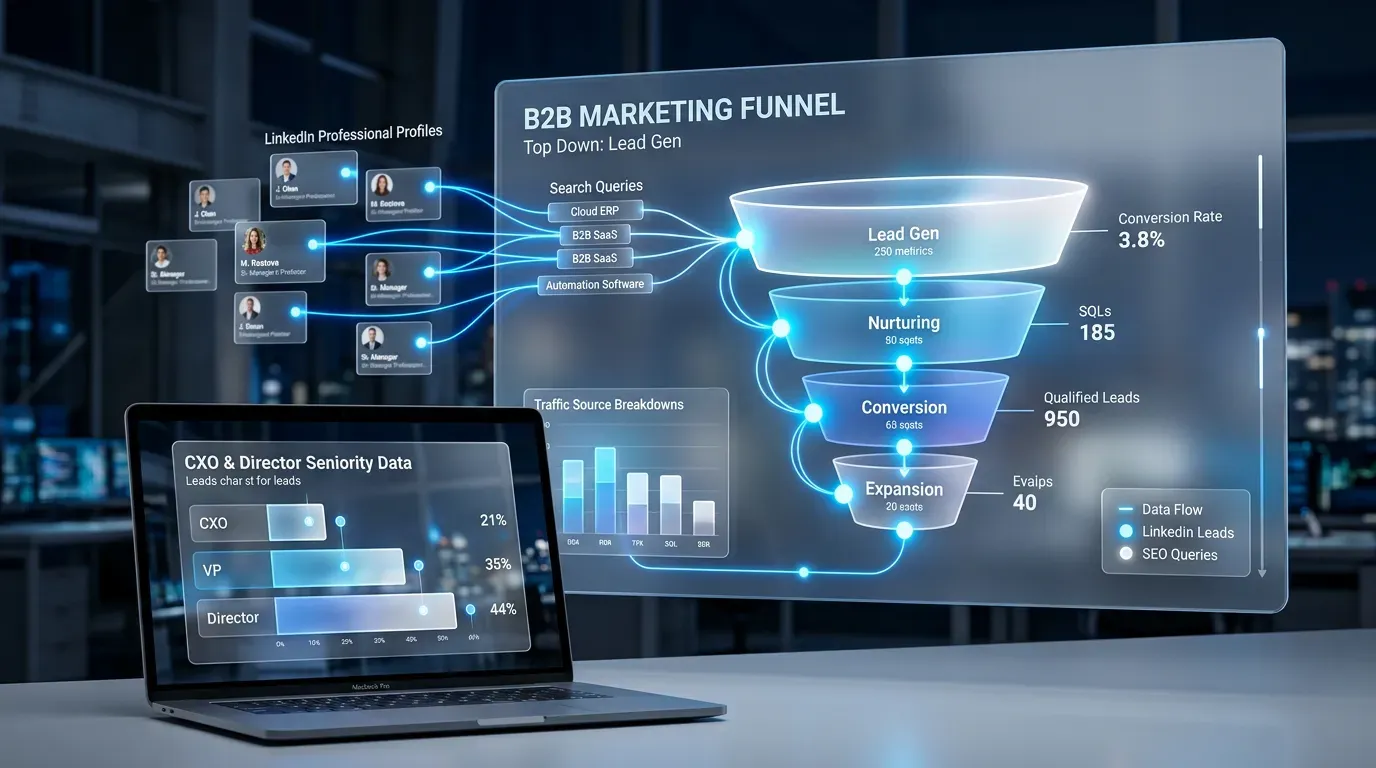
The thing that makes Microsoft Ads genuinely different here is search intent layered on top of professional identity. Someone searching “enterprise data security software” who also matches a CXO seniority tier is a high-quality signal in a way that passive display targeting simply can’t replicate. LinkedIn can put your ad in front of the right person. Microsoft Ads can put your ad in front of the right person at the moment they’re actually looking.
 ### Layering Seniority with Company Name, Industry, and Job Function
The real power here shows up when you stack seniority targeting with other LinkedIn-powered options available inside Microsoft Advertising. You can combine:
- Seniority (CXO, VP, Owner)
- Company name (targeting specific accounts)
- Industry (filtering by sector)
- Job function (aligning to role type)
This combination creates an ABM-lite structure directly inside a Bing search campaign. You’re building a targeted account list, filtering by seniority within those accounts, and capturing those users when they’re actively searching for relevant terms.
Google Ads can’t replicate this. It doesn’t have access to LinkedIn professional identity data, which means it can’t layer verified job title context over search queries. That structural gap is what makes Microsoft Ads job seniority targeting a genuinely interesting opportunity in 2026, not just a feature announcement worth skimming past.
For campaign managers running ABM programs, this setup lets Bing search function as a lower-cost complement to your LinkedIn spend rather than a separate channel that needs its own justification to leadership. The targeting logic is compatible. The cost structure is considerably more favorable.
Start in observation mode, let your own conversion data do the validating, and build from there. The feature is live in 23 markets, the costs run well below LinkedIn native, and the professional identity layer is the same data source. That combination is genuinely hard to ignore.